n8n has become one of the most important automation platforms for technical teams in 2026.
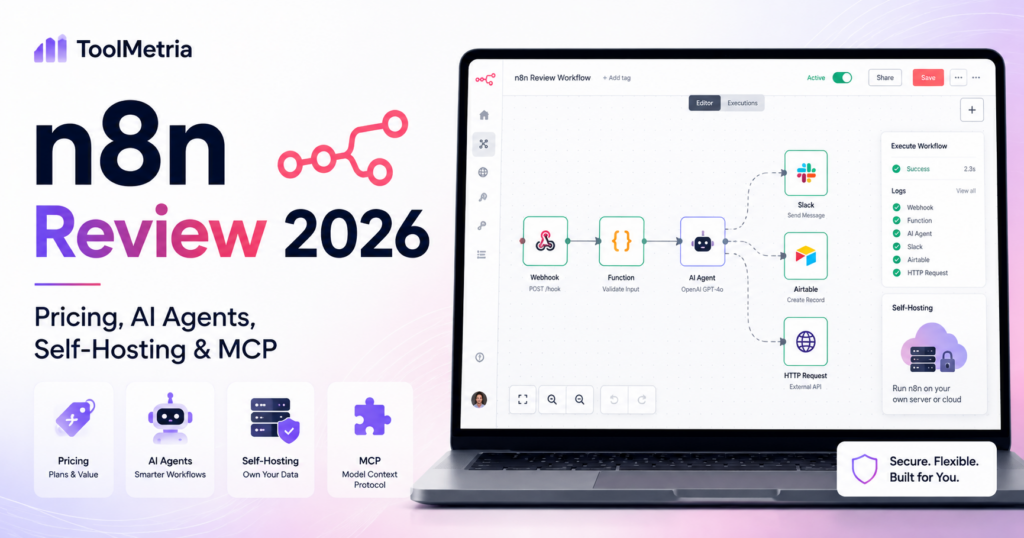
It combines a visual workflow builder with JavaScript and Python code steps, webhooks, APIs, self-hosting, AI agents, Model Context Protocol support and increasingly powerful AI-assisted workflow creation.
The biggest difference from many automation platforms is pricing architecture.
n8n Cloud charges primarily by workflow executions, not by every step inside a workflow. One execution can contain many nodes and large amounts of data while still counting as a single workflow execution.
Current annual n8n Cloud pricing starts at €20/month for Starter with 2,500 executions and €50/month for Pro with 10,000 executions. n8n also offers a free self-hosted Community Edition, while its Business plan is currently self-hosted and starts at €667/month annually for 40,000 executions.
In 2026, n8n has also expanded aggressively into AI. Its AI Agent tooling combines deterministic workflow logic with language models, human approvals and connected tools. A new AI Assistant can build and troubleshoot workflows from natural language, and the n8n MCP Server can now create and update workflows directly from compatible AI clients.
In this n8n review, we examine pricing, executions, self-hosting, AI Agents, n8n Agents, the AI Assistant, MCP, integrations, coding, security, reliability, use cases and how n8n compares with Make and Zapier.
ToolMetria testing status: This review uses current 2026 n8n pricing, documentation and official product announcements. We will add a numerical ToolMetria Score after completing a standardized hands-on automation benchmark.
n8n Review: Quick Verdict
n8n is one of the strongest automation platforms for technical teams that want maximum control, self-hosting and predictable pricing for complex workflows.
Its biggest strengths are:
- workflow-execution pricing rather than per-step billing;
- free self-hosted Community Edition;
- JavaScript and Python code steps;
- custom HTTP and GraphQL requests;
- webhooks and queues;
- AI Agents with deterministic guardrails;
- human-in-the-loop approval;
- AI Assistant for workflow building;
- MCP Server;
- 500+ integrations and flexible custom API access;
- strong developer tooling.
Its biggest weakness is that n8n rewards technical knowledge.
Non-technical users can absolutely build workflows visually, but n8n becomes most powerful when the team understands APIs, JSON, authentication, data structures and basic code.
For a less technical visual automation experience, read our Make Review 2026.
n8n at a Glance
| Area | ToolMetria view |
|---|---|
| Best for | Technical teams, developers, AI automation and self-hosted workflows |
| Starter | €20/month annually, 2,500 executions |
| Pro | €50/month annually, 10,000 executions |
| Business | €667/month annually, self-hosted, 40,000 executions |
| Enterprise | Custom pricing |
| Community Edition | Free self-hosted edition available |
| Users | Unlimited on current Cloud plans |
| Workflow steps | Unlimited; pricing based on executions rather than step count |
| Integrations | 500+ prebuilt nodes plus HTTP/API flexibility |
| AI Agents | Production-oriented agent builder with logic and guardrails |
| n8n Agents | Reusable standalone agents in Preview on n8n Cloud |
| AI Assistant | Workflow-building assistant in Preview |
| MCP | Can run, build and update workflows from compatible AI clients |
| Self-hosting | Major differentiator |
| Main strength | Technical control and flexible automation economics |
| Main drawback | Steeper technical learning curve |
What Is n8n?
n8n is a workflow automation platform designed to connect apps, APIs, databases, AI models and custom logic.
Users build workflows from visual nodes.
A workflow can contain:
- triggers;
- app actions;
- HTTP requests;
- webhooks;
- JavaScript;
- Python;
- databases;
- AI models;
- AI agents;
- human approval steps;
- conditional logic;
- error handling.
This creates an environment that sits between no-code automation and custom software development.
n8n Pricing in 2026
n8n currently separates hosted Cloud plans from self-hosted Business and Community options.
| Plan | Current annual price | Executions | Deployment |
|---|---|---|---|
| Starter | €20/month | 2,500/month | n8n Cloud |
| Pro | €50/month | 10,000/month | n8n Cloud |
| Business | €667/month | 40,000/month | Self-hosted |
| Enterprise | Contact sales | Custom | Cloud or self-hosted |
| Community Edition | Free | Infrastructure-dependent | Self-hosted |
Annual billing currently saves 17% compared with monthly Cloud pricing.
n8n Charges for Executions, Not Workflow Steps
This is one of n8n’s most important differences.
An execution is one full run of a workflow.
n8n says it does not matter how many steps are inside the workflow or how much data those steps process: the complete run still counts as one execution for plan usage.
Example
A lead-processing workflow might:
- receive a webhook;
- check the CRM;
- enrich the company;
- call an AI model;
- score the lead;
- write to a database;
- send a Slack notification;
- send an email;
- update analytics.
On n8n, that complete workflow can still count as one execution.
On platforms that charge by individual operations or tasks, the same workflow may consume multiple billing units.
Why Execution Pricing Matters
Execution pricing can make complex workflows more predictable.
It is particularly attractive for scenarios involving:
- many steps;
- large datasets;
- multiple branches;
- several API calls;
- AI processing;
- complex data transformation.
However, frequency still matters.
A workflow that runs every five minutes can produce roughly 8,600 to 8,900 executions in a month.
So businesses still need to estimate trigger frequency carefully.
Starter Plan
Starter currently costs €20/month billed annually and includes:
- 2,500 monthly workflow executions;
- unlimited users;
- unlimited active workflows;
- one shared project;
- five concurrent executions;
- 2,300 AI Assistant credits per month;
- all integrations;
- code steps;
- custom API requests;
- webhooks;
- forum support.
Starter is a strong choice for learning n8n Cloud and running low-volume production workflows.
Pro Plan
Pro currently costs €50/month billed annually for 10,000 executions.
It adds capabilities including:
- three shared projects;
- 20 concurrent executions at the base Pro tier;
- admin roles;
- global variables;
- workflow history;
- execution search;
- seven days of Insights;
- up to 13,700 AI Assistant credits depending on plan size.
Pro is our likely starting point for small teams that rely on n8n in production.
Business Plan
The current n8n Business plan is self-hosted.
It starts at €667/month billed annually for 40,000 executions.
Business adds:
- six shared projects;
- SSO;
- SAML;
- LDAP;
- 30 days of Insights;
- different environments;
- scaling options;
- Git version control;
- advanced organizational functionality.
n8n currently positions Business for companies with fewer than 100 employees that need collaboration and scale.
Startup Discount
n8n currently offers a Startup plan for qualifying early-stage companies with fewer than 20 employees.
The Startup offer gives 50% off the Business plan.
At current annual pricing, the Startup plan is listed at approximately €333/month for 40,000 workflow executions.
This can make the self-hosted Business feature set more accessible to early-stage companies.
Enterprise
Enterprise uses custom pricing and can be hosted by n8n or self-hosted.
Current Enterprise capabilities include:
- custom execution volume;
- unlimited shared projects;
- 200+ concurrent executions;
- 365 days of Insights;
- external secret store integration;
- log streaming;
- extended retention;
- dedicated support with SLA;
- invoice billing.
Community Edition: n8n’s Biggest Differentiator
n8n provides a free standard self-hosted Community Edition through GitHub.
This is a major reason developers choose n8n.
Self-hosting can give teams control over:
- infrastructure;
- data location;
- network configuration;
- custom nodes;
- execution environment;
- deployment architecture.
The trade-off is responsibility.
Someone needs to maintain:
- servers;
- updates;
- backups;
- security;
- availability;
- database health.
Where Is n8n Cloud Data Stored?
n8n currently states that hosted-plan data is stored in the EU on servers in Frankfurt, Germany.
For self-hosted deployments, the company chooses where the instance and data live.
This can be important for European companies and organizations with data-location requirements.
500+ Integrations — Plus APIs
n8n advertises more than 500 prebuilt integrations for AI and automation workflows.
The raw number is lower than very large catalogs from platforms such as Zapier.
But n8n compensates with strong technical flexibility.
Users can work with:
- HTTP requests;
- GraphQL;
- imported cURL commands;
- custom nodes;
- webhooks;
- JavaScript;
- Python.
If an app has an API, a technical n8n user can often integrate it even without a perfect prebuilt node.
JavaScript and Python Code Steps
Code steps are available directly inside workflows.
This is one of n8n’s strongest advantages for developer-friendly automation.
Code can be useful for:
- transforming data;
- custom validation;
- complex calculations;
- formatting;
- business logic;
- working around missing native node functionality.
n8n therefore lets teams stay visual when possible and write code only where it adds value.
n8n AI Agents
n8n has invested heavily in AI agents.
Its AI Agent builder is designed around a key principle:
combine AI reasoning with predictable workflow logic.
An agent can use:
- language models;
- memory;
- business tools;
- vector stores;
- databases;
- web search;
- other agents;
- n8n workflows.
Why n8n’s Agent Architecture Is Interesting
Pure agents can be unpredictable.
n8n lets builders place deterministic logic around the AI.
Teams can add:
- conditions;
- filters;
- fallback logic;
- error handling;
- human approval;
- predefined tools;
- custom code.
This makes n8n particularly interesting for businesses trying to move AI agents from demos into production.
Human-in-the-Loop
n8n explicitly supports human-in-the-loop guardrails for AI workflows.
This is valuable when an agent wants to perform actions such as:
- sending customer communications;
- changing financial data;
- updating important records;
- approving transactions;
- publishing content.
The workflow can stop and request human approval before the irreversible step executes.
Multi-Agent Systems
n8n supports multi-agent patterns where specialized agents collaborate on a larger task.
For example:
- research agent;
- writing agent;
- quality-control agent;
- data-validation agent.
Traditional workflow logic can then orchestrate the handoffs between agents.
New n8n Agents in 2026
In August 2026, n8n introduced a new reusable Agents concept in Preview on n8n Cloud.
This is different from the existing AI Agent node inside a workflow.
A new n8n Agent can be configured once with:
- instructions;
- tools;
- a model;
- conversation context.
The same agent can then be used in several places.
n8n currently describes use cases such as:
- chatting with the agent directly;
- using it as a node inside a workflow;
- connecting it to Slack;
- running it on a schedule.
This is an important shift toward reusable AI workers rather than agent logic that exists only inside one workflow.
AI Assistant: Build Workflows by Talking to n8n
n8n introduced its new AI Assistant in Preview in July 2026.
The AI Assistant lives inside n8n and can help users:
- plan workflows;
- create workflows;
- edit workflows;
- test workflows;
- troubleshoot errors.
Users can describe what they want in natural language.
The result is still a standard editable n8n workflow.
This is important because AI assists the builder without hiding the underlying automation.
AI Assistant Credits
AI Assistant uses a separate credit allowance on n8n Cloud.
Current allowances include:
- Starter: 2,300 AI Assistant credits per month;
- Pro: between 5,700 and 13,700 credits depending on plan size;
- free trial: 800 credits.
Credits depend on the size and complexity of the workflow-building request.
Unused credits do not roll over.
n8n currently says additional AI Assistant credits cannot be purchased separately; users need to upgrade to a higher plan for a larger allowance.
n8n MCP Server
n8n’s Model Context Protocol support is another major 2026 development.
The n8n MCP Server lets compatible AI clients interact with an n8n instance.
Early functionality focused on executing existing workflows.
In April 2026, n8n expanded the MCP Server so AI clients can also:
- create workflows;
- update workflows;
- validate workflows;
- run workflows;
- repair workflows when something breaks.
That means a user can describe an automation in Claude, ChatGPT or a compatible IDE and have it built directly inside n8n.
Why MCP Changes Automation
Traditional automation platforms require users to open the automation editor.
MCP allows the automation system to become a tool available to another AI interface.
A future workflow may look like:
Ask Claude or ChatGPT → AI designs automation → n8n MCP builds it → n8n runs it.
This makes n8n a potential execution layer underneath several AI assistants.
Webhooks and Queues
n8n can trigger workflows through:
- webhooks;
- schedules;
- app events;
- queues;
- API calls;
- manual runs;
- chat interfaces.
This makes it suitable for event-driven automation as well as scheduled back-office processes.
Error Handling and Debugging
Production automation needs debugging tools.
n8n includes:
- execution logging;
- error workflows;
- debugging inside the editor;
- automatic retries;
- custom actions when a workflow fails;
- execution search on higher plans.
This is especially useful for technical teams that need to understand exactly where a workflow failed.
Workflow History and Version Control
Workflow history depends on plan.
Business and Enterprise add stronger lifecycle functionality, including Git-based version control and separate environments.
This is important when automation becomes production software rather than an informal collection of personal workflows.
Dev, Staging and Production
Higher-tier n8n plans support separate environments.
This lets teams test changes before pushing them into live business workflows.
For software-oriented organizations, this is a major advantage over automation platforms that assume users always edit directly in production.
n8n for AI Automation
AI automation may be n8n’s strongest growth area.
Typical workflows include:
- AI lead qualification;
- document processing;
- support agents;
- research agents;
- RAG workflows;
- multi-agent systems;
- AI content processing;
- human-approved agents;
- AI-driven data routing.
n8n for Developers
Developers are one of n8n’s clearest target audiences.
Useful capabilities include:
- JavaScript;
- Python;
- HTTP;
- GraphQL;
- webhooks;
- CLI control;
- API control;
- self-hosting;
- custom nodes;
- Git;
- separate environments.
n8n for Operations
Operations teams can automate:
- onboarding;
- approvals;
- data synchronization;
- reporting;
- CRM updates;
- vendor processes;
- notifications;
- exception handling.
Technical operations teams are particularly good candidates because they can take advantage of n8n’s API and code flexibility.
n8n for Marketing
Marketing automation can include:
- lead processing;
- content distribution;
- CRM synchronization;
- AI content workflows;
- campaign reporting;
- social monitoring;
- research pipelines.
n8n for Agencies
Automation agencies and consultants may prefer n8n when they need maximum customization.
Self-hosting can also be attractive for agencies with client-specific infrastructure or data requirements.
However, agencies need to plan carefully around maintenance and licensing if they manage several production environments.
n8n vs Make
| Area | n8n | Make |
|---|---|---|
| Visual builder | Strong | Winner for pure visual clarity |
| Coding | Winner | Supported but less developer-centric |
| Self-hosting | Winner | Primarily hosted service |
| Billing model | Per full workflow execution | Credits often tied to module activity |
| AI agents | Strong deterministic guardrails | Strong visual agent orchestration |
| Conversational builder | AI Assistant | Maia |
| MCP | Can build and update workflows | MCP Server and toolboxes |
| Best for | Technical teams | Visual automation teams |
Read our Make Review 2026.
n8n vs Zapier
Zapier is usually easier for a non-technical user who wants to connect mainstream SaaS applications quickly.
n8n is stronger when the organization wants:
- self-hosting;
- code;
- custom APIs;
- complex technical workflows;
- AI orchestration;
- execution-based pricing.
Zapier’s app catalog remains broader and its product is easier to approach for simple workflows.
Read our Zapier Agents Review.
n8n with ChatGPT and Claude
n8n can function as the execution layer beneath general AI assistants.
Through MCP and direct model integrations, a workflow can combine:
- ChatGPT;
- Claude;
- other language models;
- databases;
- business applications;
- custom APIs.
Read our ChatGPT Business Review and Claude Team Review.
Pros and Cons
Pros
- Free self-hosted Community Edition.
- Pricing based on full workflow executions rather than every step.
- Unlimited workflow steps.
- Unlimited users on current Cloud plans.
- Strong JavaScript and Python support.
- HTTP, GraphQL, cURL and custom nodes.
- Excellent fit for AI agents and production guardrails.
- Human-in-the-loop support.
- AI Assistant can build and troubleshoot workflows.
- MCP Server can create and update workflows.
- Strong self-hosting and EU Cloud data location.
- Git and environments on advanced tiers.
Cons
- Steeper learning curve than Zapier.
- Technical knowledge unlocks much of the real value.
- Business plan is expensive and currently self-hosted.
- Self-hosting creates infrastructure responsibility.
- Prebuilt integration catalog is smaller than Zapier’s.
- AI Assistant and new standalone Agents are still in Preview.
- Cloud execution limits require careful frequency planning.
Who Should Use n8n?
We would shortlist n8n for:
- developers;
- technical operations teams;
- AI automation teams;
- automation agencies;
- SaaS companies;
- startups with engineering resources;
- companies that need self-hosting;
- businesses building complex workflows with many steps;
- teams that regularly need custom API logic.
Who Should Probably Skip n8n?
n8n may not be the best fit when:
- the team only needs a few basic app automations;
- nobody is comfortable with APIs or technical concepts;
- the business does not want to maintain self-hosted infrastructure;
- the required integrations are much easier to configure in another platform;
- simplicity matters more than control.
Which n8n Plan Should You Choose?
Community Edition
Choose Community Edition if your team can self-host and wants maximum control at minimal software cost.
Starter
Choose Starter when you want n8n Cloud convenience and fewer than roughly 2,500 production workflow executions per month.
Pro
Choose Pro when several production workflows need more executions, concurrency, shared projects and stronger administrative tools.
Business
Choose Business when your self-hosted organization needs SSO, LDAP, Git, environments and governance.
Enterprise
Choose Enterprise for large-scale compliance, advanced observability, dedicated support and custom execution volume.
How We Would Start with n8n
- Decide Cloud vs self-hosting first.
- Build one simple production workflow.
- Learn the execution model.
- Use webhooks and HTTP nodes early.
- Add code only where visual nodes become awkward.
- Build error workflows.
- Use human approval for high-impact AI actions.
- Test the AI Assistant for workflow creation.
- Use MCP only with carefully scoped credentials and tools.
- Move critical workflows into version-controlled environments when the team grows.
What ToolMetria Will Test Hands-On
Our standardized n8n benchmark will measure:
- Cloud setup;
- self-host setup difficulty;
- first workflow build time;
- Google Sheets / email automation;
- HTTP/API workflow;
- JavaScript/Python code step;
- webhooks;
- AI Agent setup;
- human approval;
- AI Assistant;
- MCP workflow generation;
- execution usage;
- debugging;
- overall value.
Frequently Asked Questions
How much does n8n cost in 2026?
n8n Cloud Starter currently costs €20/month billed annually for 2,500 workflow executions. Pro costs €50/month annually for 10,000 executions. Business currently starts at €667/month annually for 40,000 executions and is self-hosted. Enterprise uses custom pricing. A free self-hosted Community Edition is also available.
Does n8n charge for every step?
No. n8n primarily bills Cloud and commercial plans by workflow executions. A complete run counts as one execution regardless of how many workflow steps it contains.
Is n8n free?
Yes. n8n offers a free self-hosted Community Edition. Cloud plans are paid but include free trials.
Can n8n be self-hosted?
Yes. Self-hosting is one of n8n’s major differentiators. Community Edition is self-hosted, and Business is currently offered as a self-hosted commercial plan.
Does n8n support AI agents?
Yes. n8n provides AI Agent workflow nodes with tools, models, memory, guardrails and human approval. It also introduced reusable standalone n8n Agents in Preview in August 2026.
What is the n8n AI Assistant?
The AI Assistant is a workflow-building agent inside n8n. It can create, edit, test and troubleshoot workflows from natural-language instructions. It is currently in Preview on n8n Cloud.
What is the n8n MCP Server?
The n8n MCP Server allows compatible AI clients to interact with n8n. In 2026, n8n expanded it so clients can build, update, validate and run workflows directly.
Is n8n better than Make?
n8n is generally stronger for self-hosting, coding and developer-heavy workflows. Make is often stronger for users who prioritize a highly visual automation canvas and easier no-code workflow construction.
Is n8n better than Zapier?
It depends. Zapier is generally easier and has a larger mainstream app catalog. n8n offers more technical control, self-hosting and an execution-based pricing model that can be attractive for complex workflows.
Where does n8n Cloud store data?
n8n currently states that Cloud data is stored in the EU on servers located in Frankfurt, Germany.
Final Verdict
n8n is one of the most compelling automation platforms in 2026 for teams that are willing to trade some simplicity for significantly more control.
Execution-based pricing can be attractive for large multi-step workflows.
Self-hosting creates flexibility that most mainstream automation platforms do not offer.
Code steps and API access make n8n useful even when prebuilt integrations are not enough.
And the 2026 AI roadmap is particularly important: AI Agents, reusable standalone Agents, the AI Assistant and MCP are turning n8n into an orchestration layer for both deterministic automation and agentic systems.
For non-technical teams, Make or Zapier may still be easier.
For developers, technical operations teams and serious AI automation builders, n8n is currently one of ToolMetria’s strongest automation-platform candidates for 2026.
ToolMetria preliminary verdict: Best candidate for technical automation, self-hosting and developer-controlled AI agents. Final score pending standardized hands-on testing.