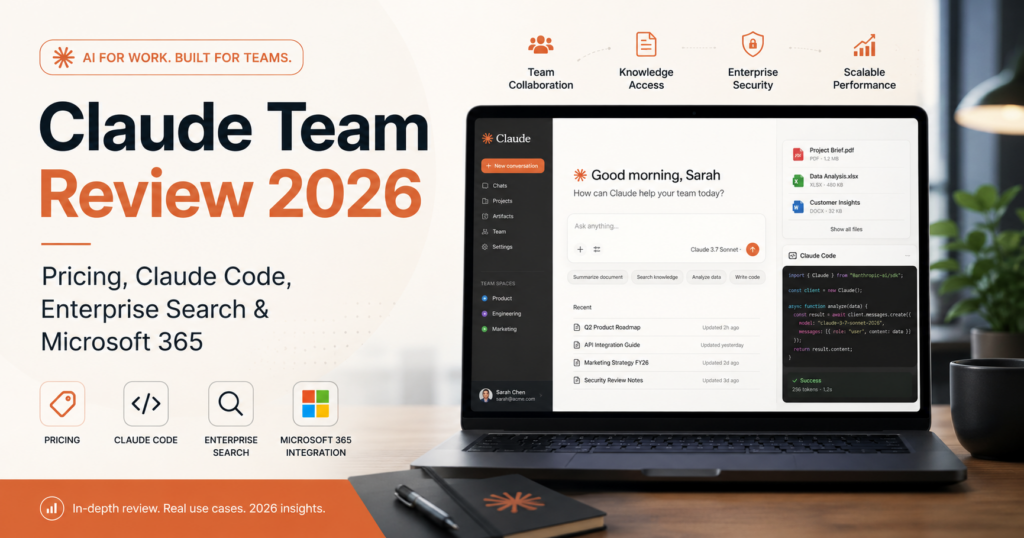
Claude Team has changed substantially in 2026. Anthropic lowered the price, reduced the minimum team size to two members, added stronger organization-wide search, expanded Microsoft 365 connectivity, and continued building Claude into a broader professional workspace rather than a single chat product.
The current Team plan includes Claude, Claude Code, Claude Cowork, Claude Design, Claude Science, enterprise search, connectors, central billing, SSO, administrative controls, and privacy protections for organizational data.
Standard seats currently cost $20 per user per month when billed annually or $25 monthly. Premium seats cost $100 per user per month annually or $125 monthly and include five times the usage of Standard seats.
So is Claude Team worth paying for — and when is it a better choice than ChatGPT Business?
In this Claude Team review, we examine pricing, Standard vs Premium seats, Claude Code, Cowork, enterprise search, Microsoft 365, connectors, privacy, usage limits, administration, API limitations, pros, cons, and the types of businesses that should consider it in 2026.
ToolMetria testing status: This review is based on Anthropic’s current 2026 pricing and product documentation together with our editorial analysis of likely business workflows. We will add a numerical ToolMetria Score after completing a standardized team test.
Claude Team Review: Quick Verdict
Claude Team is one of the strongest AI workspaces for writing-heavy, document-heavy, coding-heavy, and knowledge-intensive teams.
Its clearest strengths are:
- strong long-form writing and analysis;
- Claude Code included with every Team seat;
- Claude Cowork;
- enterprise search across connected company tools;
- Microsoft 365 connectivity;
- support for remote and local connectors;
- central administration and billing;
- SSO;
- organizational data not used for training by default.
For teams deciding between the two leading general AI workspaces, our current view is simple:
Choose Claude Team when writing, coding, documents and deep knowledge work are central.
Choose ChatGPT Business when you want the broader all-round business workspace and ecosystem.
Read our ChatGPT Business Review for the other side of that comparison.
Claude Team at a Glance
| Area | ToolMetria view |
|---|---|
| Best for | Knowledge teams, writers, developers, analysts and document-heavy organizations |
| Standard seat | $20/month annual or $25 monthly |
| Premium seat | $100/month annual or $125 monthly |
| Minimum team size | 2 members |
| Maximum Team size | 150 seats |
| Claude Code | Included |
| Claude Cowork | Included |
| Claude Design | Included |
| Claude Science | Included |
| Enterprise search | Included |
| Microsoft 365 | Supported with organization setup |
| SSO | Included |
| Model training | Team content not used for training by default |
| API | Not included; Claude API/Console billed separately |
| Main strength | Deep professional knowledge and coding workflows |
| Main drawback | Usage limits and separate API billing can complicate cost planning |
For our broader AI shortlist, see Best AI Tools for Small Business in 2026.
What Is Claude Team?
Claude Team is Anthropic’s organizational Claude plan for teams of two to 150 people.
Anthropic positions it as a shared professional workspace that gives every member more usage than the individual Pro plan while adding team administration, organizational knowledge access, identity controls and business privacy protections.
The 2026 version is much more accessible than older Team pricing because Anthropic lowered the price and reduced the minimum team size.
Claude Team Pricing in 2026
Anthropic announced lower Team pricing in January 2026.
| Seat type | Annual billing | Monthly billing | Usage |
|---|---|---|---|
| Standard | $20/user/month | $25/user/month | More usage than Pro |
| Premium | $100/user/month | $125/user/month | 5x Standard seat usage |
Anthropic currently requires at least two Team members.
That makes the minimum Standard-seat cost:
- $40/month equivalent for two seats on annual billing;
- $50/month for two seats on monthly billing.
That is now directly comparable with ChatGPT Business pricing.
Standard vs Premium Seats
Claude Team lets organizations mix and match Standard and Premium seat types.
Standard seats
Standard seats are designed for regular team users and already include more usage than Claude Pro.
They include the core Team functionality:
- Claude;
- Claude Code;
- Claude Cowork;
- Claude Design;
- Claude Science;
- enterprise search;
- connectors;
- administration;
- SSO.
Premium seats
Premium seats are aimed at power users.
Anthropic says Premium seats include five times the usage of Standard seats.
This can make sense for:
- developers using Claude Code heavily;
- researchers;
- analysts;
- writers handling very large workloads;
- team members running long multi-step Claude workflows.
The ability to assign expensive Premium seats only to the users who need them is important. A company does not have to pay Premium pricing for every employee.
Claude Code Is Included With Every Team Seat
One of Claude Team’s strongest differentiators is Claude Code.
Anthropic explicitly includes Claude Code with both Standard and Premium Team seats.
This means a company can use the same Team subscription across general knowledge work and software-development workflows.
Claude Code can assist with tasks such as:
- understanding repositories;
- writing code;
- debugging;
- refactoring;
- technical research;
- working across development tools;
- automating repetitive engineering work;
- documenting codebases.
For a software company, this can significantly increase the value of the Team seat compared with buying a general AI chat product that has weaker coding integration.
Claude Cowork
Claude Cowork is also included with Team seats.
Anthropic positions Cowork around agentic work on files, documents and broader computer-based workflows.
For business teams, the important idea is that Claude is increasingly designed to complete multi-step work rather than only generate a response in a chat window.
Potential use cases include:
- organizing files;
- working through document-heavy tasks;
- research preparation;
- report creation;
- repetitive knowledge workflows;
- multi-step project tasks.
Claude Design and Claude Science
Anthropic’s current pricing page also includes Claude Design and Claude Science with Team seats.
These specialized experiences illustrate the direction of the platform: Claude is being packaged around professional workflows rather than a single generic interface.
For most small companies, Claude Code and enterprise search are likely to be more immediately valuable, but specialized teams may get additional value from these newer products.
Enterprise Search: Ask Your Organization
One of the biggest Team features in 2026 is enterprise search.
Anthropic provides a dedicated Ask Your Org project designed to search across organizational knowledge sources.
Owners can configure supported connectors, and team members can then search across multiple services through one Claude interface.
Anthropic describes enterprise search as unified access across sources such as:
- Slack;
- Microsoft 365;
- Google Workspace;
- other supported connectors;
- custom MCP-based connections.
Why enterprise search matters
Many companies already have the answer to an employee’s question somewhere.
The problem is that it may be hidden across:
- email;
- Slack;
- Teams;
- SharePoint;
- Drive;
- documentation;
- project-management tools;
- internal files.
Enterprise search attempts to turn Claude into a single interface over those sources.
Microsoft 365 Integration
Anthropic has expanded Microsoft 365 integration substantially.
The current Microsoft 365 connector can search and analyze information across:
- SharePoint;
- OneDrive;
- Outlook;
- Teams.
With administrator-approved write tools, Claude can also perform supported actions such as:
- drafting and sending emails;
- managing calendar events;
- creating files;
- updating files in OneDrive and SharePoint.
The connector uses the member’s existing Microsoft 365 permissions.
That means users should not automatically gain access to company information they were not already allowed to see.
Microsoft 365 Requirements
There is an important setup requirement.
The connector requires a work Microsoft 365 account tied to a Microsoft Entra tenant.
Personal Microsoft accounts such as ordinary Outlook.com or Hotmail addresses cannot be used for the organizational connector.
Team owners and Microsoft Entra administrators may also need to approve the integration before employees can use it.
Connectors and MCP
Claude’s connector model is another major strength.
Team administrators can manage remote and local connectors, while enterprise search can combine multiple connected sources.
Anthropic also supports remote MCP connections, making Claude relevant to teams that want to extend it with internal tools or third-party services.
This can turn Claude from a standalone AI assistant into a layer over the company’s software environment.
Can Claude Take Actions in Connected Tools?
Some connectors support more than read-only search.
The Microsoft 365 integration is a good example.
When administrators enable write permissions, Claude can take supported actions such as sending email, managing calendar events and creating or updating files.
Businesses should treat action-enabled AI more carefully than read-only search.
Permissions, approvals, auditability and clear workflow boundaries become increasingly important as AI is allowed to change real business data.
Privacy: Is Claude Team Data Used for Training?
Anthropic states that Team content is not used to train Claude by default.
This is a critical business consideration.
Team also includes centralized administration and identity controls so the organization has more control than it would with a collection of unrelated personal subscriptions.
SSO and Identity Management
Claude Team includes single sign-on.
Anthropic’s Team documentation also describes advanced identity and access management such as SSO and domain capture.
These features matter as AI adoption expands across a company because access should be managed like any other important business system.
Central Billing and Administration
Claude Team includes centralized billing and administrative controls.
This lets the organization manage seats rather than having employees individually expense personal subscriptions.
Administrators can also control connectors and organizational access.
For a two-person company this may feel minor.
For a 20-, 50-, or 100-person company, centralized administration becomes much more important.
Usage Limits: Team Is Not Truly Infinite
Claude Team gives Standard users more usage than Pro, and Premium seats have five times Standard-seat usage.
However, seats still have usage limits.
Anthropic allows Team owners to purchase additional usage so employees can continue working after their included limits are reached.
This is important for teams using:
- Claude Code heavily;
- Cowork;
- large documents;
- long reasoning sessions;
- agentic workflows.
Usage Packs
Anthropic also offers prepaid usage packs.
Its current 2026 documentation lists discounted bundles:
| Usage value | Discount | Price paid |
|---|---|---|
| $50 | 10% | $45 |
| $250 | 20% | $200 |
| $1,000 | 30% | $700 |
For organizations with predictable heavy usage, this can make usage costs easier to manage.
Important: Claude API Is Not Included
This is one of the most important limitations to understand.
A paid Claude subscription — including Team — does not include Claude API or Console usage.
Anthropic treats:
- Claude subscriptions;
- Claude Console / API
as separate products.
If a company wants to build its own application using Claude through API keys, that API usage is billed separately.
This is easy to misunderstand when evaluating Claude Team for software development.
Claude Code can be included in the subscription, while direct API access is still a separate billing relationship.
Claude Agent SDK Credit
Anthropic made an additional change in June 2026 for Claude Agent SDK usage.
Eligible Team subscribers can claim a separate monthly Agent SDK credit.
Anthropic currently lists:
- Team Standard seat: $20 monthly Agent SDK credit;
- Team Premium seat: $100 monthly Agent SDK credit.
This credit is separate from ordinary interactive Claude usage and applies specifically to eligible Agent SDK workflows.
Claude Team for Writers and Content Teams
Claude is particularly compelling for teams producing large amounts of written material.
Potential workflows include:
- long-form drafts;
- editing;
- document synthesis;
- research summaries;
- content planning;
- tone and style work;
- large-file analysis;
- internal documentation.
The biggest risk is the same as with every AI writing product: generic output.
Human editorial standards still determine whether the final content is useful.
Claude Team for Developers
This may be the plan’s strongest use case.
Claude Code is included with every Team seat, and Premium seats give power users substantially more capacity.
Software teams can use Claude across:
- coding;
- repository understanding;
- debugging;
- documentation;
- technical planning;
- workflow automation;
- research;
- internal knowledge search.
For a development-heavy company, Claude Team may justify itself even before considering general business use.
Claude Team for Microsoft 365 Businesses
The improved Microsoft 365 connector makes Claude more attractive to companies deeply invested in Microsoft’s ecosystem.
A team can use Claude to search across work email, documents, SharePoint and Teams context.
With the required administrator approvals, supported write actions can further reduce context switching.
This does not automatically make Claude better than Microsoft Copilot.
It does make the comparison more interesting because Claude can now work much closer to the company’s existing Microsoft information.
Claude Team for Research and Analysis
Research-heavy teams can benefit from the combination of:
- Claude’s general analytical capabilities;
- enterprise search;
- connectors;
- large documents;
- web search;
- projects;
- organization context.
This can be particularly useful for:
- consultancies;
- strategy teams;
- analysts;
- legal-adjacent research workflows;
- technical organizations;
- product teams.
Claude Team vs Claude Pro
Claude Pro is an individual subscription.
Team adds organizational functionality and more usage per Standard seat.
Team makes more sense when you need:
- two or more members;
- central billing;
- enterprise search;
- organization connectors;
- SSO;
- connector administration;
- shared company workflows;
- business privacy defaults.
A solo user who does not need the organizational layer may be better served by Pro or Max.
Claude Team vs ChatGPT Business
| Area | Claude Team | ChatGPT Business |
|---|---|---|
| Annual standard price | $20/user/month | $20/user/month |
| Monthly price | $25/user/month | $25/user/month |
| Minimum users | 2 | 2 |
| Coding | Claude Code included | Codex included |
| Company knowledge | Enterprise search / Ask Your Org | Company Knowledge |
| Microsoft 365 | Deep connector with supported write actions | Connected-tool ecosystem |
| Business ecosystem | Focused, growing | Broader plugin/app ecosystem |
| Power-user seat | Premium 5x seat available | Different license/usage structure |
| API included | No | API is a separate OpenAI platform product |
| Best fit | Writing, coding and deep knowledge work | Broad all-round business AI |
At the same headline Standard-seat price, the decision should be based on workflow rather than cost.
We will publish a dedicated ToolMetria ChatGPT Business vs Claude Team comparison next.
Claude Team Pros and Cons
Pros
- Competitive $20 annual Standard-seat price.
- Only two users required.
- Claude Code included with every seat.
- Claude Cowork included.
- Enterprise search across organizational sources.
- Strong Microsoft 365 integration.
- Premium seats available for heavy users.
- Mix Standard and Premium seats.
- SSO and administration.
- Team data not used for training by default.
- Connectors and MCP support.
- Agent SDK credit for eligible Team seats.
Cons
- Usage is still limited by seat type.
- Heavy teams may need extra usage.
- Premium seats are expensive.
- Claude API/Console is billed separately.
- Microsoft 365 setup can require administrator involvement.
- Action-enabled connectors increase governance complexity.
- Some organizations may prefer a broader ecosystem such as ChatGPT Business.
Who Should Buy Claude Team?
We would shortlist Claude Team for:
- software companies;
- developer-heavy teams;
- consultancies;
- research organizations;
- writing and editorial teams;
- analysts;
- Microsoft 365 organizations that want a strong third-party AI layer;
- teams that work with large amounts of internal documentation;
- businesses that want enterprise search without moving to a full Enterprise plan.
Who Should Probably Skip It?
Claude Team is less compelling when:
- only one person needs Claude;
- AI usage is occasional;
- the company primarily needs visual marketing tools;
- the organization already has an AI suite deeply embedded in its workflow;
- API access is the main requirement;
- employees are unlikely to use enterprise search or connectors;
- the company needs advanced enterprise governance beyond Team.
Is Claude Team Worth $20 per User?
For the right team, yes.
At $20 per Standard seat on annual billing, the pricing is aggressive given that Claude Code, Cowork, enterprise search, connectors and organizational controls are included.
The important question is not whether Claude can generate good answers.
It is whether your organization has recurring workflows that benefit from:
- coding;
- document analysis;
- research;
- writing;
- organization-wide search;
- Microsoft 365 context;
- multi-step knowledge work.
If those workflows exist, Claude Team can be easy to justify.
How We Would Roll Out Claude Team
Our recommended rollout would be:
- Start with Standard seats for the core users.
- Identify one or two heavy users before buying Premium seats.
- Configure enterprise search with only the most useful sources.
- Set connector permissions carefully.
- Define which actions require human approval.
- Train developers on Claude Code.
- Track extra usage before enabling large budgets.
- Measure time saved across two or three recurring workflows.
What ToolMetria Will Test Hands-On
Our standardized Claude Team test will measure:
- workspace setup;
- seat administration;
- Standard vs Premium usage;
- enterprise-search quality;
- Microsoft 365 setup;
- source retrieval;
- Claude Code workflows;
- Cowork workflows;
- connector permissions;
- writing and document quality;
- additional usage cost;
- overall value.
We will add screenshots, timings and a numerical ToolMetria Score after testing.
Frequently Asked Questions
How much does Claude Team cost in 2026?
Standard seats currently cost $20 per user per month on annual billing or $25 monthly. Premium seats cost $100 per user per month annually or $125 monthly.
How many users are required for Claude Team?
Claude Team currently requires at least two members and supports organizations of up to 150 seats.
What is the difference between Standard and Premium seats?
Both seat types include Team features, but Premium seats provide five times the usage of Standard seats.
Does Claude Team include Claude Code?
Yes. Anthropic includes Claude Code with every Standard and Premium Team seat.
Does Claude Team include the Claude API?
No. Claude subscriptions and Claude Console/API usage are separate products. API usage is billed separately.
Does Anthropic train on Claude Team data?
Anthropic states that Team content is not used for model training by default.
Can Claude Team search company information?
Yes. Enterprise search provides an Ask Your Org project that can search across supported organizational sources and connectors.
Can Claude connect to Microsoft 365?
Yes. Claude can search SharePoint, OneDrive, Outlook and Teams through the Microsoft 365 connector. With approved write permissions, it can also perform certain supported actions such as sending email, managing calendar events and creating or updating files.
Is Claude Team better than ChatGPT Business?
Claude Team is particularly strong for writing, coding, documents and deep knowledge work. ChatGPT Business is currently our broader all-round business AI choice. Both have the same current annual Standard-seat headline price.
Final Verdict
Claude Team is one of the strongest business AI subscriptions available in 2026.
The January price reduction changed the economics significantly. A Standard seat now costs the same headline annual price as ChatGPT Business while including Claude Code, Cowork, enterprise search, connectors, central administration and SSO.
For developer-heavy, research-heavy, writing-heavy and Microsoft 365-centric teams, the value proposition is especially strong.
The main caveats are usage limits, expensive Premium seats and the fact that Claude API access remains a separate product.
But for organizations whose work revolves around code, documents and knowledge, Claude Team is currently one of ToolMetria’s leading AI workspace candidates for 2026.
ToolMetria preliminary verdict: Best candidate for coding-heavy and deep knowledge-work teams. Final score pending standardized hands-on testing.