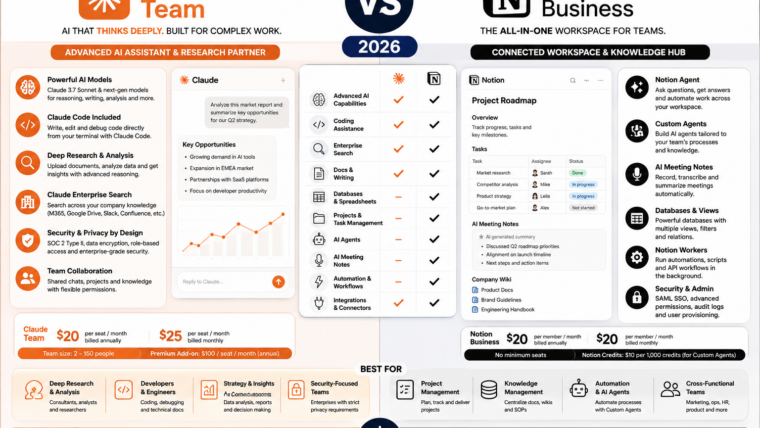
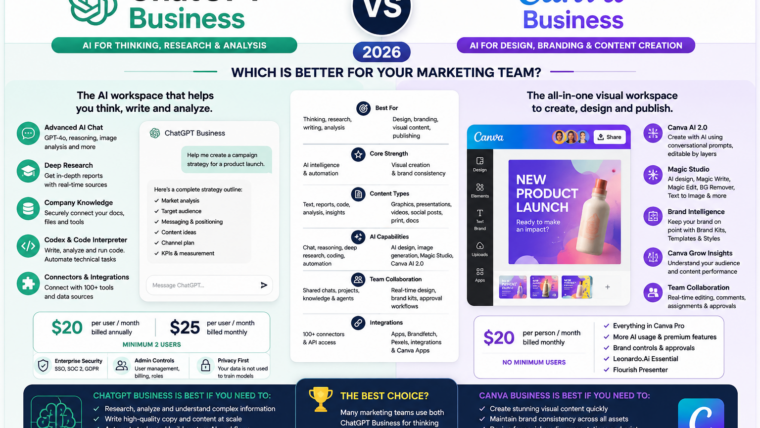
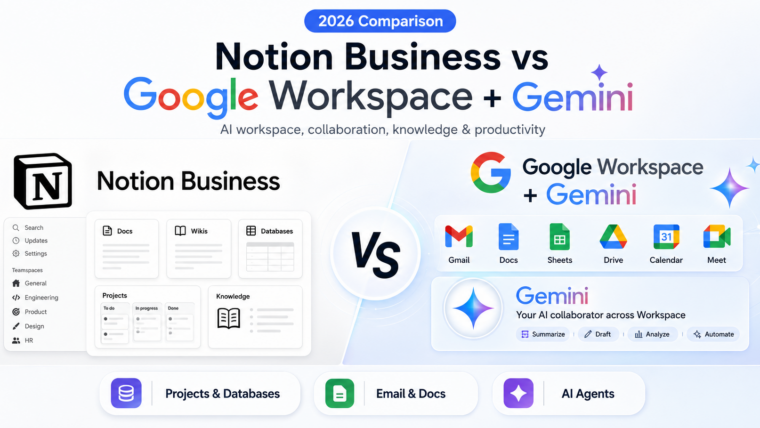
Claude Team and Google Workspace with Gemini are both serious business AI products in 2026, but they solve the problem from very different starting points.
Claude Team is an AI-first workspace built around deep knowledge work, writing, coding, enterprise search, connectors and agentic workflows.
Google Workspace with Gemini is a productivity suite first. Gemini is built directly into Gmail, Docs, Drive, Sheets, Meet and the broader Workspace environment.
That means the right choice depends less on which AI model is “better” in isolation and more on where your team already works.
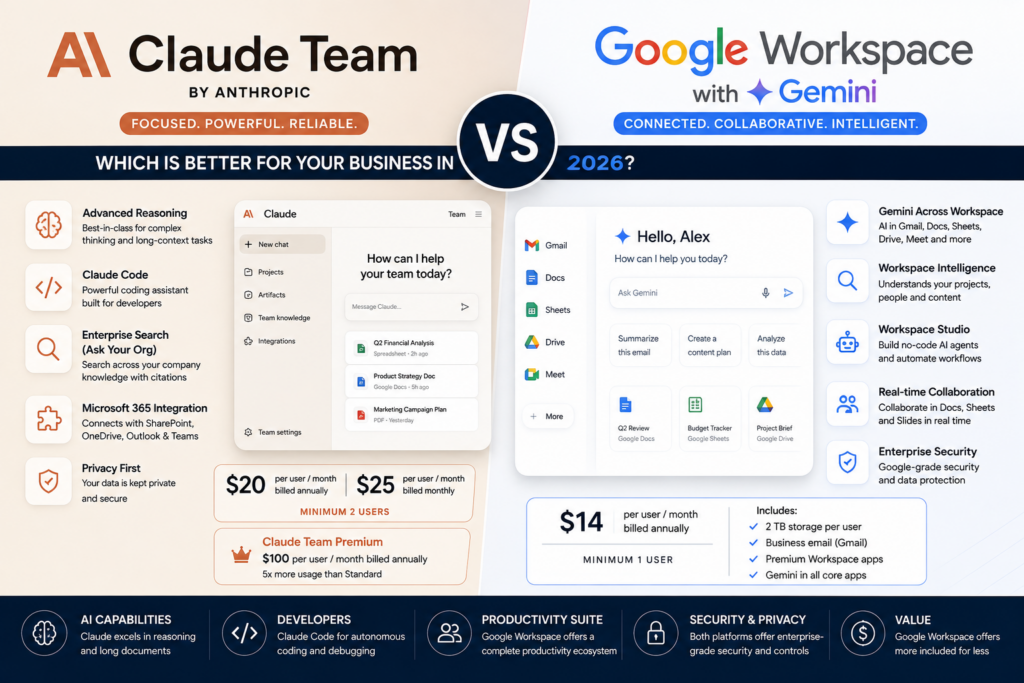
Current US list pricing also creates a meaningful difference. Claude Team Standard costs $20 per user per month when billed annually or $25 monthly and requires at least two members. Google Workspace Business Standard currently lists at $14 per user per month on annual commitment and includes business email, 2 TB pooled storage per user and premium Gemini functionality across Workspace.
In this Claude Team vs Google Workspace with Gemini comparison, we examine pricing, writing, coding, documents, spreadsheets, company knowledge, Microsoft 365, Gmail, Meet, storage, agents, privacy, administration and the best fit for different kinds of teams.
ToolMetria methodology: This article uses current 2026 official Anthropic and Google documentation together with our editorial framework. We will add measured hands-on scores after testing equivalent workflows in both products.
Claude Team vs Google Workspace with Gemini: Quick Answer
Choose Claude Team if your team is heavy on coding, writing, large documents, analysis and deep knowledge work.
Choose Google Workspace Business Standard if your team already lives in Gmail, Docs, Sheets, Drive and Meet and wants AI embedded directly into daily productivity.
| Category | Winner | Why |
|---|---|---|
| Annual headline price | Google Workspace | $14/user/month vs Claude Team Standard at $20 |
| General deep knowledge work | Claude Team | Claude is more AI-first and document-centric |
| Coding | Claude Team | Claude Code included with Team |
| Google Workspace | Gmail is native and Gemini works inside it | |
| Documents | Google Workspace | Docs is the native collaborative document layer |
| Long-form writing | Claude Team | Strong fit for writing-heavy workflows |
| Spreadsheets | Google Workspace | Gemini works directly in Sheets |
| Company knowledge | Tie | Claude Enterprise Search vs Workspace Intelligence/native Workspace context |
| Microsoft 365 | Claude Team | Strong connector across Outlook, Teams, OneDrive and SharePoint |
| Meetings | Google Workspace | Meet and AI meeting features are native |
| Storage | Google Workspace | 2 TB pooled per Standard user |
| Power users | Claude Team | Premium seats with 5x Standard usage |
| Best for Google-centric companies | Google Workspace | AI is embedded in the existing suite |
| Best for developers and analysts | Claude Team | AI-first work, Claude Code and deep analysis |
Read the individual reviews: Claude Team Review and Google Workspace with Gemini Review.
Pricing: Google Workspace Is Cheaper
Claude Team Standard currently costs:
- $20 per member per month when billed annually;
- $25 per member per month when billed monthly;
- minimum 2 members.
Claude Team Premium costs:
- $100 per member per month annually;
- $125 per member per month monthly;
- with 5x Standard usage.
Google Workspace Business Standard currently lists at $14 per user per month on annual commitment in the US.
That means a two-person team costs approximately:
- Claude Team Standard: $40/month equivalent annually;
- Google Workspace Standard: $28/month annually.
Winner: Google Workspace
But Google Workspace Includes Much More Than AI
The price comparison is not perfectly symmetrical.
Google Workspace Standard includes:
- custom business Gmail;
- 2 TB pooled storage per user;
- Docs;
- Sheets;
- Slides;
- Drive;
- Meet;
- Calendar;
- Chat;
- Gemini;
- Google Vids;
- appointment booking;
- eSignature;
- administration and security.
Claude Team is not trying to be an office suite.
It is trying to be an intelligent work layer across coding, documents, knowledge and connected tools.
Deep Knowledge Work: Claude Team Wins
Claude Team is particularly strong when employees spend most of their day doing work such as:
- long-form writing;
- large-document analysis;
- coding;
- technical research;
- knowledge synthesis;
- multi-step professional tasks.
Claude also includes specialized experiences such as Claude Code and Cowork.
Winner: Claude Team
Email: Google Workspace Wins
Google owns the email environment itself.
Gemini in Gmail can help users:
- draft messages;
- rewrite;
- summarize threads;
- find information;
- prepare replies;
- work with existing company email context.
Claude can connect to Outlook through Microsoft 365, but it does not replace a business email system.
Winner: Google Workspace
Documents: Native Collaboration vs AI Depth
Google Docs is the stronger collaborative document platform.
Gemini can assist directly while employees:
- write;
- edit;
- comment;
- share;
- collaborate in real time;
- store the file in Drive.
Claude is stronger when the task is primarily about analyzing or transforming a large body of content.
For example:
- reviewing a long report;
- comparing policy documents;
- rewriting a technical document;
- synthesizing research.
Winner for collaboration: Google Workspace
Winner for deep document work: Claude Team
Writing: Claude Team Wins
Claude remains one of the most compelling AI products for writing-heavy professional teams.
It is particularly well suited to:
- long reports;
- editing;
- technical writing;
- document synthesis;
- structured research output.
Gemini inside Docs is extremely convenient, but Claude Team remains our preferred environment when writing quality and large-document work are central.
Winner: Claude Team
Spreadsheets: Google Workspace Wins
Gemini works directly inside Google Sheets.
Current capabilities can help with:
- formula creation;
- formula troubleshooting;
- data analysis;
- tables;
- categorization;
- business insights;
- structured spreadsheet workflows.
Claude can analyze uploaded spreadsheet data, but Sheets is a live collaborative spreadsheet environment.
Winner: Google Workspace
Coding: Claude Team Wins
Claude Code is included with Team seats.
This makes Claude Team especially attractive to software teams.
Potential workflows include:
- repository understanding;
- writing code;
- debugging;
- refactoring;
- technical documentation;
- multi-step software work.
Google has strong developer AI products elsewhere in its ecosystem, but Workspace Business Standard itself is not primarily a coding product.
Winner: Claude Team
Company Knowledge: Claude Enterprise Search
Claude Team includes Enterprise Search.
Anthropic provides a preconfigured Ask Your Org project for searching across organizational knowledge sources.
Owners can configure the available connected applications, and users authenticate the sources they are permitted to use.
This creates a unified company knowledge layer across supported tools.
Company Knowledge: Workspace Intelligence
Google’s advantage is that much of the company’s knowledge may already live natively in:
- Gmail;
- Drive;
- Docs;
- Calendar;
- Chat;
- Sheets.
Workspace Intelligence is designed to provide deeper contextual understanding across this environment.
Winner: Tie
Claude is compelling when company knowledge is distributed across different software systems.
Google is compelling when most of the organization already works inside Workspace.
Microsoft 365: Claude Team Wins Clearly
Claude has become especially interesting for companies centered on Microsoft 365.
Its current Microsoft 365 connector can search and analyze content across:
- SharePoint;
- OneDrive;
- Outlook;
- Teams.
If an administrator enables write tools, Claude can also perform supported actions such as:
- drafting and sending email;
- managing calendar events;
- creating files;
- updating OneDrive and SharePoint files.
The connector uses the employee’s existing Microsoft permissions.
Winner: Claude Team
Google Workspace Companies: Gemini Wins by Default
If the company already uses Google Workspace, Gemini has a structural advantage.
There is no migration required to start using AI in:
- email;
- documents;
- spreadsheets;
- meetings;
- files;
- calendar.
The employee uses AI in the same place the work already exists.
Winner: Google Workspace
Meetings: Google Workspace Wins
Business Standard includes Google Meet with:
- up to 150 participants;
- recording;
- noise cancellation;
- AI-assisted meeting features;
- Gemini support;
- collaboration tied to the Workspace environment.
Claude can help with meeting-related information after it reaches connected systems, but Meet is native to Google.
Winner: Google Workspace
Storage: Google Workspace Wins
Business Standard includes 2 TB pooled storage per user.
This storage powers the company’s real file environment.
Claude Team does not attempt to replace Google Drive or OneDrive as a general business cloud-storage system.
Winner: Google Workspace
Claude Team Premium Seats
Claude has one major flexibility advantage for power users.
Organizations can mix Standard and Premium Team seats.
A Premium seat provides five times the usage of a Standard seat.
This is useful when a company has:
- many ordinary AI users;
- a small number of developers, analysts or researchers with much heavier usage.
Winner for power-user allocation: Claude Team
Extra Claude Usage
Anthropic also allows Team owners to purchase additional usage when needed.
Discounted usage packs are currently available, with larger bundles receiving larger discounts.
This gives heavy teams another way to manage capacity without upgrading everyone to Premium.
Agents and Automation: Google Workspace Studio
Google Workspace Studio allows business users to create and share AI agents for everyday work.
Examples include:
- email triage;
- invoice extraction;
- status reports;
- routing information;
- recurring Workspace workflows.
For Google-centric operations, this is a major advantage.
Agents and Automation: Claude
Claude’s strength is its combination of:
- connectors;
- enterprise search;
- MCP;
- Claude Code;
- Cowork;
- agentic workflows.
Claude is particularly compelling when the automation involves deeper reasoning rather than primarily Workspace-native actions.
Winner: Tie, ecosystem dependent
Privacy: Both Are Strong
Anthropic states that commercial Claude products such as Team are not trained on customer content by default.
Google states that Workspace business content is not used to train Gemini models outside the customer’s domain without permission.
Google also says Gemini follows existing Workspace access permissions: if a user cannot access a file, Gemini cannot use it for that user.
Winner: Tie
Administration
Claude Team includes:
- central billing;
- organization administration;
- SSO;
- connector controls;
- seat management;
- enterprise search configuration.
Google Workspace includes mature controls for:
- users;
- email;
- Drive;
- sharing;
- devices;
- AI features;
- data protection;
- retention;
- security policy.
Winner: Google Workspace for complete IT administration
Which Is Better for a Solo Business?
Google Workspace is usually easier to justify.
Claude Team requires at least two members.
A solo founder can use Claude Pro or Max instead, but those are individual plans rather than Team.
Workspace can simultaneously provide:
- business email;
- documents;
- calendar;
- storage;
- meetings;
- Gemini.
Winner: Google Workspace
Which Is Better for Developers?
Claude Team.
Claude Code is a major reason.
Premium seats also provide a straightforward path for high-usage developers.
Which Is Better for Consultants?
Claude Team is particularly compelling when consulting work involves:
- large reports;
- research;
- writing;
- technical material;
- multi-document synthesis.
Workspace is stronger when client work relies heavily on:
- email;
- Docs;
- Sheets;
- Drive;
- Meet.
Winner: Depends on workflow
Which Is Better for Marketing Teams?
Google Workspace is stronger as the collaboration layer.
Claude is stronger for long-form content, strategy documents and research-heavy writing.
Neither replaces a dedicated visual creative platform.
See our Canva Business Review.
Which Is Better for Operations?
Google is a strong choice when operations live inside Gmail, Sheets, Drive and Calendar.
Claude becomes more compelling when operational workflows need:
- cross-platform knowledge;
- Microsoft 365;
- complex document analysis;
- deeper reasoning.
Can Google Workspace Replace Claude Team?
For some businesses, yes.
If AI use is primarily:
- email;
- Docs;
- Sheets;
- Meet;
- Drive;
- basic research;
- Workspace automation;
then Gemini may be enough.
If the team regularly needs:
- coding;
- long-form professional writing;
- large-document analysis;
- enterprise search across non-Google systems;
- deep Microsoft 365 workflows;
Claude Team adds meaningful value.
Do You Need Both?
Possibly, especially for a Google Workspace company with developer-heavy or knowledge-heavy employees.
A company could use:
- Google Workspace for email, storage, documents and meetings;
- Claude Team for developers, researchers and analysts.
This selective seat strategy is often better than giving every employee both subscriptions.
Final Scorecard
| Category | Claude Team | Google Workspace + Gemini |
|---|---|---|
| Annual price | $20/user | Winner — $14/user Standard |
| Deep knowledge work | Winner | Strong |
| Writing | Winner | Strong and integrated |
| Coding | Winner | Not core Workspace focus |
| Microsoft connector option | Winner | |
| Documents | Excellent analysis | Winner for collaboration |
| Spreadsheets | Can analyze data | Winner |
| Company knowledge | Excellent | Excellent |
| Microsoft 365 | Winner | Competitor ecosystem |
| Google ecosystem | Connected workflows | Winner |
| Meetings | Supporting workflows | Winner |
| Storage | Not a general drive | Winner |
| Power-user seat model | Winner | Standard plan model |
| Privacy | Tie | Tie |
| Solo business | Team requires 2 members | Winner |
| Developer-heavy team | Winner | Strong productivity layer |
Our Recommendation
Choose Google Workspace Business Standard if your business needs the full productivity stack and wants Gemini directly inside the apps employees already use.
At the current $14 annual list price, the combination of Gmail, Docs, Sheets, Drive, Meet, storage and Gemini is an extremely strong business bundle.
Choose Claude Team if your team is made up of developers, analysts, consultants, researchers or heavy writers who need an AI-first environment for deeper work.
Claude Code, Enterprise Search, Microsoft 365 connectivity and Premium seats are especially strong differentiators.
If your company already pays for Google Workspace, the decision becomes easier:
Keep Workspace as the business infrastructure and add Claude Team selectively for users whose work justifies a deeper AI layer.
Frequently Asked Questions
Is Google Workspace cheaper than Claude Team?
Yes at current US annual list pricing. Business Standard is $14 per user per month, while Claude Team Standard is $20 per user per month billed annually.
How many users does Claude Team require?
Claude Team currently requires a minimum of two members and supports up to 150 seats.
Does Claude Team include Claude Code?
Yes. Claude Code is included with Claude Team.
Which is better for Microsoft 365?
Claude Team is stronger in this comparison. Its Microsoft 365 connector can search SharePoint, OneDrive, Outlook and Teams and, when admins enable write tools, perform supported email, calendar and file actions.
Which is better for Google Docs and Sheets?
Google Workspace is the clear choice because Gemini is integrated directly into Docs and Sheets.
Which is better for developers?
Claude Team is our choice because of Claude Code and the option to assign Premium seats to the heaviest users.
Does Anthropic train Claude on Team data?
Anthropic states that commercial-product customer content is not used for model training by default.
Does Google train Gemini on Workspace business data?
Google states that Workspace business data is not used to train generative AI models outside the customer’s domain without permission.
Can I use both Claude Team and Google Workspace?
Yes. In fact, that may be the strongest setup for a Google-centric company with a subset of developer-heavy or research-heavy employees.
Final Verdict: Claude Team or Google Workspace with Gemini?
Google Workspace wins on overall business-software value.
It provides email, documents, spreadsheets, storage, meetings, collaboration and AI at a lower headline annual price.
Claude Team wins on AI depth for developers, writers and knowledge workers.
It is particularly compelling for coding, large-document work, enterprise search and Microsoft 365-connected workflows.
The shortest recommendation is:
Google Workspace = better productivity suite with AI.
Claude Team = better AI-first workspace for deep work.
For more recommendations, see Best AI Tools for Small Business in 2026.