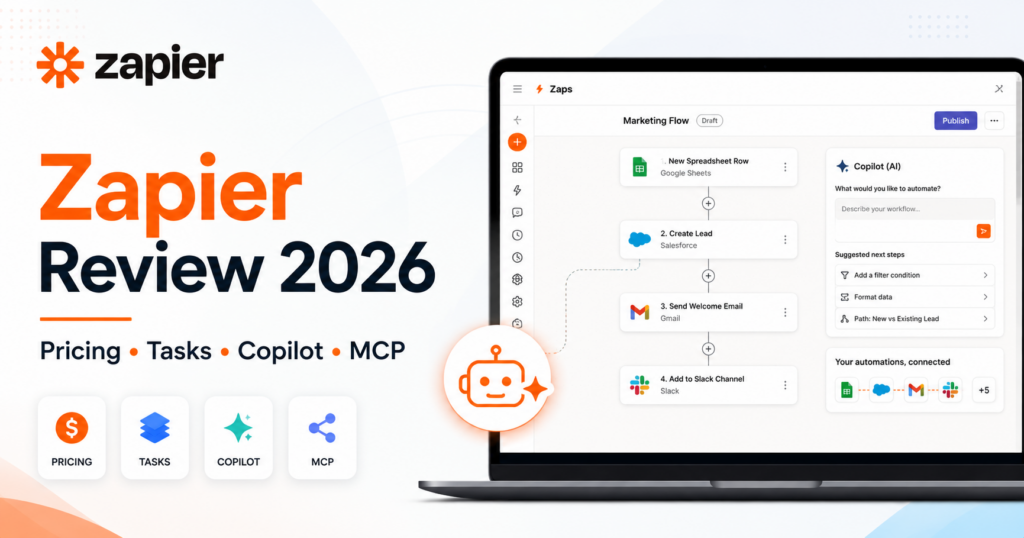
Zapier remains one of the best-known business automation platforms in 2026, but the product is now much broader than the traditional “connect two apps with a Zap” idea.
Zapier’s current platform combines Zap workflows, Tables, Forms, Copilot and Zapier MCP, while separate products such as Zapier Agents extend the platform into agentic automation.
The biggest advantage is still reach. Zapier connects with more than 9,000 applications, making it one of the easiest ways to connect mainstream SaaS tools without building custom integrations.
Current pricing starts with a Free plan that includes 100 tasks per month. Professional starts at $19.99/month billed annually, Team at $69/month billed annually, and Enterprise uses custom pricing.
But Zapier pricing is not only about the subscription fee. The important concept is the task. Every successful action can consume task capacity, while AI steps, MCP tool calls, Lead Router and longer Code steps can consume tasks at different rates.
In this Zapier review, we examine pricing, task usage, Zap workflows, Copilot, Tables, Forms, MCP, AI by Zapier, Code by Zapier, collaboration, integrations, reliability, use cases and how Zapier compares with Make and n8n in 2026.
ToolMetria testing status: This review is based on Zapier’s current 2026 pricing and official product documentation. We will add a numerical ToolMetria Score after completing a standardized hands-on automation benchmark.
Zapier Review: Quick Verdict
Zapier is still one of the easiest automation platforms to recommend to a small business that wants to connect many SaaS tools quickly.
Its biggest strengths are:
- 9,000+ app integrations;
- simple Zap workflow builder;
- multi-step workflows on paid plans;
- Tables and Forms included across current plans;
- Zapier Copilot;
- Zapier MCP;
- premium apps and webhooks on Professional;
- shared workflows and connections on Team;
- large enterprise administration feature set;
- AI by Zapier and Code by Zapier.
The main weakness is task-based economics.
A workflow with many successful action steps can consume several tasks every time it runs. AI and MCP usage can increase this further.
For simple and medium-complexity business automation, Zapier is extremely convenient.
For very complex visual workflows, Make may provide better visibility. For technical teams, self-hosting and code-heavy workflows, n8n may be more attractive.
Read our Make Review 2026 and n8n Review 2026.
Zapier at a Glance
| Area | ToolMetria view |
|---|---|
| Best for | Fast SaaS automation, small businesses, marketing, sales and operations |
| Free | $0, 100 tasks/month |
| Professional | From $19.99/month billed annually |
| Team | From $69/month billed annually |
| Enterprise | Custom pricing |
| Apps | 9,000+ |
| Free users | 1 |
| Team users | Up to 25 on current starting plan |
| Zaps | Unlimited number of workflows; usage limited by task allowance |
| Tables | Included |
| Forms | Included |
| Copilot | Included |
| MCP | Included across current platform plans |
| Main strength | Huge integration ecosystem and ease of use |
| Main drawback | Complex workflows can consume many tasks |
What Is Zapier?
Zapier is an automation platform that connects applications and moves information between them.
The classic Zapier workflow is called a Zap.
A Zap starts with a trigger and then performs one or more actions.
Example
New website lead → create HubSpot contact → add Google Sheets row → send Slack message → send confirmation email.
No custom backend integration is required if Zapier already supports the applications and actions.
Zapier Pricing in 2026
| Plan | Current starting price | Main fit |
|---|---|---|
| Free | $0/month | Testing and very light automation |
| Professional | $19.99/month billed annually | Individual business automation |
| Team | $69/month billed annually | Collaborative automation teams |
| Enterprise | Contact sales | Organization-wide automation and governance |
Paid-plan pricing changes according to the number of tasks required.
Therefore, $19.99 or $69 should be treated as the entry price rather than the full cost for every automation workload.
Free Plan
Zapier’s current Free plan includes:
- 100 tasks per month;
- unlimited Zap workflows;
- unlimited Tables;
- unlimited Forms projects;
- two-step Zaps;
- Zapier Copilot with daily message limits;
- 2,500 Table records per account;
- 10 Form pages;
- one user;
- 15-minute polling interval.
The Free plan is useful for learning the platform, but 100 tasks can disappear quickly in production.
Professional Plan
Professional currently starts at $19.99/month billed annually.
It adds:
- multi-step Zap workflows;
- unlimited Premium apps;
- webhooks;
- AI fields;
- conditional form logic;
- email support;
- live chat support on eligible task tiers;
- 100,000 Table records per account at current plan limits.
Professional is the plan most solo operators and small businesses should evaluate first.
Team Plan
Team currently starts at $69/month billed annually.
The current starting Team tier includes up to 25 users.
It adds collaboration capabilities such as:
- shared Zap workflows;
- shared folders;
- shared app connections;
- SAML SSO;
- priority support;
- larger Tables and Forms limits.
Team becomes useful when automation is an organizational asset rather than something owned by one employee.
Enterprise
Enterprise uses custom pricing.
Current Enterprise features include areas such as:
- unlimited users;
- advanced administrator permissions;
- advanced app controls;
- annual task limits;
- observability;
- analytics;
- SCIM user provisioning;
- custom data retention;
- log streams;
- managed app connections;
- domain restrictions;
- workspaces;
- technical account management.
What Is a Zapier Task?
This is the most important pricing concept.
A task is generally a successful action completed by Zapier.
Triggers do not usually consume tasks.
Successful actions do.
Example
A Zap with:
- one trigger;
- create CRM contact;
- add spreadsheet row;
- send Slack notification;
- send email.
can consume four tasks when all four actions run successfully.
What Does Not Count as a Normal Task?
Zapier currently does not charge ordinary task usage for several workflow-control steps.
Current-plan examples include:
- triggers;
- Filters;
- Paths;
- Formatter;
- Delay;
- Looping;
- Sub-Zap utility usage under current rules;
- Storage by Zapier;
- Zapier Tables actions;
- Zapier Forms actions.
This is useful because logic and internal Zapier data movement do not always consume the same task capacity as external app actions.
Pay-Per-Task Billing
Paid plans can use pay-per-task billing when the included task allowance is exhausted.
This helps prevent business-critical Zaps from simply stopping at the end of the allowance.
Zapier currently prices pay-per-task overage at approximately 1.25x the task cost of the account’s plan tier.
Businesses should still monitor usage because an unexpectedly busy workflow can create additional cost.
Zapier Copilot
Zapier Copilot is the AI assistant inside the automation platform.
It can help users:
- create Zap workflows;
- suggest triggers and actions;
- map fields;
- generate Code steps;
- troubleshoot errors;
- build Forms;
- accelerate automation setup.
Free accounts have message limits, while paid plans currently include broader Copilot usage.
Copilot is especially helpful for users who understand the business process but do not know which Zapier modules to choose.
Zapier Tables
Zapier Tables is a database-like data layer designed specifically for automation.
A table contains:
- records;
- fields;
- cells;
- views.
Data can be added manually or through Zap workflows.
Tables can replace a spreadsheet in automation systems where structured operational data needs to live close to the workflow.
Zapier Tables Limits
Current plan limits include approximately:
| Plan | Records per account |
|---|---|
| Free | 2,500 |
| Professional | 100,000 |
| Team | 500,000 |
| Enterprise | Custom |
All current plans allow unlimited Tables, subject to account-level record limits.
AI Fields in Tables
Paid plans support AI fields that can enrich or transform table data.
Potential examples include:
- categorizing leads;
- summarizing text;
- extracting information;
- generating descriptions;
- enriching structured records.
Zapier Forms
Zapier Forms is the renamed evolution of Zapier Interfaces.
Forms can be used to build:
- lead capture pages;
- request forms;
- internal tools;
- submission workflows;
- data-entry pages;
- simple portals.
Forms can connect directly to Zapier Tables and Zap workflows.
Build Forms with AI
Zapier can use Copilot to generate a Form from a natural-language description.
A user can also start from:
- an existing Zapier Table;
- a blank Form.
This makes Zapier more than an invisible backend automation system: it can also create a simple user-facing entry point.
Tables and Forms Make Zapier a Broader Platform
The combination creates an interesting architecture:
Form → Table → Zap workflow → external business apps.
A small company can use Zapier to build lightweight internal systems without purchasing a separate form builder, database and integration tool.
Zapier MCP
Zapier MCP connects compatible AI clients to Zapier’s application ecosystem using Model Context Protocol.
An AI assistant can then use approved Zapier actions as tools.
Zapier currently advertises access to more than 9,000 apps and tens of thousands of actions through its broader integration ecosystem.
Potential AI clients include compatible environments such as:
- ChatGPT;
- Claude;
- Cursor;
- other MCP clients.
How Zapier MCP Uses Tasks
MCP is included in the current platform plans, but usage is not free.
Each successful Zapier MCP tool call currently consumes two tasks.
Failed MCP tool calls do not consume tasks.
Example
An AI assistant:
- finds a contact in HubSpot;
- sends an email through Gmail.
Two successful MCP tool calls would consume four tasks.
This is important when evaluating Zapier as an AI execution layer.
Zapier MCP Security Model
MCP servers can be configured with selected tools.
Users choose which applications and actions the AI client is allowed to access.
App authentication is managed through Zapier rather than exposing raw credentials directly to the language model.
AI by Zapier
AI by Zapier can insert AI reasoning directly into a Zap.
In June 2026, Zapier moved AI by Zapier to a model-tier task-pricing system.
| Model tier | Base task multiplier | Tools |
|---|---|---|
| Standard | 1x | No |
| Advanced | 3x | Yes |
| Premium | 5x | Yes |
| Bring Your Own AI account | 1x base rate under current rules | Tools with supported Advanced/Premium models |
Tool calls can add more tasks at the selected model tier’s rate.
This means AI-heavy Zaps require more careful task budgeting than ordinary one-task-per-action workflows.
Why AI Model Pricing Matters
Consider an AI step that uses Premium-level reasoning and several tools.
The step may consume many more tasks than a simple CRM update.
AI should therefore be used where it adds judgment, not automatically inserted into every workflow.
Code by Zapier
Code by Zapier lets users run custom code inside workflows.
Current paid-plan standard runtimes include:
- Professional: 30 seconds;
- Team: 30 seconds;
- Enterprise: 2 minutes.
Code steps consume tasks.
Starting in 2026, longer extended runtimes can consume an additional task for each 30 seconds of extended execution.
For highly technical or compute-heavy logic, a platform such as n8n may offer more developer flexibility.
Multi-Step Zaps
Paid plans allow a single trigger to run multiple actions.
This is essential for real business automation.
A multi-step workflow might include:
- data lookup;
- conditional filtering;
- formatting;
- AI processing;
- CRM action;
- communication;
- database update.
Paths
Paths allow conditional branching.
For example:
If lead score is above 80 → notify sales immediately.
If lead score is below 80 → add to nurturing workflow.
Paths themselves do not currently consume normal plan tasks under current-plan rules.
Webhooks
Professional and above include Webhooks by Zapier.
Webhooks make it possible to connect applications that may not provide the exact native trigger or action required.
They are useful for:
- custom APIs;
- website events;
- developer integrations;
- real-time data delivery;
- custom internal systems.
Premium Apps
Professional adds access to unlimited Premium apps.
Premium apps include selected business applications that require a paid Zapier plan.
This is one reason the Free plan is more appropriate for experimentation than serious company automation.
Zapier Agents
Zapier also offers a dedicated AI agent product.
Agents can use tools, web browsing, live data and connected applications to perform multi-step work.
We cover Agents separately because it has its own activity-based usage model and deserves a full review.
Read our Zapier Agents Review 2026.
Zapier for Marketing
Marketing teams can automate:
- lead capture;
- email lists;
- CRM synchronization;
- social workflows;
- campaign reporting;
- content distribution;
- AI enrichment;
- form submissions.
Zapier for Sales
Sales workflows can include:
- lead routing;
- CRM updates;
- account enrichment;
- Slack notifications;
- follow-up emails;
- meeting workflows;
- proposal triggers.
Zapier for Operations
Operations teams can use Zapier for:
- onboarding;
- request forms;
- approval routing;
- data synchronization;
- internal notifications;
- reporting;
- database updates.
Zapier for Small Businesses
Zapier is especially strong when a small business wants automation without hiring a developer.
A founder or operations employee can often connect several SaaS tools in one afternoon.
The main caution is to understand task consumption before moving large volumes through the workflow.
Zapier for Agencies
Agencies can automate:
- client onboarding;
- lead intake;
- project creation;
- report distribution;
- CRM workflows;
- content processes;
- billing notifications.
Team plans become useful when several employees maintain client automations.
Zapier vs Make
| Area | Zapier | Make |
|---|---|---|
| Ease for beginners | Winner | More learning required |
| App ecosystem | Winner | 3,000+ apps |
| Visual complex workflows | Good | Winner |
| Task economics | Per successful actions / special rates | Credit-based modules |
| Tables/forms | Integrated platform | Automation-focused |
| AI orchestration | Agents, AI, MCP | AI Agents, Maia, MCP |
| Best for | Fast mainstream SaaS automation | Complex visual automation |
Read our Make Review 2026.
Zapier vs n8n
| Area | Zapier | n8n |
|---|---|---|
| Ease of use | Winner | More technical |
| Integration catalog | Winner | 500+ plus custom APIs |
| Self-hosting | No Community equivalent | Winner |
| Coding | Code by Zapier | Winner for developer workflows |
| Billing model | Task-based | Workflow execution-based |
| MCP | Huge app action ecosystem | Strong workflow-building MCP capabilities |
| Best for | Non-technical business teams | Technical automation teams |
Read our n8n Review 2026.
Zapier vs Microsoft Power Automate
Power Automate is stronger when the organization is heavily centered on Microsoft 365 and needs desktop RPA.
Zapier is easier for broad SaaS-to-SaaS automation across many unrelated apps.
Read our Microsoft Power Automate Review 2026.
Pros and Cons
Pros
- 9,000+ app ecosystem.
- Easy for non-technical users.
- Free plan for testing.
- Professional starts at $19.99/month annually.
- Unlimited number of Zaps across current plans.
- Tables and Forms included.
- Copilot accelerates workflow building.
- MCP gives AI assistants access to connected actions.
- Strong Team collaboration.
- Good conditional logic and webhooks.
- AI by Zapier and Code by Zapier provide flexibility.
Cons
- Task costs can grow quickly in multi-action workflows.
- MCP consumes two tasks per successful tool call.
- AI steps can consume 3x or 5x task multipliers.
- Free plan only includes 100 tasks.
- Less visually transparent than Make for very complex workflows.
- Less developer-oriented than n8n.
- High-volume automation requires careful usage monitoring.
Who Should Use Zapier?
We would shortlist Zapier for:
- small businesses;
- marketing teams;
- sales teams;
- operations teams;
- agencies;
- founders;
- non-technical automation builders;
- companies using many mainstream SaaS apps;
- teams that want AI actions through MCP without custom integration work.
Who Should Probably Skip It?
Zapier may be less attractive when:
- workflows contain a very large number of successful action steps;
- self-hosting is mandatory;
- developers want maximum control over code and infrastructure;
- complex visual branching is central to the workflow;
- task-based pricing becomes significantly more expensive than execution-based alternatives.
Which Zapier Plan Should You Choose?
Free
Choose Free to learn Zapier and run a few very low-volume two-step workflows.
Professional
Choose Professional when one person needs multi-step Zaps, Premium apps and webhooks.
Team
Choose Team when several employees need shared Zaps, folders, app connections and SSO.
Enterprise
Choose Enterprise when automation needs centralized governance, advanced permissions, observability, security controls and organization-wide administration.
How We Would Start with Zapier
- Start on Free or the trial.
- Automate one repetitive process.
- Count the successful action steps per run.
- Multiply that by expected monthly volume.
- Use Filters, Paths and Formatter where appropriate.
- Use Zapier Tables for automation-native data when it simplifies the stack.
- Use Forms when the workflow needs a simple user input layer.
- Monitor AI and MCP task multipliers separately.
- Enable pay-per-task billing only with clear cost monitoring.
- Move shared business-critical workflows to Team or Enterprise governance when needed.
What ToolMetria Will Test Hands-On
Our standardized Zapier benchmark will measure:
- first Zap build time;
- multi-step workflow setup;
- Paths and Filters;
- webhooks;
- Zapier Copilot;
- Tables;
- Forms;
- AI by Zapier;
- Code by Zapier;
- MCP setup;
- task consumption;
- error handling;
- overall value.
Frequently Asked Questions
How much does Zapier cost in 2026?
Zapier Free costs $0 and currently includes 100 tasks per month. Professional starts at $19.99/month billed annually. Team starts at $69/month billed annually. Enterprise uses custom pricing. Paid tiers increase in price as task allowances increase.
What is a Zapier task?
A task is generally a successful action completed by Zapier. Trigger steps usually do not consume tasks, while successful action steps do.
Does Zapier charge for Filters and Paths?
Current plan rules do not count Filters, Paths and several other Zapier utility steps as normal billable tasks.
How many apps does Zapier support?
Zapier currently connects with more than 9,000 applications.
Does Zapier include Tables and Forms?
Yes. Current Zapier plans include Zap workflows, Tables and Forms as part of the broader platform.
What is Zapier MCP?
Zapier MCP lets compatible AI clients use approved Zapier-connected app actions as tools through Model Context Protocol.
How much task usage does Zapier MCP consume?
Each successful MCP tool call currently consumes two tasks. Failed tool calls do not consume tasks.
How is AI by Zapier priced?
AI by Zapier currently uses model-tier task multipliers: Standard 1x, Advanced 3x and Premium 5x, with additional tool calls potentially increasing task usage.
Is Zapier better than Make?
Zapier is usually easier and has a larger integration catalog. Make is often stronger for complex visual workflows and detailed branching.
Is Zapier better than n8n?
Zapier is usually easier for non-technical business teams. n8n is stronger for self-hosting, coding and developer-controlled automation.
Final Verdict
Zapier has evolved from a simple app connector into a broader business automation platform.
Zaps remain the core.
But Tables adds structured data.
Forms adds user-facing input.
Copilot helps build the system.
MCP exposes app actions to external AI clients.
AI by Zapier adds reasoning directly inside workflows.
The trade-off remains usage economics.
Task-based pricing is simple to understand at first but can become expensive when workflows perform many successful actions or use high-multiplier AI and MCP steps.
For businesses that value ease of setup and need to connect a wide variety of mainstream applications, Zapier remains one of ToolMetria’s strongest automation-platform candidates for 2026.
ToolMetria preliminary verdict: Best candidate for fast mainstream SaaS automation and app coverage. Final score pending standardized hands-on testing.