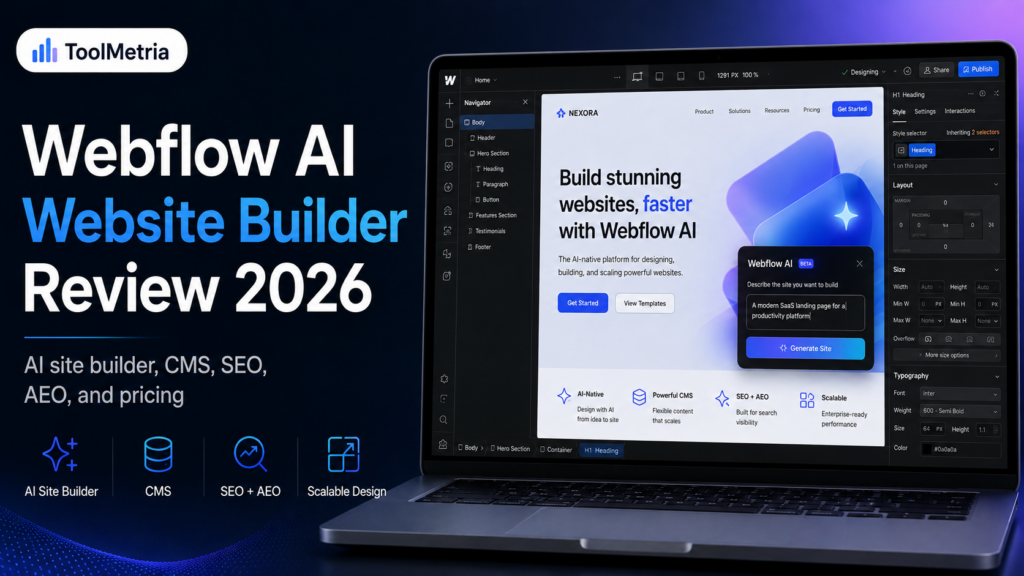
Webflow has spent 2026 turning its visual website builder into a much more AI-native platform. The current product can generate multi-page websites from a prompt, create new sections that match an existing design system, help write and refine copy, generate CMS items, assist with SEO and AEO tasks, and even connect to external AI tools through Webflow’s MCP server.
That makes Webflow increasingly difficult to compare with simple AI website generators. It is still a professional visual-development platform underneath, but AI now sits across more of the workflow.
For agencies, SaaS companies, marketing teams, and businesses that expect a website to grow beyond a five-page brochure site, that combination is powerful. For a complete beginner who simply wants the fastest route to a basic business site, it can still be more platform than necessary.
In this Webflow AI website builder review, we look at the 2026 AI Site Builder, pricing, CMS, SEO and AEO capabilities, design control, AI credits, collaboration, hosting, pros, cons, and how Webflow compares with Framer, Wix, and Hostinger.
ToolMetria testing status: This review is based on Webflow’s current 2026 documentation, pricing, and product specifications. We will add a final ToolMetria Score after completing the same standardized hands-on build that we use across competing AI website builders.
Webflow AI Website Builder Review: Quick Verdict
Webflow is one of the strongest AI website builders for advanced marketing sites, CMS-driven projects, agencies, and teams that need more structure and scalability than a beginner-first builder normally provides.
Its biggest advantage is what happens after AI generates the first draft. The generated site opens inside Webflow, where users can continue refining layouts, themes, CMS structures, content, interactions, SEO settings, and production workflows.
Webflow is not our first recommendation for someone whose main goals are “cheap” and “easy.” For that, see our Hostinger AI Website Builder review.
If you want a more traditional all-in-one business ecosystem with ecommerce, bookings, CRM, and marketing tools, read our Wix AI Website Builder review.
If design quality and canvas-first creative control are the priority, compare Webflow with our Framer AI Website Builder review.
Webflow at a glance
| Area | ToolMetria view |
|---|---|
| Best for | Agencies, SaaS, marketing teams, CMS-heavy sites and advanced business websites |
| AI site generation | Multi-page site creation from a prompt |
| Initial AI pages | Up to five pages on a paid Site or Workspace plan |
| Editing | Full Webflow workflow after generation |
| Free plan | Available, but AI-generated sites are limited to two static pages without a paid Site or Workspace plan |
| Basic Site plan | $15/month billed yearly |
| Premium Site plan | $25/month billed yearly |
| CMS | Available on Premium and higher platform tiers |
| SEO/AEO | Advanced built-in controls and AI-assisted optimization |
| Main strength | Professional control and scalability after AI generation |
| Main drawback | More complex than beginner-first builders |
For the wider category, see our guide to the best AI website builders in 2026.
How Webflow’s AI Site Builder works
Webflow’s AI Site Builder can turn a written brief into a structured, editable website rather than simply producing a screenshot-like mockup.
According to Webflow’s current AI Site Builder documentation, the workflow can generate:
- a site structure;
- multiple pages;
- starter copy;
- a theme;
- section layouts;
- a style guide;
- design-system foundations;
- images and visual direction.
Users can describe the site’s purpose, audience, colors, fonts, and preferred pages. The AI then proposes a site structure, lets the user refine it, and generates the site into Webflow.
Up to five initial pages
One of the more useful 2026 improvements is multi-page generation.
With a paid Site or Workspace plan, Webflow says the AI Site Builder can generate up to five pages initially. More pages can be added after generation.
Without a paid Site or Workspace plan, the site is limited to two static pages, excluding the automatically generated style-guide page.
Important limitation
The AI Site Builder is designed for brand-new AI-generated Webflow sites. Webflow says it cannot simply be applied retroactively to an existing site that was originally built without the AI Site Builder.
That is an important limitation if you already have a large Webflow site and expect to press a button that rebuilds the entire existing project with AI.
The generated design system matters
Webflow’s AI Site Builder does more than create isolated page sections.
The generated site includes a foundational design system and a style-guide page. Webflow says AI-generated sites use the Flowkit CSS Framework, giving the project reusable utility classes, component patterns, and design tokens.
This is one of the reasons Webflow feels more “production” oriented than a simple prompt-to-page generator.
A reusable system matters when a website grows. If every page is built as a collection of unrelated AI outputs, consistency becomes difficult to maintain. A shared design system gives teams a more structured base for future work.
Editing after AI generation
Once the site has been generated, it opens inside Webflow.
Webflow initially assigns users a simplified Marketer role for AI-generated sites, focusing on editing copy, images, section order, and theme settings. Users with the appropriate permissions can switch into more advanced Webflow workflows when needed.
The practical advantage is that AI does not become the only way to make changes.
You can still refine:
- layout;
- spacing;
- typography;
- components;
- classes;
- responsive behavior;
- interactions;
- CMS structure;
- SEO settings;
- custom code and integrations.
Webflow AI Assistant
Webflow AI is broader than the initial site generation flow.
Webflow’s current AI documentation lists AI functionality across design, content, CMS, SEO, AEO, code components, contextual help, and optimization.
Current capabilities include:
- contextual help inside Webflow;
- AI Site Builder;
- AI code components;
- section generation;
- background, spacing, and color generation;
- copy generation and refinement;
- CMS Collection item generation;
- SEO, AEO, and accessibility audits;
- meta title and description generation;
- schema-markup assistance;
- AEO agents and Prompt insights on eligible plans;
- AI-powered optimization analysis.
AI section generation
Webflow’s AI Assistant can also generate new page sections that match the styles and classes of an existing AI-generated site.
Its section-generation documentation explains that the Assistant can create elements such as:
- navigation bars;
- hero sections;
- testimonials;
- footers;
- standard marketing sections.
As of August 2026, Webflow notes that this design-generation feature is still in public beta and is currently limited to certain AI-generated sites and templates.
That distinction should not be ignored. “Available” and “fully mature” are not always the same thing.
AI code components
Webflow also supports AI-assisted code components.
This is particularly relevant for advanced teams because it allows users to move beyond static visual sections and create interactive components that still fit into the site’s design system.
For marketing teams that previously needed developers for every custom interactive element, this could reduce development bottlenecks.
AI-generated code should still be reviewed and tested, especially for accessibility, security, performance, and important user flows.
Webflow CMS
CMS remains one of Webflow’s strongest reasons to choose it over simpler website builders.
In May 2026, Webflow combined its old CMS and Business Site plans into a new Premium Site plan. The change was designed to make CMS access simpler and increase included CMS limits.
The CMS supports structured collections for content such as:
- blog posts;
- case studies;
- team members;
- resources;
- locations;
- jobs;
- products or directories;
- documentation-like content;
- dynamic landing pages.
For a content-driven marketing site, Webflow’s CMS gives teams a structured way to separate content from the visual design.
Webflow pricing in 2026
Webflow changed its pricing structure in May 2026. The current official pricing page lists the following core Site plans for new customers:
| Site plan | Yearly-billing price* | Typical fit |
|---|---|---|
| Starter | Free | Testing and experimentation |
| Basic | $15/month | Simple sites without a full CMS requirement |
| Premium | $25/month | Content-rich sites using Webflow CMS |
| Team | High-end annual contract | Fast-growing teams needing advanced governance, localization and AEO features |
| Enterprise | Custom | Large organizations and custom requirements |
*Prices are those displayed by Webflow at the time of writing and can change. Taxes, Workspace plans, seats, bandwidth, add-ons, localization, Optimize, Analyze, and other services can affect total cost.
Starter
The Starter Site plan is free and is useful for exploring Webflow. Current limits include a Webflow.io subdomain, two static pages, limited CMS functionality, and 1 GB of bandwidth.
Basic
The Basic Site plan is currently $15 per month when billed yearly. It adds a custom domain, up to 300 static pages, 10 GB of bandwidth, and unlimited form submissions.
Premium
The Premium Site plan is currently $25 per month when billed yearly. It adds the Webflow CMS and features aimed at content-rich websites, including code components, site search, file upload support, and additional CMS functionality.
Workspace pricing is separate
One of the more confusing aspects of Webflow is that Site plans and Workspace plans solve different problems.
A Site plan controls the capabilities of an individual hosted website. A Workspace plan controls staging, collaboration, team functionality, and access to certain platform capabilities across projects.
Current yearly Workspace pricing includes:
| Workspace | Price* | Included AI credits |
|---|---|---|
| Starter | Free | 200/month |
| Core | $19/month | 300/month |
| Growth | $49/month | 400/month |
*Current published yearly-billing prices. Additional seats and other services can increase the total.
This matters because a professional team may be paying for both a Site plan and a paid Workspace.
Webflow AI credits
Webflow introduced a credit-based AI system in May 2026.
According to Webflow’s AI credits documentation, self-serve Workspace plans currently include:
- Starter: 200 credits per month;
- Core / Freelancer: 300 credits per month;
- Growth / Agency: 400 credits per month.
Credits are shared across the Workspace and reset monthly for self-serve plans.
Webflow also sells additional 2,000-credit packs. At the time of writing, Webflow lists these at $25 per month on monthly billing or $20 per month with annual billing.
Not every AI feature consumes credits
This is important.
Some current Webflow AI features do not consume AI credits. For example, Webflow’s documentation currently says the AI Site Builder itself and the public-beta section-generation workflow do not consume credits.
Other AI functionality can consume credits, so the exact cost depends on how a team uses the platform.
SEO in Webflow
Webflow has long offered more technical SEO control than many traditional all-in-one site builders, and its 2026 AI features expand that further.
The current pricing and product documentation includes functionality around:
- page titles and meta descriptions;
- custom URLs;
- 301 redirects;
- sitemap controls;
- schema markup;
- Open Graph metadata;
- structured search support;
- indexing controls;
- CMS-driven SEO fields;
- semantic HTML structure;
- custom code;
- performance and hosting infrastructure.
AI-powered SEO and AEO
One of Webflow’s most interesting 2026 directions is that it is explicitly treating AEO — answer engine optimization as a product category alongside traditional SEO.
Webflow AI can assist with audits, metadata, schema, and content optimization. Higher platform tiers also include newer AEO capabilities and agents designed for teams focused on visibility in AI-powered answer engines.
That does not mean Webflow can guarantee citations in ChatGPT, Google AI Overviews, or other answer engines. No platform can legitimately guarantee that.
What it can do is make technical structure, metadata, content organization, and monitoring easier to manage.
MCP server: connecting ChatGPT, Claude and other AI tools
Webflow also operates a Model Context Protocol (MCP) server.
Its MCP documentation explains that supported AI tools can connect to Webflow and work with sites through natural-language instructions.
Webflow currently provides setup paths for tools including:
- ChatGPT;
- Claude;
- Codex;
- Cursor;
- other MCP-compatible clients.
This is one of the clearest examples of Webflow positioning itself as an infrastructure layer for AI-assisted web production rather than simply adding an AI copy button.
Design control
Webflow remains a visual-development platform at heart.
Users can work with CSS-like layout concepts including:
- flexbox;
- grid;
- classes;
- spacing;
- positioning;
- responsive breakpoints;
- interactions;
- animations;
- components;
- variables and design-system patterns.
This is where Webflow is substantially more powerful than many beginner website builders.
It is also why Webflow has a steeper learning curve.
Animations and interactions
Webflow is particularly strong for sites where movement and interaction matter.
The AI Site Builder can include animation presets during site creation, and users can continue refining the result in Webflow.
For SaaS landing pages, product marketing sites, agencies, and premium brand experiences, this can be a significant advantage over builders that treat animation as a small optional effect library.
Collaboration and team workflows
Webflow is increasingly focused on marketing teams rather than only individual designers.
Depending on plan and permissions, teams can use:
- real-time collaboration;
- content-editing roles;
- site-specific access;
- publishing permissions;
- reviewer seats;
- staging environments;
- page-building workflows;
- shared libraries;
- branching and publishing controls on higher plans.
This matters for a company where designers, marketers, writers, developers, and stakeholders all interact with the same website.
Hosting and performance
Webflow hosting is included with Site plans and uses a global CDN.
The platform manages much of the infrastructure automatically, reducing the need for users to choose servers, configure caching layers, or maintain CMS software.
That does not guarantee perfect performance. A Webflow site can still become heavy if it contains oversized media, excessive animation, third-party scripts, tracking tools, or poorly optimized custom code.
The advantage is that the infrastructure foundation is managed for you.
Webflow AI Website Builder: Pros and Cons
Pros
- AI can generate multi-page sites rather than only single landing pages.
- Generated sites remain fully expandable inside Webflow.
- Strong visual design control.
- Excellent CMS for marketing sites.
- Advanced SEO controls.
- Growing AEO functionality.
- AI section, copy and CMS assistance.
- AI code-component support.
- MCP integration with external AI tools.
- Strong collaboration and production workflows.
- Built-in hosting and CDN.
- Good fit for websites expected to scale over time.
Cons
- Steeper learning curve than Wix or Hostinger.
- Site and Workspace pricing can be confusing.
- AI credits introduce another usage limit.
- Some newer AI design features remain in beta.
- Not the cheapest route to a simple business website.
- Less focused on integrated small-business operations than Wix.
- Complex setups can become expensive when adding seats and services.
Who should use Webflow?
Webflow is particularly strong for:
- SaaS companies;
- marketing teams;
- agencies;
- design teams;
- content-rich business websites;
- high-end landing pages;
- CMS-driven marketing programs;
- companies that publish and iterate frequently;
- teams that want strong design control without maintaining a traditional CMS stack.
Who should probably choose something else?
Webflow is less obvious for users who need:
- the simplest possible beginner workflow;
- the lowest possible price;
- deep integrated bookings/restaurant/business-management tools;
- the largest open-source plugin ecosystem;
- full ownership of the hosting stack;
- a website that will rarely change after launch.
Webflow vs Framer
| Area | Webflow | Framer |
|---|---|---|
| Best fit | Structured, scalable marketing sites | Design-led sites and fast creative iteration |
| AI site generation | Multi-page site + design system | Agent-based page and design generation |
| CMS | Very strong | Strong |
| Design control | Excellent | Excellent |
| Learning curve | Higher | Moderate for design-oriented users |
| Team workflows | Very strong | Strong |
| AI integrations | Webflow AI + MCP + AEO | Framer Agents |
| Best choice | Scale and structured production | Design speed and creative workflow |
Choose Webflow if you expect a structured marketing site with a substantial CMS, multiple teams, detailed production controls, and long-term growth.
Choose Framer if your workflow is more design-led and you want a fast, canvas-native creative environment.
Read our Framer AI Website Builder review for the full analysis.
Webflow vs Wix
Wix is generally easier for a conventional small business.
Its integrated ecosystem around payments, ecommerce, bookings, CRM, restaurants, email marketing, and business operations is broader.
Webflow is stronger when the website itself is a sophisticated marketing product that needs design systems, CMS structure, advanced production workflows, and continuous iteration.
Choose Wix for all-in-one business convenience.
Choose Webflow for web production control and scale.
Webflow vs Hostinger
This comparison is mostly about complexity.
Hostinger is much easier to recommend to someone who wants a professional site online with minimal setup and low introductory cost.
Webflow is the stronger option for a team that expects to build a larger, more customized, content-rich marketing property over time.
For many local businesses, Webflow would simply be unnecessary.
Is Webflow good for beginners?
The AI Site Builder makes Webflow substantially more accessible than it used to be.
A beginner can generate a starting site and work in a simplified editing role without understanding every advanced part of Webflow immediately.
But Webflow still rewards users who learn how the system works.
If you never want to think about classes, layout structure, CMS modeling, responsive behavior, or production workflows, a simpler builder may be more comfortable.
Is Webflow worth the price?
For a simple brochure site, maybe not.
For a serious marketing site, the answer is much more favorable.
Webflow can replace or reduce the need for several separate tools around:
- visual web development;
- CMS management;
- hosting;
- staging;
- content production;
- SEO management;
- collaboration;
- AI-assisted site maintenance.
The right way to evaluate Webflow is not only against $10 website builders. It should also be compared with the cost of a more traditional design-development-CMS workflow.
What ToolMetria wants to test hands-on
Our standardized Webflow test will measure:
- time from prompt to usable first draft;
- quality of the generated site structure;
- quality of AI-generated copy;
- design-system consistency;
- mobile responsiveness;
- ease of switching from simplified editing to advanced design control;
- AI section generation;
- CMS setup;
- SEO and AEO tooling;
- AI credit usage;
- performance;
- pricing transparency;
- overall value.
We will add screenshots, timings, and a numerical ToolMetria Score when that test is complete.
Frequently Asked Questions
Can Webflow AI build an entire website?
Yes. Webflow’s AI Site Builder can generate a multi-page website with structure, content, a theme, and design-system foundations from a prompt.
How many pages can Webflow AI generate?
Webflow currently says users with a paid Site or Workspace plan can generate up to five initial pages. Without either type of paid plan, AI-generated sites are limited to two static pages.
Is Webflow AI free?
Webflow has a free Starter tier and makes the AI Site Builder available to customers, but free sites have stricter limits. Other Webflow AI features may use Workspace-level AI credits.
How much does Webflow cost in 2026?
At the time of writing, Webflow lists its Basic Site plan at $15 per month and its Premium Site plan at $25 per month when billed yearly. Workspace plans and add-ons can increase the total cost.
Does Webflow use AI credits?
Yes. Webflow introduced Workspace-level AI credits in 2026. Starter currently includes 200 per month, Core/Freelancer 300, and Growth/Agency 400. Some AI features do not consume credits.
Is Webflow good for SEO?
Yes. Webflow provides detailed control over titles, descriptions, URLs, redirects, sitemaps, schema, Open Graph data, semantic structure, indexing, and CMS-driven SEO fields.
What is Webflow AEO?
AEO stands for answer engine optimization. Webflow is adding tools designed to help teams manage technical and content signals relevant to visibility in AI-powered answer engines alongside traditional search.
Can ChatGPT or Claude connect to Webflow?
Webflow operates an MCP server with setup guidance for supported AI tools including ChatGPT, Claude, Codex, Cursor, and other MCP-compatible clients.
Is Webflow better than Framer?
Webflow is generally stronger for structured CMS-heavy marketing sites and complex production workflows. Framer can be more attractive for design-led teams that prioritize fast visual iteration.
Final Verdict
Webflow’s 2026 AI Site Builder is important because it lowers the barrier to starting a serious Webflow project without turning Webflow into a simplistic prompt-only builder.
The AI can create the initial structure. The platform still gives teams the ability to take over and build something sophisticated.
That makes Webflow particularly strong for agencies, SaaS companies, marketing teams, and content-rich businesses that expect a website to evolve continuously.
It is not our first recommendation for a beginner who mainly wants a cheap local-business site. Hostinger is simpler. Wix is more business-suite oriented. Framer can feel faster for design-led creative work.
But when scalability, CMS structure, production control, SEO/AEO, and team workflows matter, Webflow is one of the strongest AI-assisted web platforms available in 2026.
ToolMetria preliminary verdict: Webflow is our leading candidate for advanced AI-assisted marketing websites and scalable visual production. A final ToolMetria Score will be added after our standardized hands-on test.