Building a professional website no longer means starting with a blank template, learning code, or spending days moving blocks around a page.
The newest generation of AI website builders can create layouts, pages, copy, images, navigation, and even parts of the underlying site structure from a simple description of what you need.
The harder question is no longer whether AI can build a website. It is which AI website builder gives you the right balance of speed, control, design quality, business features, and long-term flexibility.
For this guide, we compared six of the most relevant AI website builders available in 2026: Wix, Hostinger, Framer, Webflow, Squarespace, and WordPress.com.
Quick answer: the best AI website builders in 2026
| Website builder | Best for | Main strength | ToolMetria view |
|---|---|---|---|
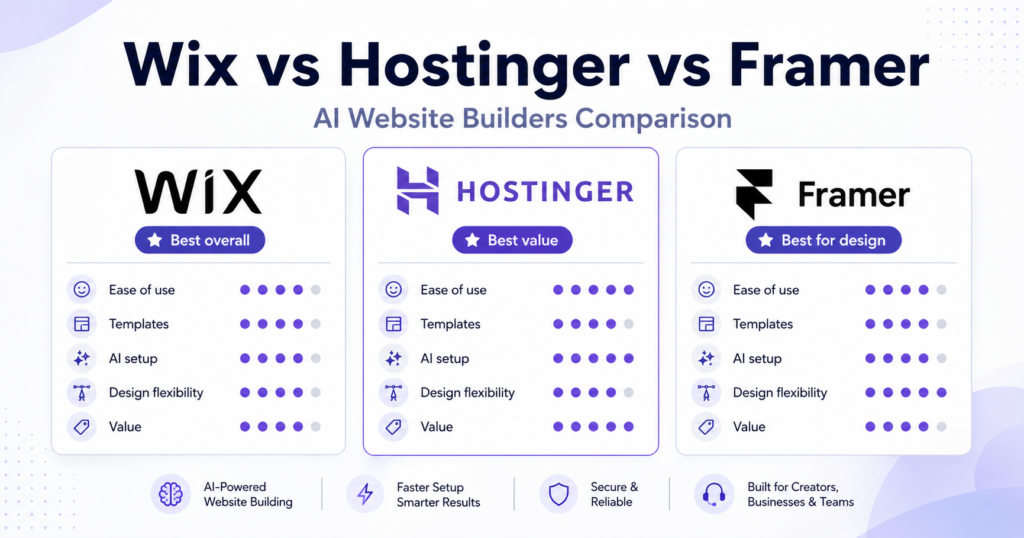
| Wix Harmony | Most small businesses | Best balance of AI and manual control | Best overall |
| Hostinger | Beginners and budget-conscious businesses | Simplicity and value | Best value |
| Framer | Designers, startups and landing pages | Visual control | Best for design |
| Webflow | Advanced marketing sites and growing teams | Scalability and professional control | Best for advanced users |
| Squarespace Blueprint AI | Creatives and service businesses | Polished design | Best for visual consistency |
| WordPress.com AI Builder | Content-heavy websites | WordPress ecosystem | Best for publishing |
Our top pick: Wix Harmony
For most small businesses, Wix Harmony currently offers the strongest all-round combination of AI generation and traditional website editing.
Wix introduced the Harmony Editor in January 2026. Its AI agent, Aria, can generate pages, layouts, colors, starter copy and images from a description of the website you want to create. The important part is what happens afterwards: the generated site remains editable through Wix’s visual interface rather than becoming a locked AI output.
That combination makes Wix particularly appealing for people who want AI to create the first version of a website but still expect to change individual sections, colors, content and layout manually.
Best for
Small businesses, consultants, restaurants, freelancers and business owners who want an all-in-one website platform without giving up visual control.
What we like
- AI can generate an entire initial website.
- Aria remains available while you continue editing.
- Traditional drag-and-drop editing is still available.
- Responsive layouts are built into Harmony.
- Wix includes a large ecosystem of business functionality.
- You are not forced to continue using AI after generation.
What to consider
The amount of functionality available in Wix can also make the platform feel larger and more complicated than simpler alternatives.
Wix itself also warns users that AI-generated suggestions can occasionally be inaccurate or unexpected, so generated content should still be reviewed before publishing.
ToolMetria verdict
Best overall AI website builder for most users.
Wix currently makes the most sense for someone who wants AI to accelerate the build without turning the website into a completely automated black box.
2. Hostinger AI Website Builder — Best Value
Hostinger takes a noticeably simpler approach.
Instead of positioning itself primarily as an advanced design system, its AI Website Builder focuses on getting a functional website online quickly.
You describe the project, Hostinger creates the initial website or web app, and you can continue modifying it through AI instructions or a drag-and-drop editor. Hosting is integrated into the product, and Hostinger currently advertises plans starting from around $2.99 per month, although promotional pricing and renewal prices can change.
That makes it one of the easiest options to understand financially.
You are not choosing a separate host, installing a CMS and connecting a builder. The website, hosting and publishing workflow live in one ecosystem.
Why Hostinger stands out
Its strongest argument is not that it has the most advanced AI.
It is that it removes friction.
For a local service business, portfolio, small company website or simple online presence, that can matter more than having hundreds of advanced controls.
Hostinger also includes ecommerce capabilities, marketing integrations and SEO tools within its website builder ecosystem.
Best for
Beginners, freelancers, local businesses and users who want a relatively inexpensive all-in-one package.
What we like
- Low barrier to entry.
- Hosting included.
- AI site generation.
- Drag-and-drop editing after generation.
- Ecommerce support.
- Simple publishing process.
What to consider
Designers who want extremely granular layout control may eventually find platforms such as Framer or Webflow more flexible.
ToolMetria verdict
Best AI website builder for value.
If the goal is simply to launch a credible business website quickly without spending much money, Hostinger deserves a place near the top of the shortlist.
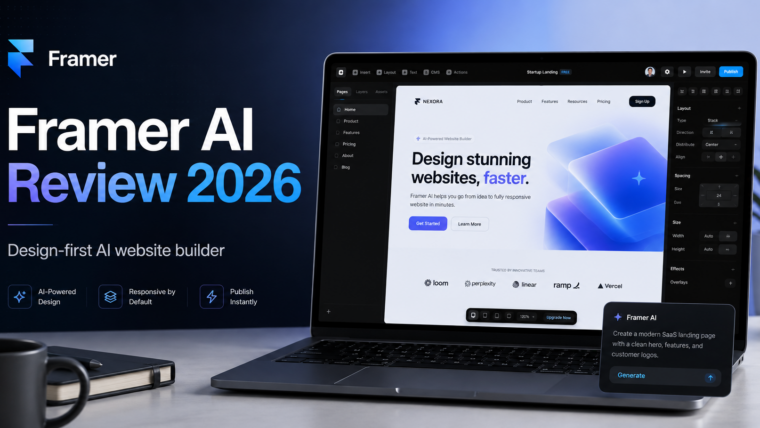
3. Framer — Best for Design Control
Framer occupies a different part of the market.
It feels less like a traditional beginner website builder and more like a visual design environment that has increasingly incorporated AI throughout the workflow.
In 2026, Framer’s AI agents can generate pages, sections, copy and visuals directly inside a project. Those elements remain editable on Framer’s canvas, where users can refine typography, layout, breakpoints, animations and other design details.
Framer also allows AI agents to work with CMS content and can generate custom code components for specific interactions or functionality.
That makes Framer particularly interesting for users who care about the visual quality of the final result rather than simply getting a site online as quickly as possible.
Where Framer is different
AI is used as a design accelerator, not as a replacement for the editor.
You can generate a first direction from a prompt and then take control.
For startup landing pages, portfolios and highly visual marketing websites, that workflow can be significantly more attractive than a traditional template system.
Framer introduced a new AI-credit model alongside Framer 3.0 in June 2026, so frequent use of its agents may depend on the allowance included in your plan.
Best for
Designers, startups, agencies, creators and marketing teams.
What we like
- Excellent visual editing environment.
- AI-generated pages remain editable.
- Strong responsive design controls.
- CMS functionality.
- Integrated hosting and publishing.
- AI-assisted component creation.
What to consider
There is a bigger learning curve than with Hostinger, especially if you want to take advantage of Framer’s deeper design capabilities.
ToolMetria verdict
Best AI website builder for design-focused users.
If you care about the site looking custom rather than simply looking acceptable, Framer is one of the strongest options available.
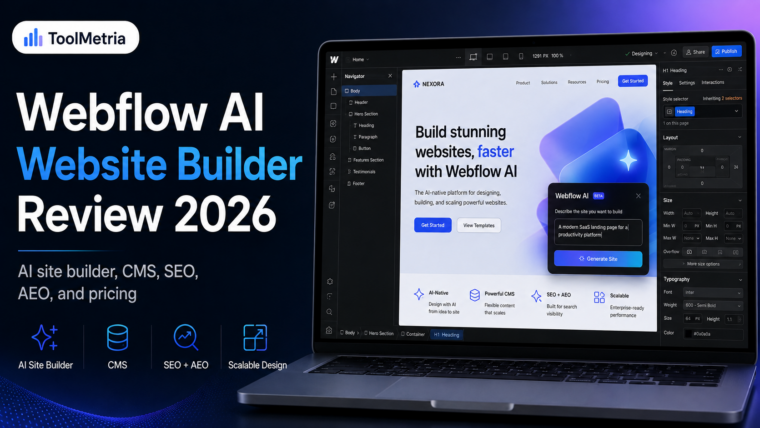
4. Webflow AI Site Builder — Best for Advanced Websites
Webflow has traditionally appealed to designers and professional teams who want much more control than conventional no-code builders provide.
Its AI Site Builder significantly lowers the barrier to getting started.
Webflow can now turn a prompt into an editable multi-page website complete with site structure, content and an initial design system. Its documentation says the AI Site Builder can create up to five initial pages when used with an eligible paid Workspace or Site plan.
Once the site has been generated, you remain inside the broader Webflow ecosystem.
That means you can continue working with CMS collections, design systems, animations, SEO features and more advanced production workflows.
Webflow has also expanded its AI functionality beyond initial site generation. It now uses AI for copy generation, CMS creation, code components, and SEO/AEO suggestions.
Why choose Webflow over simpler builders?
Control and scalability.
A small five-page brochure website does not necessarily need Webflow.
A marketing site that may eventually contain complex CMS structures, custom components, campaigns and multiple contributors is a different story.
Best for
Agencies, SaaS companies, marketing teams and advanced users.
What we like
- AI-generated multi-page websites.
- Powerful visual development environment.
- Strong CMS capabilities.
- Advanced animation and interaction controls.
- Site can grow beyond its initial AI-generated version.
- Increasing focus on SEO and AEO tooling.
What to consider
Webflow is more complex than Wix or Hostinger.
If you simply need a basic business website, the additional control may not justify the learning curve.
ToolMetria verdict
Best AI website builder for advanced users and scalable marketing sites.
5. Squarespace Blueprint AI — Best for Polished Small-Business Design
Squarespace has built its reputation around design quality, and its Blueprint AI Builder follows the same philosophy.
Rather than simply producing a random page from a single prompt, Blueprint AI uses information about your business, brand and preferences to generate a personalized website with suggested content, imagery and design decisions.
The generated website can then be customized using Squarespace’s existing visual tools, including its Fluid Engine editor.
For photographers, consultants, architects, restaurants, creatives and other businesses where presentation matters, this can be a very attractive approach.
What makes Squarespace different?
Consistency.
Squarespace generally gives users fewer opportunities to accidentally create an ugly website.
That can sound restrictive, but for many small-business owners it is actually an advantage.
Its broader platform also includes features such as ecommerce, scheduling, analytics and marketing functionality.
Best for
Creative professionals, consultants, service businesses and portfolio-driven brands.
What we like
- Strong visual consistency.
- Blueprint AI generates personalized starting points.
- Good selection of professional templates.
- Drag-and-drop editing.
- Broader business ecosystem.
- Built-in SEO and increasingly AI-focused optimization tools.
What to consider
Users looking for the deep visual flexibility of Framer or Webflow may prefer those platforms.
ToolMetria verdict
Best AI website builder for users who prioritize polished design without wanting to become designers themselves.
6. WordPress.com AI Website Builder — Best for Content-Heavy Sites
WordPress is still one of the most important names in web publishing, and WordPress.com now has its own AI Website Builder.
As of August 2026, WordPress.com says its AI builder can generate a fully designed website without requiring templates or coding knowledge. The builder is available across its paid plans for sites that are being launched publicly.
Users can continue editing the AI-created website both manually and through AI prompts, including changing layouts, colors, sections and navigation.
WordPress.com has also introduced an AI Assistant that works inside the editor and Media Library on eligible Business and Commerce plans.
Why consider WordPress?
The biggest reason is not the initial AI generation.
It is what comes afterwards.
WordPress remains fundamentally built around publishing and content management.
If your site is likely to become a large blog, knowledge base, publication or content-driven business, that ecosystem matters.
Best for
Blogs, publications, educational websites and content-heavy businesses.
What we like
- AI-assisted website generation.
- Strong publishing foundation.
- Large WordPress ecosystem.
- Continued manual editing.
- AI tools increasingly integrated into the WordPress workflow.
What to consider
It is important to distinguish WordPress.com from self-hosted WordPress.org.
The AI Website Builder discussed here is a WordPress.com product. A self-hosted WordPress installation gives you considerably more hosting and plugin freedom but follows a different setup process.
ToolMetria verdict
Best choice for users expecting content to become a major part of the website.
Which AI Website Builder Should You Choose?
There is no universal winner.
The right choice depends on what happens after AI generates the first version of your site.
Choose Wix if you want the strongest balance of ease, business functionality and customization.
Choose Hostinger if price and simplicity matter most.
Choose Framer if design quality and visual control are priorities.
Choose Webflow if you expect the website to become more sophisticated over time.
Choose Squarespace if you want a polished business or portfolio site without spending hours designing it.
Choose WordPress.com if publishing and long-term content creation are central to your strategy.
Our recommendation
For most small businesses starting from zero, Wix Harmony is currently the safest overall recommendation.
It provides enough AI assistance to dramatically reduce setup time while still giving users a conventional visual editor when they want greater control.
For someone trying to spend as little as possible, Hostinger is the more compelling alternative.
And for design-led projects, Framer would be our first place to look.
What to Look for in an AI Website Builder
Do not choose a builder purely because its homepage can generate an impressive demo.
There are several things that matter much more over the life of a website.
1. Editing freedom
The generated website is only a starting point.
Ask what happens when you want to move a section, change the mobile layout, add a custom page or redesign the navigation six months later.
2. SEO controls
At minimum, you should be able to manage page titles, descriptions, URLs, image alt text, redirects and indexing settings.
A fast AI generation process is not useful if the resulting website becomes difficult to optimize for search.
3. Business features
Think beyond the homepage.
Do you need:
- ecommerce?
- appointment booking?
- forms?
- email marketing?
- CRM?
- analytics?
- memberships?
- multilingual functionality?
Adding these features later may cost more than choosing the right platform from the beginning.
4. Ownership and portability
Website builders are ecosystems.
The more your business relies on a platform, the more important it becomes to understand how easy — or difficult — it would be to move away from it.
5. Real cost after the introductory offer
Promotional prices can make a builder look much cheaper than it will be long term.
Before committing, check:
- renewal pricing;
- domain costs;
- ecommerce fees;
- email costs;
- AI credit limits;
- additional apps;
- storage or bandwidth restrictions.
Are AI Website Builders Actually Good Enough in 2026?
For many websites, yes.
A local business, consultant, portfolio, restaurant or simple ecommerce site can now get remarkably far with AI-assisted builders.
But AI does not eliminate the need for judgment.
Generated copy still needs editing.
Images still need checking.
Calls to action need to make sense.
SEO still requires strategy.
And your website still needs to explain clearly why someone should choose your business.
The strongest AI website builders understand this.
They use AI to remove repetitive setup work while still allowing humans to control the finished product.
That is the approach we prefer.
Frequently Asked Questions
What is the best AI website builder in 2026?
For most small businesses, we currently consider Wix Harmony the strongest all-round option because it combines AI generation with extensive manual editing and business functionality.
What is the cheapest AI website builder?
Hostinger is one of the most competitively priced major AI website builders and currently advertises introductory plans from around $2.99 per month. Pricing can vary by market, contract duration and promotion.
Can AI create an entire website?
Yes. Modern platforms including Wix, Webflow, WordPress.com and others can generate multiple pages, layouts and starter content from user instructions. The quality of the finished site still depends on how well that first result is reviewed and customized.
Is an AI website builder better than WordPress?
It depends on what you need.
An all-in-one AI builder is often easier for beginners. Self-hosted WordPress typically offers greater freedom over hosting, themes, plugins and site architecture.
For a simple small-business website, convenience may matter more. For a large publication or highly customized project, flexibility can become more important.
Can AI website builders rank on Google?
Yes. Being created with AI does not inherently prevent a site from ranking.
Search performance depends much more on technical quality, useful content, site architecture, links, user experience and whether the website actually satisfies the searcher’s needs.
Final Verdict
AI website builders have moved well beyond automatically selecting a template.
The best platforms in 2026 can now help generate the initial site, write and revise content, create pages, change layouts and assist with ongoing website management.
But the winner is not necessarily the builder with the most AI features.
It is the builder that gives you the best website after the AI has finished its first draft.
For most users, our shortlist begins with:
Wix Harmony — Best overall
Hostinger — Best value
Framer — Best for design
Webflow — Best for advanced users
Squarespace — Best for polished small-business sites
WordPress.com — Best for content-heavy websites
ToolMetria will continue updating this guide as these platforms change and as we complete deeper hands-on testing of individual builders.