Squarespace has long been one of the easiest website builders to recommend to users who care about polished design but do not want to become web designers themselves. In 2026, the platform is pushing much further into AI.
The current Squarespace experience combines Blueprint AI Builder, AI-generated templates, AI-assisted text and image creation, a drag-and-drop editor, ecommerce, memberships, digital products, invoicing, analytics, built-in SEO tools, and a new AI Visibility feature that can track whether a website appears in responses from platforms such as ChatGPT and Gemini.
That makes Squarespace more interesting than the old description of “a beautiful template builder.” It is becoming a broader website and business platform with AI integrated into both site creation and search visibility.
In this Squarespace AI website builder review, we look at Blueprint AI, pricing, AI credits, design flexibility, ecommerce, SEO, AI Visibility, business tools, strengths, weaknesses, and how Squarespace compares with Wix, Framer, Webflow, and Hostinger.
ToolMetria testing status: This review is based on Squarespace’s current 2026 product documentation, pricing structure, and official feature information. We will add a final numerical ToolMetria Score after completing the same standardized hands-on test used for competing website builders.
Squarespace AI Website Builder Review: Quick Verdict
Squarespace is one of the strongest AI-assisted website builders for creatives, consultants, service businesses, portfolios, and brands that want a polished website without a steep design learning curve.
Blueprint AI does not try to replace Squarespace’s visual editor. Instead, it helps create the initial structure, style direction, imagery, and content, after which the site can be refined using Squarespace’s normal editing system.
That makes Squarespace particularly attractive for users who want AI to reduce blank-page friction but still want the final site to feel intentionally designed.
Its biggest strengths are design consistency, ease of use, ecommerce and digital-product support, and the fact that SEO and AI-search visibility are increasingly managed from the same ecosystem.
Its main limitations are that it is less flexible than Framer or Webflow for highly custom design systems, and some adjacent tools such as Acuity Scheduling and Email Campaigns may require separate subscriptions.
Squarespace at a glance
| Area | ToolMetria view |
|---|---|
| Best for | Creatives, consultants, service businesses, portfolios, content sites and smaller online stores |
| AI site creation | Blueprint AI Builder + Blueprint AI Templates |
| Editing | Drag-and-drop visual editing after AI generation |
| Trial | 14-day free website trial |
| Current plans | Basic, Core, Plus and Advanced |
| Starting price | From $19/month on annual billing, depending on market |
| Ecommerce | Available across current paid plans, with lower fees on higher tiers |
| SEO | Built-in technical SEO and content controls |
| AI search | AI Visibility can monitor mentions in ChatGPT and Gemini |
| Main strength | Polished design with low setup friction |
| Main drawback | Less granular creative control than specialist design platforms |
For a broader comparison, see our guide to the best AI website builders in 2026.
What is Squarespace Blueprint AI Builder?
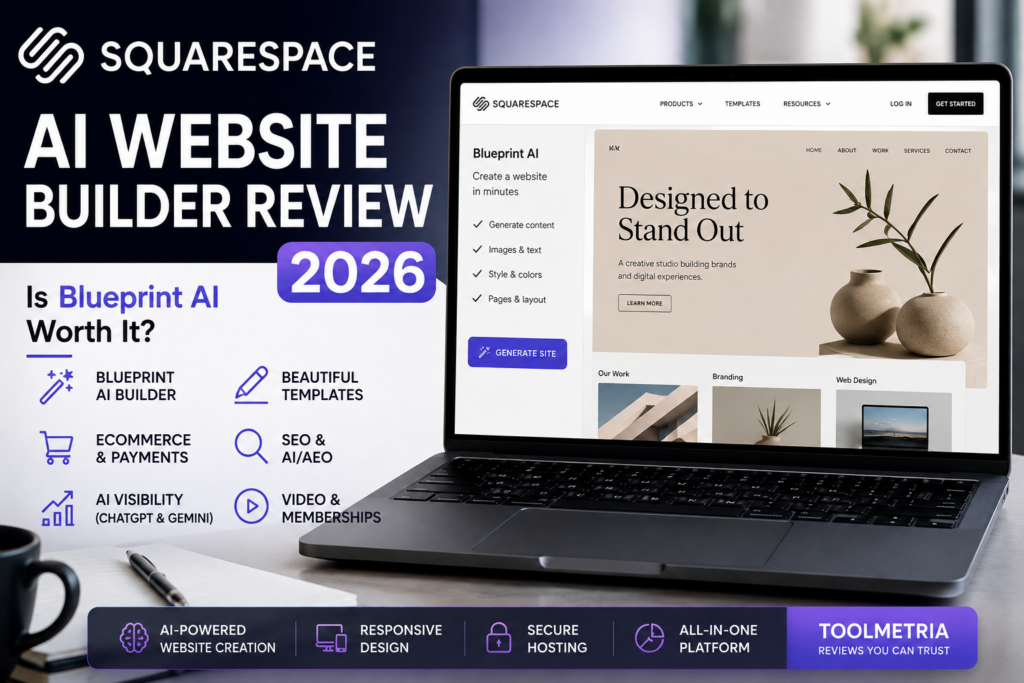
Squarespace’s Blueprint AI Builder is an AI-assisted way to create the starting structure and style of a website.
According to Squarespace’s current AI documentation, there are currently three AI-assisted ways to begin a website:
- Blueprint AI Builder — build a custom template step by step;
- Blueprint AI Templates — generate several AI-tailored template directions based on a topic;
- Squarespace GPT — provide business and brand information through ChatGPT and pass it into Blueprint AI Builder.
When a site is created with these tools, Squarespace can generate text and images and choose style settings based on the user’s prompts.
How Blueprint AI works
Blueprint AI is more guided than a simple “type one sentence and generate everything” workflow.
Squarespace’s current documentation says the builder can use information such as:
- site title;
- business or website type;
- brand personality;
- homepage structure;
- required pages and sections;
- color palette;
- font pairing;
- AI-generated imagery.
This guided process is arguably one of Squarespace’s strengths.
A completely open prompt can generate unexpected layouts. Blueprint AI gives the user enough constraints to influence the result while still reducing the amount of manual setup.
Blueprint AI Templates
Squarespace also offers Blueprint AI Templates for users who want inspiration rather than a fully guided setup process.
On the template screen, users can select a site topic and review AI-generated template suggestions. Squarespace currently shows three generated template options near the top of relevant template results.
This is useful for someone who knows the type of business they are building but does not yet have a clear visual direction.
Important limitation: desktop only
Squarespace’s official template documentation currently says Blueprint AI Builder and Blueprint AI Templates are only available on computers.
They are not supported as full site-generation workflows on mobile devices.
This is not a major issue for most professional website projects, but it is worth knowing before trying to build an entire site from a phone.
AI-generated content in Squarespace
Squarespace AI is also available after the initial site has been created.
The platform can assist with first-draft text for website sections and other content areas. Squarespace itself describes AI-generated text as a starting point rather than something that should automatically be published without review.
That is the right approach.
AI-generated website copy should be checked for:
- accuracy;
- brand voice;
- claims that need evidence;
- repetition;
- generic language;
- search intent;
- legal or regulatory claims;
- conversion clarity.
Design quality: Squarespace’s biggest advantage
Squarespace’s strongest traditional advantage remains design consistency.
Version 7.1 templates share the same underlying features and style options, so choosing a starting template does not permanently lock the site into a completely different technical system.
Squarespace’s template documentation explains that version 7.1 designs share the same family and core customization capabilities.
This matters because it reduces the chance that a beginner chooses a beautiful demo template only to discover that another template supports features their chosen one does not.
Editing after AI generation
Once Blueprint AI has created the starting direction, users can continue editing through Squarespace’s normal visual workflow.
That includes:
- adding and removing pages;
- rearranging sections;
- changing fonts and colors;
- editing generated copy;
- changing images;
- adding galleries and video;
- creating blogs;
- adding products;
- adding forms;
- building member or gated-content experiences;
- configuring navigation and calls to action.
The result is similar to the philosophy behind Wix Harmony: AI accelerates the initial build, but the site remains editable afterwards.
See our Wix AI Website Builder review for the full Wix comparison.
Squarespace pricing in 2026
Squarespace currently uses four primary website plans:
- Basic;
- Core;
- Plus;
- Advanced.
These replaced the older Personal, Business, Commerce Basic, and Commerce Advanced plans for new subscriptions.
Squarespace’s current FAQ says plans start from approximately $19 per month when paid annually, although exact prices vary by country, currency, promotions, and billing cycle.
You should always verify the current amount on the official Squarespace pricing page before purchasing.
| Plan | Best suited to | Key difference |
|---|---|---|
| Basic | Smaller sites, portfolios, blogs and small stores | Lowest cost, but higher selling and digital-product fees |
| Core | Growing businesses and content-heavy sites | Unlimited contributors, premium integrations, no commerce transaction fee |
| Plus | More established stores and digital businesses | Lower payment/digital-product fees and more video storage |
| Advanced | Higher-volume ecommerce and digital products | Lowest listed payment fees, no digital-product transaction fee, unlimited video storage |
Squarespace AI credits
Squarespace has also introduced plan-based AI credits.
The current pricing page lists different AI allowances depending on the subscription:
- Basic: 10 one-time AI credits;
- Core: 20 AI credits per month;
- Plus: 40 AI credits per month;
- Advanced: 120 AI credits per month.
These credits are relevant because Squarespace increasingly uses AI across site creation and AI-search visibility features.
Users who expect heavy AI usage should compare the recurring allowance rather than only the site-building features.
AI Visibility: a major 2026 feature
One of the most interesting additions to Squarespace in 2026 is AI Visibility.
This tool is designed to help website owners understand whether their brand or website appears in AI-powered search results.
Squarespace currently says AI Visibility can:
- generate realistic prompts related to your site;
- run prompts through AI search systems;
- show whether your site or brand is mentioned;
- show competitors that appear instead;
- track changes over time;
- monitor visibility in ChatGPT and Gemini.
This is particularly relevant for ToolMetria because website platforms are starting to treat AI-search discoverability as a standard part of website management rather than a separate specialist SEO service.
AI Visibility uses AI credits
Squarespace says AI Visibility does not require a separate subscription. It uses the AI credits included with the website plan.
That means higher plan allowances may become important for businesses that want to run visibility checks regularly.
SEO in Squarespace
Squarespace includes built-in SEO functionality rather than requiring users to install an SEO plugin.
Its current website and help documentation includes support for:
- SEO titles and descriptions;
- custom page URLs;
- automatic sitemaps;
- SSL;
- mobile-responsive layouts;
- structured page architecture;
- image alt text;
- social-sharing metadata;
- analytics;
- Google Search Console connections;
- crawler controls;
- automatic technical infrastructure.
Squarespace also now publishes specific guidance for generative engine optimization / answer engine optimization.
AI-search and crawler controls
Squarespace’s AI search optimization guide explains how users can manage whether known AI crawlers have access to public content.
If a business wants content to appear in AI-powered search, blocking AI crawlers could reduce the likelihood that those systems can discover and use the site.
Squarespace therefore gives users a direct dashboard setting to control this behavior.
This is a useful example of how website SEO is expanding beyond conventional Google crawling.
Can Squarespace rank on Google?
Yes.
The platform itself does not prevent strong organic performance. A Squarespace site can rank if it provides useful content, satisfies search intent, builds authority, uses sensible internal linking, and competes effectively for the target queries.
Squarespace’s built-in SEO tools cover many of the technical basics a small business needs.
The limitation is not usually “Squarespace SEO.” The limitation is whether the website owner actually creates content and pages worth ranking.
Ecommerce in 2026
Squarespace now allows selling functionality across its current paid website plans.
The exact economics depend heavily on the plan.
According to Squarespace’s current commerce documentation:
| Plan | Commerce transaction fee | Digital-product fee |
|---|---|---|
| Basic | 2% | 7% |
| Core | 0% | 5% |
| Plus | 0% | 1% |
| Advanced | 0% | 0% |
Payment-processing fees still apply separately.
Squarespace Payments fees
Squarespace Payments fees vary by country and plan.
For US domestic cards, Squarespace currently lists:
- Basic: 2.9% + $0.30;
- Core: 2.9% + $0.30;
- Plus: 2.7% + $0.30;
- Advanced: 2.5% + $0.30.
Other payment methods, international cards, currencies, and markets use different rates. Check the current payment-fee documentation for your country.
Digital products, courses and memberships
Squarespace has become much more relevant for creators and knowledge businesses.
Current plans can support:
- digital downloads;
- courses;
- membership content;
- pricing plans;
- paywalled content;
- video content;
- invoices and proposals.
Digital-product fees decline significantly as users move to higher plans, which can make plan selection economically important for creators with meaningful sales volume.
Video storage
Video storage also scales by plan.
Squarespace’s current documentation lists:
- Basic: 30 minutes;
- Core: 5 hours;
- Plus: 50 hours;
- Advanced: unlimited video storage.
This can matter for course creators and membership businesses much more than for a typical brochure site.
Business tools
Squarespace increasingly acts as a business platform rather than only a page builder.
Depending on plan and subscription, users can work with:
- ecommerce;
- products and services;
- digital products;
- memberships;
- invoices;
- proposals;
- analytics;
- forms;
- marketing integrations;
- domains;
- Google Workspace;
- email marketing;
- scheduling.
Important: some products are separate subscriptions
Squarespace’s help center currently notes that services including Acuity Scheduling, Email Campaigns, Google Workspace, Domains, Bio Sites, and Unfold can be purchased separately.
This is important when comparing total cost.
A business that needs scheduling and email marketing should compare the complete stack, not only the website plan.
Squarespace AI Website Builder: Pros and Cons
Pros
- Very polished starting designs.
- Blueprint AI reduces blank-page setup work.
- AI-generated text and images can accelerate content creation.
- Visual editor remains available after AI generation.
- Strong fit for portfolios and creative businesses.
- Built-in ecommerce and digital-product functionality.
- Integrated SEO features.
- AI Visibility tracks presence in ChatGPT and Gemini.
- 14-day free trial without a credit card.
- Version 7.1 templates share the same feature foundation.
Cons
- Less detailed design-system control than Framer or Webflow.
- Some useful business products require separate subscriptions.
- Basic has meaningful commerce and digital-product transaction fees.
- AI credits are limited by plan.
- Blueprint AI Builder is desktop-only.
- Not the cheapest website builder available.
- Highly customized developer workflows may prefer other platforms.
Who should use Squarespace?
Squarespace is especially attractive for:
- photographers;
- designers;
- artists;
- architects;
- consultants;
- coaches;
- creative agencies;
- restaurants;
- service businesses;
- personal brands;
- portfolio sites;
- bloggers;
- smaller online stores;
- course and membership creators.
Who should choose something else?
Squarespace is less obvious if your priority is:
- maximum design-system flexibility;
- advanced visual interactions;
- a large developer ecosystem;
- very large ecommerce operations;
- the lowest possible monthly cost;
- complete server/hosting control;
- complex CMS architecture.
Squarespace vs Wix
| Area | Squarespace | Wix Harmony |
|---|---|---|
| Best fit | Design-conscious businesses and creators | Broad all-in-one small-business use |
| AI site creation | Blueprint AI | Aria + Harmony AI generation |
| Design consistency | Excellent | Strong, with more flexibility |
| Business ecosystem | Strong | Broader |
| AI search monitoring | Built-in AI Visibility | SEO ecosystem, different focus |
| Ease of use | Very approachable | Approachable but feature-rich |
| Best choice | Polished simplicity | Maximum all-in-one versatility |
Choose Squarespace if design consistency and simplicity are your priorities.
Choose Wix if you expect to use a wider range of integrated business functions and want more flexibility.
Read our full Wix AI Website Builder review.
Squarespace vs Framer
Framer gives advanced design-oriented users more control over layouts, responsiveness, interactions, and design systems.
Squarespace reduces design decisions and makes it harder for a non-designer to create something visually inconsistent.
Choose Framer for creative control.
Choose Squarespace for polished simplicity and business functionality.
See our Framer AI Website Builder review.
Squarespace vs Webflow
Webflow is significantly more advanced for structured CMS-driven marketing sites and professional web-production workflows.
Squarespace is considerably easier for an individual business owner who wants to manage the site personally.
Choose Webflow if the website is a sophisticated marketing product.
Choose Squarespace if the website is one part of running the business and you want to minimize technical complexity.
Read our Webflow AI Website Builder review.
Squarespace vs Hostinger
Hostinger’s biggest advantage is value.
Its introductory pricing is much lower, and its AI builder is designed to get a straightforward business website online quickly.
Squarespace’s advantage is the quality and consistency of its design system, its mature creator/business ecosystem, and its stronger emphasis on presentation.
Read our Hostinger AI Website Builder review.
Is Squarespace good for beginners?
Yes.
Squarespace is one of the easier platforms for beginners because hosting, security, templates, editing, and most website-management tasks are handled inside the same system.
Blueprint AI makes the starting process even easier by helping establish the site’s visual and structural direction.
Is Squarespace worth the price?
For users who value presentation and do not want to assemble a website from multiple products, Squarespace can provide good value.
It is less attractive if you only compare the monthly number with budget builders.
The better comparison is the complete stack:
- website builder;
- hosting;
- SSL;
- commerce;
- content;
- SEO;
- analytics;
- AI tools;
- business functions.
However, remember that scheduling, email marketing, and some other services may add separate subscription costs.
What ToolMetria wants to test hands-on
Our standardized Squarespace test will measure:
- time from setup to a usable first website;
- quality of Blueprint AI’s structure;
- quality of AI-generated copy;
- quality of generated images;
- design consistency;
- mobile responsiveness;
- ease of manual editing;
- SEO controls;
- AI Visibility usefulness;
- ecommerce setup;
- pricing transparency;
- overall value.
We will update this article with screenshots and a numerical ToolMetria Score after the test.
Frequently Asked Questions
Does Squarespace have an AI website builder?
Yes. Squarespace offers Blueprint AI Builder and Blueprint AI Templates, which can create a customized starting design using information about the site, brand, desired pages, fonts, colors, and content.
Is Squarespace AI free?
Squarespace offers a 14-day website trial. Current website plans also include different allocations of AI credits, depending on the plan.
How much does Squarespace cost in 2026?
Squarespace currently uses Basic, Core, Plus, and Advanced website plans. Its official FAQ says annual plans start at approximately $19 per month, but exact pricing varies by market and billing cycle.
What is Squarespace AI Visibility?
AI Visibility is a built-in tool that can test prompts and show whether a website or brand appears in AI-generated search responses. Squarespace currently supports monitoring of ChatGPT and Gemini results.
Can Squarespace track ChatGPT mentions?
Yes. Squarespace says its AI Visibility tool can show whether a site appears in ChatGPT responses for relevant prompts and track how that visibility changes over time.
Is Squarespace good for SEO?
Squarespace includes built-in SEO features covering metadata, page URLs, mobile design, sitemaps, SSL, alt text, analytics integrations, and crawler controls. Strong rankings still depend on the quality and authority of the content.
Can I sell products on Squarespace Basic?
Yes, but the Basic plan currently carries a 2% Squarespace commerce transaction fee in addition to payment-processing fees. Core, Plus, and Advanced remove the commerce transaction fee.
Is Squarespace better than Wix?
Squarespace is particularly strong for polished design and a guided creative experience. Wix generally offers a broader business-app ecosystem and more overall flexibility.
Final Verdict
Squarespace remains one of the easiest ways to create a website that looks professionally designed without requiring professional design skills.
Blueprint AI strengthens that advantage by removing much of the friction involved in deciding how the first version of a website should look and what content it should contain.
More importantly, Squarespace’s 2026 AI strategy now extends beyond website generation. AI Visibility brings ChatGPT and Gemini monitoring into the same dashboard, while plan-based AI credits are becoming part of the broader product experience.
Squarespace is not the most flexible builder available. Framer and Webflow give advanced users more granular creative and production control. Wix offers a broader all-in-one business ecosystem. Hostinger is cheaper.
But for creatives, consultants, service businesses, portfolios, and brands that prioritize polished design and simplicity, Squarespace remains one of the strongest AI-assisted website builders in 2026.
ToolMetria preliminary verdict: Squarespace is our leading candidate for polished, design-consistent AI website creation aimed at non-designers and creative businesses. We will add a final ToolMetria Score after hands-on testing.