Framer has changed dramatically in 2026. What started as a design-first website builder is now becoming an AI-assisted website platform for designers, startups, agencies, and marketing teams that want both generation speed and hands-on visual control.
The biggest shift arrived with Framer 3.0 in June 2026. Framer introduced AI Agents directly into the canvas, allowing users to generate pages, rewrite copy, create layouts, build custom code components, review SEO issues, work with CMS content, analyze site performance, and continue iterating without leaving the design environment.
That makes Framer very different from AI builders that focus mainly on producing a first website from a prompt. Framer’s pitch is that AI should accelerate professional website work while the final design still remains fully editable.
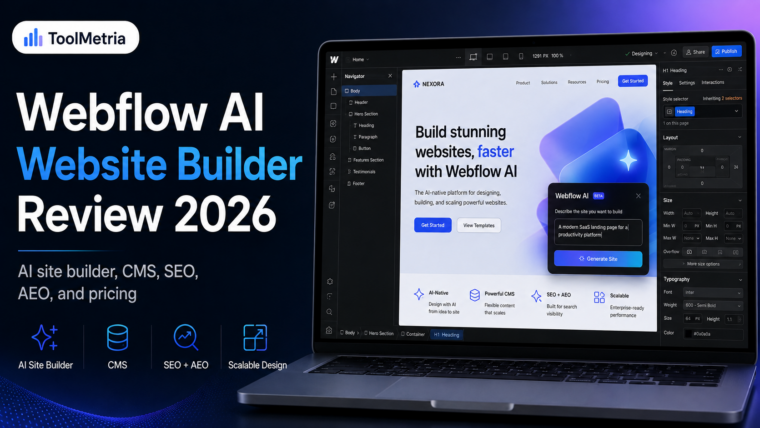
In this Framer AI website builder review, we examine the current 2026 product, including Framer Agents, pricing, AI credits, design flexibility, responsive editing, CMS, SEO, collaboration, hosting, limitations, and how it compares with Wix and Hostinger.
ToolMetria testing status: This review is based on Framer’s current 2026 product documentation, pricing, help center, and feature set. We will add a final numerical ToolMetria Score after completing a standardized hands-on build using the same brief across competing AI website builders.
Framer AI Website Builder Review: Quick Verdict
Framer is one of the strongest AI-assisted website builders for users who care about design quality and visual control.
Its main advantage is not simply that AI can create a page. Framer lets you generate, refine, and maintain websites with AI while keeping the output editable on the canvas. Layouts, typography, components, breakpoints, spacing, colors, effects, and interactions remain under your control.
That makes Framer especially attractive for:
- startup websites;
- SaaS marketing sites;
- landing pages;
- portfolios;
- agency work;
- design-led brands;
- marketing teams that want to move fast without handing every site update to developers.
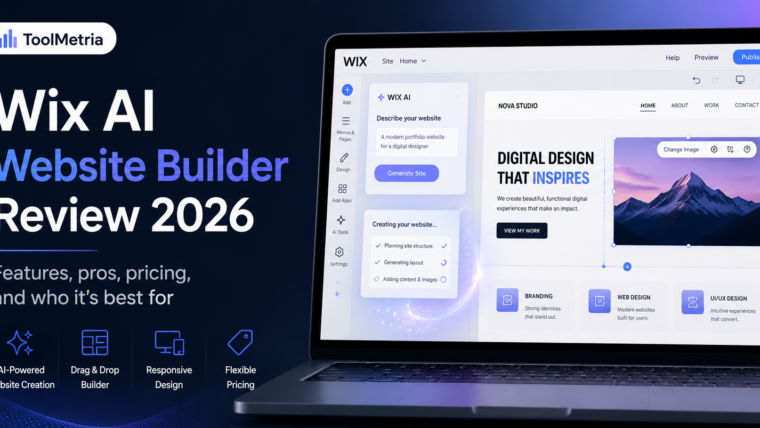
It is less obvious for someone who simply needs the cheapest possible small-business website. For that use case, our Hostinger AI Website Builder review is worth reading. If you want a broader business ecosystem with bookings, ecommerce, CRM, and marketing tools, see our Wix AI Website Builder review.
Framer at a glance
| Area | ToolMetria view |
|---|---|
| Best for | Designers, startups, agencies, portfolios and marketing teams |
| AI workflow | Agents integrated directly into the visual canvas |
| Editing | Full visual editing after AI generation |
| Free plan | Available for testing and non-commercial use |
| Basic plan | $10/month on yearly billing |
| Pro plan | $30/month on yearly billing |
| CMS | Built in, with higher limits on Pro |
| SEO | Built-in SEO, sitemap, robots, metadata, redirects and structured-data support |
| Main strength | Design control combined with AI speed |
| Main drawback | Less beginner-focused and less business-suite oriented than Wix |
For the wider market, see our guide to the best AI website builders in 2026.
What changed with Framer 3.0?
Framer launched Framer 3.0 on June 16, 2026. The update introduced Agents, Branching, a redesigned product experience, and a new Community.
For AI website building, Agents are the most important change.
Framer describes them as AI tools that work directly on the canvas rather than existing as a separate chatbot. That distinction matters because professional website work rarely ends after the first prompt.
A typical workflow may involve:
- generating a first page direction;
- changing the visual hierarchy;
- rewriting the hero copy;
- making the layout responsive;
- adding CMS content;
- building a custom interactive component;
- fixing SEO or accessibility issues;
- testing another variation;
- publishing once the team is satisfied.
Framer’s 2026 AI strategy is designed around helping across that entire workflow.
How Framer’s AI website builder works
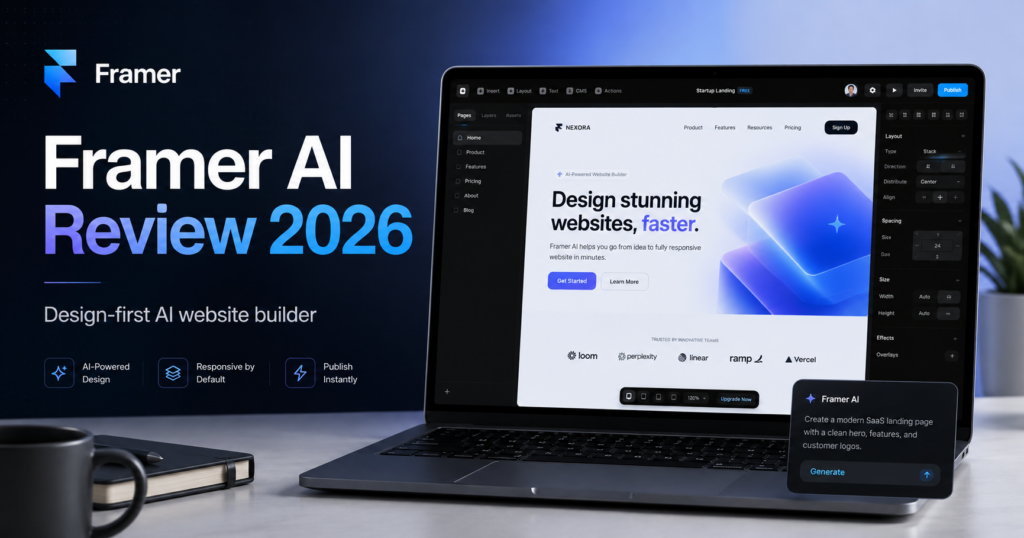
According to Framer’s official AI website builder page, you can describe the website, page, or update you want and let an AI agent generate editable pages, sections, copy, and visuals directly inside the project.
You can then continue refining through conversation or take over manually on the canvas.
This combination is important. A generated website is only useful if the user can still control:
- layout;
- typography;
- components;
- breakpoints;
- spacing;
- colors;
- effects;
- content;
- interactions.
Framer lets the AI accelerate creation without locking the result behind prompts.
Framer Agents: what can they actually do?
Framer’s Agents are considerably broader than a simple AI copywriter.
The current product documentation shows that Agents can help with:
- creating complete pages;
- updating existing site content;
- rewriting copy;
- changing layouts;
- making pages responsive;
- creating custom code components;
- working with CMS content;
- reviewing SEO and accessibility;
- organizing styles;
- analyzing site traffic;
- identifying conversion opportunities;
- updating content across an entire project.
Framer’s dedicated Agents documentation gives examples such as replacing brand names across a site, updating pricing information, changing dates across a project, and managing larger site updates through natural language.
AI-generated custom code components
One of Framer’s more advanced AI capabilities is code-component generation.
Instead of limiting users to the standard block library, the AI agent can generate a custom component from a description. Framer says you can ask for an interaction or live feature and then refine the resulting code component while keeping it connected to the project’s design system.
This can be valuable for teams that want interactive landing pages without creating every component from scratch.
It does not remove the need for review. AI-generated code can still behave unexpectedly, so important functionality should be tested carefully before publishing.
Design control: where Framer is strongest
Design is where Framer separates itself most clearly from beginner-focused builders.
Framer’s visual canvas is built for detailed control over layout, typography, effects, responsive design, and interaction. Users familiar with modern design tools — especially Figma — will usually find the mental model more natural than a traditional template-first builder.
Framer’s current design documentation emphasizes that AI-generated changes remain editable and that users can manually refine everything on the canvas.
This creates a useful pattern:
Prompt → generate → inspect → edit manually → ask AI again → refine → publish.
That is a much more professional workflow than repeatedly prompting until the AI happens to generate something acceptable.
Responsive design
Framer supports responsive layouts through breakpoints, stacks, grids, and flexible layout controls.
AI can also assist with responsiveness. Framer specifically demonstrates prompts such as asking the agent to make a design responsive for tablet and phone.
This matters because many AI-generated websites look good in a desktop preview but break down on smaller screens.
A serious website builder needs a way to inspect and control those breakpoints rather than treating responsiveness as an invisible automatic process.
Framer pricing in 2026
Framer simplified its pricing structure in 2026. The current yearly-billing prices published on Framer’s official pricing page are:
| Plan | Current yearly-billing price* | Typical fit |
|---|---|---|
| Free | $0 | Testing, exploration and non-commercial projects |
| Basic | $10/month | Freelancers, students, personal sites and small studios |
| Pro | $30/month | Agencies, startups, marketing teams and professional sites |
| Enterprise | Custom | Large organizations with custom limits and security requirements |
*Prices are those displayed by Framer at the time of writing for yearly billing. Taxes, region, add-ons, overages and future pricing changes can affect the final cost.
Free plan
Framer’s Free plan is useful for testing the platform. Framer says free workspaces without an active subscription receive 500 credits to try Agents. A custom domain requires a paid plan.
Basic plan
The Basic plan is currently $10 per month when billed yearly. It includes a custom domain, 2 CMS collections, 50 GB of bandwidth, built-in SEO, and 1,000 AI credits per month.
Pro plan
Pro is currently $30 per month when billed yearly. It expands the platform to 10 CMS collections, 100 GB bandwidth, site redirects, staging, branching with previews, and 3,000 AI credits per month.
Pro is the plan we would expect many serious marketing sites and agencies to evaluate first.
Editor pricing
Team cost is another factor. Framer currently lists additional full editors at $20 per editor per month and content editors at $10 per editor per month on standard paid plans.
That means a collaborative Framer setup can cost meaningfully more than the site-plan price alone.
AI credits: an important pricing detail
Framer introduced AI credits alongside Framer 3.0. Its June 2026 announcement explains that Agents consume credits based on the work they perform.
According to Framer’s AI-credit announcement, every paid plan includes an allowance and more credits can be purchased when needed.
This means AI is not an unlimited invisible resource.
For light use, the included allowance may be enough. Teams that use Agents heavily for page generation, site-wide editing, analysis, localization, or repeated iteration should include AI-credit usage in the total cost calculation.
Framer CMS
Framer includes a native CMS for blogs, collections, documentation, case studies, team pages, resources, and other structured content.
The Basic plan currently includes 2 CMS collections and up to 1,000 CMS items, while Pro includes 10 collections and 2,500 items before optional expansion.
Framer’s CMS help center includes support for dynamic filters, flexible CMS detail pages, related collections, videos, formatted text, and other structured-content workflows.
For a marketing site with a blog or resource library, this can be enough.
For a publication with extremely complex editorial workflows, WordPress may still offer a broader ecosystem and more mature publishing flexibility.
Framer SEO in 2026
Framer has invested heavily in SEO and answer-engine visibility.
Its current SEO guide says published sites automatically include a sitemap and robots.txt, while users can control metadata, indexing, redirects, semantic structure, alt text, and other important SEO elements.
Framer supports:
- custom page titles;
- meta descriptions;
- CMS-specific metadata;
- automatic sitemap.xml;
- robots.txt;
- indexing controls;
- site redirects;
- semantic heading tags;
- image alt text;
- Google Analytics integration;
- structured data through JSON-LD and custom code;
- canonical and social metadata;
- built-in analytics.
Structured data
Framer supports JSON-LD through its Custom Code functionality. Its structured-data documentation explains how schema can be added globally or dynamically to CMS pages.
That is useful for teams that need Article, Organization, Product, Event, FAQ, or other structured-data types.
AI visibility and markdown delivery
Framer has also added functionality specifically aimed at AI agents.
Its August 2026 documentation says Framer automatically serves clean structured markdown versions of published pages for AI tools, while still delivering pre-rendered HTML with headings, metadata, Open Graph data, canonicals, and JSON-LD where configured.
You can read Framer’s explanation in Make your site readable by AI agents.
This is interesting for brands thinking beyond traditional Google results toward AI-generated search experiences, although there is no guarantee that being technically readable by AI agents will make a site cited or ranked.
AI-powered SEO review
Framer’s AI can also review an existing site and identify issues such as:
- missing alt text;
- contrast problems;
- typos;
- SEO gaps;
- inconsistent styles.
This is potentially useful for teams that treat SEO as an ongoing maintenance process rather than a one-time launch checklist.
Analytics and conversion optimization
Framer is moving beyond website creation into optimization.
Its AI agents can analyze traffic and help identify popular pages, drop-offs, search intent, and conversion gaps. Framer also offers the optional Convert product for A/B testing, funnels, and trigger-based customization.
On the current pricing page, Convert is listed from $50 per 500,000 events on supported plans.
That is more relevant to growth teams than to someone building a basic portfolio, but it shows where Framer is positioning the platform long term.
Collaboration and Branching
Framer 3.0 also introduced Branching.
Branches allow teams to explore and review website changes without immediately changing the live project. Pro includes branching with previews and a staging environment.
This is a major distinction between a basic site builder and a platform designed for teams shipping marketing sites continuously.
For agencies and startups, being able to test a redesign, review it, and merge changes is more valuable than simply having hundreds of templates.
Hosting and performance
Framer hosting is integrated, so users do not need to buy a separate host.
The current pricing page lists a global content delivery network with 20 locations on Basic and 300+ locations on Pro.
Framer also applies built-in performance optimizations and uses pre-rendering so content remains accessible to search engines and crawlers.
Real performance will still depend on the individual website. Heavy videos, animations, large assets, custom scripts, and third-party embeds can reduce performance on any platform.
Framer AI Website Builder: Pros and Cons
Pros
- Excellent visual control.
- AI output remains editable on the canvas.
- Agents can assist across the entire website workflow, not just generation.
- Strong responsive design tools.
- Custom AI-generated code components.
- Native CMS.
- Built-in SEO and automatic sitemap/robots files.
- Strong fit for modern marketing sites and landing pages.
- Branching and staging for professional teams.
- Integrated hosting and analytics.
- Interesting support for AI-agent readability.
Cons
- Less beginner-oriented than Hostinger.
- Less all-in-one business functionality than Wix.
- AI usage is credit-based.
- Additional editors increase total cost.
- Advanced workflows still require design judgment.
- Not the most obvious choice for complex ecommerce.
- Large editorial publications may prefer WordPress.
Who should use Framer?
Framer makes the most sense when the website itself is an important part of the brand.
We would shortlist it for:
- designers;
- startups;
- SaaS companies;
- agencies;
- creative portfolios;
- marketing teams;
- product landing pages;
- content-driven marketing sites;
- teams that frequently test and update pages.
Who should choose something else?
Framer is less obvious if you need:
- the cheapest possible business website;
- a beginner-first setup with almost no design decisions;
- an integrated bookings/CRM/restaurant/business-suite ecosystem;
- a highly specialized ecommerce platform;
- the largest possible plugin ecosystem;
- complete control over your hosting stack.
Framer vs Wix
| Area | Framer | Wix Harmony |
|---|---|---|
| Best for | Design-led sites and marketing teams | Broad small-business use |
| Design control | Excellent | Strong |
| AI workflow | Agents embedded in canvas | Aria integrated into editor |
| Business apps | More focused | Much broader |
| CMS | Strong | Available through Wix ecosystem |
| Bookings / CRM | Not Framer’s core strength | Major Wix strength |
| Learning curve | Higher for non-designers | Easier for typical business users |
| Best choice | Design quality and iteration | All-in-one business platform |
Choose Framer if the site’s visual quality, responsiveness, interactions, and marketing iteration are central to the project.
Choose Wix if you want the website to connect naturally with bookings, ecommerce, payments, CRM, email marketing, and a larger business-app ecosystem.
See our full Wix AI Website Builder review.
Framer vs Hostinger
The difference is even clearer.
Hostinger is easier to recommend to a beginner who mainly wants a professional site online quickly and cheaply.
Framer is easier to recommend to a user who sees the website as a design and marketing asset that will be refined continuously.
Hostinger wins on simplicity and introductory value. Framer wins on visual freedom and professional design workflow.
Framer vs Webflow
Framer and Webflow compete more directly.
Both target users who want more control than a simple template builder provides. Webflow remains extremely capable for structured CMS-driven marketing sites and advanced visual development. Framer’s canvas and AI Agents can feel more immediate for design-heavy work and rapid iteration.
A dedicated Framer vs Webflow comparison will be part of the next stage of the ToolMetria Website Builders cluster.
Is Framer good for small businesses?
Yes, but it depends on the business.
A design studio, creative agency, consultant, SaaS startup, or high-end service business could be an excellent Framer fit.
A restaurant that needs integrated reservations, a local business that wants CRM and email marketing in one dashboard, or a small merchant that wants straightforward ecommerce may find Wix more practical.
The quality of the builder matters, but the surrounding business workflow matters too.
Is Framer worth paying for?
The Basic plan is competitively priced at $10 per month on yearly billing for a professional custom-domain site.
Pro becomes more expensive at $30 per month, but it adds features that matter to professional teams: more CMS capacity, higher bandwidth, staging, site redirects, branching, and more AI credits.
The real cost should include:
- site plan;
- extra editor seats;
- content-editor seats;
- AI-credit add-ons if required;
- localization;
- Convert/A-B testing;
- advanced hosting where relevant.
For a solo portfolio, Basic may be enough. For an agency or growth team, Pro is the more realistic comparison point.
What ToolMetria wants to test hands-on
For the final ToolMetria Score, we plan to build the same test website in Framer that we use across competing platforms.
Our test will measure:
- time to a usable first draft;
- quality of AI-generated structure;
- quality of copy and visual direction;
- ease of editing AI output;
- mobile responsiveness;
- design flexibility;
- Agent usefulness;
- custom component generation;
- CMS setup;
- SEO controls;
- performance;
- pricing transparency;
- overall value.
We will update this review with screenshots, measured timings, and a final numerical score after that test.
Frequently Asked Questions
Can Framer AI build an entire website?
Yes. Framer Agents can create editable pages, sections, copy, and visuals from a prompt. You can then continue refining the site conversationally or manually on the canvas.
Is Framer free?
Framer offers a Free plan for testing, design exploration, and non-commercial use. A paid plan is required to connect a custom domain.
How much does Framer cost in 2026?
At the time of writing, Framer lists Basic at $10 per month and Pro at $30 per month when billed yearly. Enterprise pricing is custom.
Does Framer include AI credits?
Yes. AI Agents and related AI features use credits. Framer currently lists 1,000 monthly credits on Basic and 3,000 on Pro, while free workspaces without subscriptions receive a smaller trial allowance.
Is Framer good for SEO?
Framer includes customizable metadata, automatic sitemap.xml and robots.txt files, indexing controls, redirects, semantic tags, alt text, CMS metadata, Google Analytics integration, and support for JSON-LD structured data.
Can Framer create responsive sites?
Yes. Framer supports breakpoints, responsive layouts, stacks, grids, and AI-assisted responsive design.
Is Framer better than Wix?
Framer is generally more attractive for design-led sites and advanced visual control. Wix is usually stronger for businesses that want a broader all-in-one ecosystem including ecommerce, bookings, CRM, and marketing.
Is Framer better than Hostinger?
Framer provides much greater design flexibility, while Hostinger is simpler and usually cheaper for a straightforward small-business website.
Final Verdict
Framer is one of the most interesting AI website builders in 2026 because it does not treat AI generation as the final product.
The platform uses AI to accelerate professional design work while keeping the result editable, responsive, and connected to a real visual workflow.
That makes it particularly compelling for teams that care about how a site looks and how quickly it can evolve.
Its weaknesses are equally clear. It is not the cheapest beginner option, it does not replace the broader business ecosystem offered by Wix, and heavy AI or team usage can increase the total cost.
But for designers, agencies, startups, portfolios, and modern marketing teams, Framer is currently one of the strongest AI-assisted website-building platforms available.
ToolMetria preliminary verdict: Framer is our leading design-focused candidate in the Website Builders category. A final numerical ToolMetria Score will be added after our standardized hands-on test.