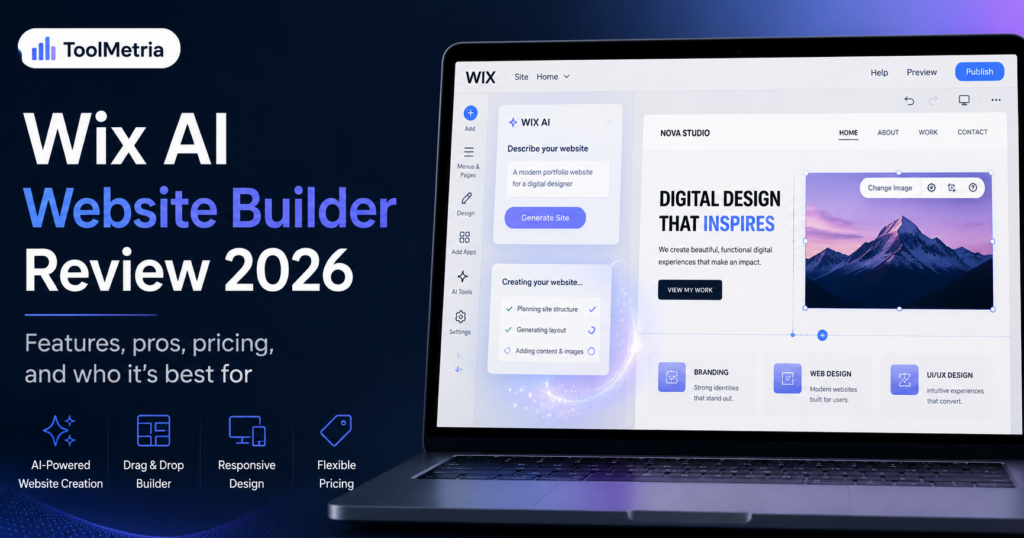
Wix entered 2026 with a major change to the way its website builder works. The new Wix Harmony Editor, launched in January 2026, combines Wix’s familiar visual editing approach with an AI agent called Aria that can help generate pages, layouts, copy, images, and custom elements from natural-language instructions.
That makes Wix much more than a traditional drag-and-drop builder with a few AI features added on top. The current product is designed around a hybrid workflow: you can ask AI to create something, edit it manually, or move back and forth between both approaches.
For small businesses, freelancers, consultants, restaurants, creators, and ecommerce sites, that combination is compelling. Wix also bundles hosting, security, SEO tools, business apps, payments, bookings, email marketing, analytics, and a large app ecosystem around the builder.
But Wix is not automatically the best choice for everyone. It is more expensive than some value-focused alternatives, the number of tools can feel overwhelming, and users who want highly advanced design systems may still prefer Framer or Webflow.
In this Wix AI Website Builder review, we examine Wix Harmony in 2026, including Aria, pricing, design control, SEO, ecommerce, business features, AI tools, strengths, limitations, and how it compares with Hostinger.
ToolMetria testing status: This review currently combines Wix’s live 2026 documentation, pricing, and product specifications with our editorial analysis. We will add a numerical ToolMetria Score after completing our standardized hands-on website build using the same test brief we use for competing builders.
Wix AI Website Builder Review: Quick Verdict
Wix Harmony is currently one of the strongest all-round AI website builders for users who want AI assistance without giving up manual control.
Its biggest advantage is the hybrid workflow. Aria can generate an initial website or help with specific tasks, but you can continue editing the result using Wix’s visual tools. That makes Wix easier to recommend than AI builders that generate something quickly but become restrictive when you want to refine the result.
For most small businesses, we consider Wix a stronger all-round platform than a pure low-cost builder because the website can grow into a broader business system with ecommerce, bookings, forms, customer management, marketing, analytics, and apps.
However, if your main priority is the lowest possible cost, Hostinger remains a serious alternative. Read our Hostinger AI Website Builder review for a detailed breakdown.
Wix Harmony at a glance
| Area | ToolMetria view |
|---|---|
| Best for | Small businesses, freelancers, service businesses, ecommerce and all-in-one websites |
| AI system | Aria AI agent integrated into Wix Harmony |
| Editing | Hybrid AI + drag-and-drop/manual editing |
| Free plan | Available for building and testing |
| Paid plans | Light, Core, Business and Business Elite |
| Ecommerce | Available from Core and above |
| SEO | Advanced built-in controls, structured data, redirects, robots and SEO assistant |
| Hosting | Included |
| Main strength | Best balance of AI assistance, manual control and business features |
| Main drawback | More expensive and more complex than simpler builders |
For a broader market comparison, see our guide to the best AI website builders in 2026.
What is Wix Harmony?
Wix Harmony is Wix’s newer website editor, introduced in January 2026. Wix describes it as a hybrid editor that combines traditional drag-and-drop website creation with AI-native assistance.
The important word is hybrid.
You are not forced to choose between “AI builds everything” and “I build everything manually.” You can ask Aria to generate a page, adjust an existing section, suggest content, create an element, or help with design, and then continue refining the result yourself.
This approach addresses one of the most common weaknesses of AI website generators: the initial result may look impressive, but the user still needs a practical way to change it later.
How Wix creates a website with AI
Wix lets users start a new site by describing the business or project they want to create. According to Wix’s current Harmony documentation, Aria can generate pages based on a site description and style choices.
The workflow is designed for users who may have no design experience:
- Create a new Wix site.
- Describe the business, project, or website.
- Choose whether to let Aria generate a site or start from a recommended template.
- Review the generated pages.
- Edit the design, layout, copy, images, and functionality.
- Connect a domain and publish when ready.
Wix explicitly warns that AI-generated suggestions can sometimes be unexpected or inaccurate, so generated content should still be reviewed before publishing. That is a sensible limitation to keep in mind with any AI site builder.
Aria: Wix’s built-in AI agent
Aria is one of the biggest differences between the current Wix experience and older versions of the platform.
Wix describes Aria as an AI companion built into Harmony that can help users create and design pages through natural-language instructions.
Instead of opening a separate AI tool, generating text, and copying it into the website, Aria works within the editor itself.
What can Aria help with?
Depending on the task, Wix’s current AI tooling can assist with:
- generating complete pages;
- creating sections and layouts;
- suggesting or rewriting website copy;
- creating images;
- adjusting design and styling;
- helping structure the site;
- generating custom site elements;
- providing contextual guidance inside the editor.
This is where Wix’s AI strategy becomes more useful than a one-time “generate my website” button. Aria remains part of the workflow after the first version exists.
AI Element Generator: more than page generation
One particularly interesting 2026 feature is Wix Harmony’s AI Element Generator.
Instead of only generating text or entire layouts, Wix says users can describe a custom element in natural language and have AI create an editable component.
Examples given by Wix include interactive calls to action, event calendars, and weather widgets.
This matters because many no-code builders become limiting when the exact component you need is not available in the standard library. AI-generated elements could reduce that gap for non-developers, although complex custom functionality still deserves careful testing.
Ease of use
Wix is designed for non-developers, but “easy” does not mean “minimal.”
The platform contains many tools, menus, business apps, design controls, and settings. A first-time user can absolutely build a site without coding, but someone who wants to understand everything Wix offers may need time to explore the interface.
For simple websites, the AI workflow reduces that friction considerably. Instead of deciding every detail from scratch, users can start from an AI-generated direction and refine it.
We would describe Wix as:
- easier than self-hosted WordPress for a beginner who does not want to manage hosting, plugins, security, and updates;
- more feature-rich than Hostinger, but therefore potentially more complex;
- easier for most non-designers than Webflow;
- less design-system focused than Framer.
Design flexibility and responsive editing
Wix Harmony is built around responsive website creation while still giving users manual editing control.
Wix’s Harmony editor tour describes tools for page structure, adding elements, navigation, AI assistance, and mobile editing.
The practical benefit is that a user can let AI create a design direction and then modify individual elements rather than accepting the generated site exactly as it is.
For typical small-business websites, this should provide more than enough control.
Advanced creative teams may still prefer Framer or Webflow when animation systems, highly customized breakpoints, component architecture, and precise design workflows are the priority.
Wix pricing in 2026
Wix Harmony itself does not have a separate surcharge. Wix says the Harmony Editor and its integrated AI creation tools are included across its standard platform, including the free plan.
As of the current 2026 US pricing published by Wix, annual plans are positioned approximately as follows:
| Plan | Published annual-plan price* | Best for |
|---|---|---|
| Free | $0 | Testing Wix and building before launch |
| Light | $17/month | Simple professional websites |
| Core | $29/month | Small businesses and entry ecommerce |
| Business | $39/month | Growing ecommerce and business sites |
| Business Elite | $159/month | Advanced businesses, larger teams and operations |
*Pricing varies by country, tax, billing period, and promotion. Wix says displayed annual prices are paid for the full year and can change. Always verify the current checkout price before subscribing.
You can review the current plan structure on Wix’s official pricing page.
What does the free plan actually mean?
The free plan is useful for testing Wix and experimenting with Harmony. For a serious business site, a paid plan is normally required to connect a custom domain, remove Wix branding, increase resources, and access the professional features associated with the paid tiers.
This makes the free tier a good trial environment rather than the version we would recommend for an established commercial website.
Which Wix plan makes the most sense?
Light
Light is the straightforward option for a brochure-style site, portfolio, consultant, or service business that does not need online payments.
Core
Core is where Wix becomes more interesting for businesses. It adds payment acceptance, basic ecommerce, scheduling/services, more storage, and a larger marketing toolkit.
Business
The Business tier is aimed at growing brands that need more advanced ecommerce and marketing functionality.
Business Elite
Business Elite is substantially more expensive and should be evaluated based on actual requirements. Wix positions it around advanced business capabilities, larger teams, priority features, unlimited storage, and expanded ecommerce and developer functionality.
Wix ecommerce: how capable is it?
Wix is no longer just a brochure-site builder. Its Core, Business, and Business Elite plans support payments and ecommerce features.
Wix Stores can support product catalogs and connect to multiple payment options depending on the user’s location. Wix’s payments documentation shows support for Wix Payments and external providers, as well as services such as PayPal, Apple Pay, Google Pay, and regional options where available.
For small and medium-sized stores, having ecommerce inside the same platform as website design, marketing, CRM, and analytics is convenient.
Businesses should still evaluate:
- payment processing costs;
- catalog complexity;
- international selling requirements;
- shipping and tax needs;
- app integrations;
- subscription or membership requirements;
- point-of-sale requirements.
Wix Payments fees
Payment processing fees vary by country and payment method. For example, Wix’s current US help documentation lists standard card processing through Wix Payments at 2.9% + $0.30 for most credit/debit cards, with different rates for certain methods and regions.
Always verify the current fee table for your country on the official Wix Payments service-fee page.
Wix SEO in 2026
Wix’s old reputation for weak SEO is increasingly outdated.
The current platform provides a much broader set of technical SEO controls, and Harmony includes an AI-assisted SEO workflow.
According to Wix’s Harmony SEO documentation, users can work through a step-by-step SEO checklist and manage page-level optimization without needing to install a third-party plugin.
Wix supports controls including:
- SEO titles and meta descriptions;
- custom URL slugs;
- index/noindex controls;
- heading structure;
- social-sharing metadata;
- 301 redirects;
- structured data;
- custom meta tags;
- robots.txt editing;
- canonical controls;
- sitemaps;
- Google Search Console integrations;
- Google Analytics and marketing integrations.
Wix also uses server-side rendering so search engines can access rendered page content. Its SEO feature documentation specifically highlights structured data, robots.txt control, URL customization, SSR, and bulk SEO workflows.
Can a Wix site rank on Google?
Yes. The choice of builder alone does not determine search rankings.
A Wix site still needs useful content, relevant search intent, strong internal linking, quality backlinks, good site architecture, competitive pages, sensible performance, and ongoing optimization.
Wix can provide the technical foundation. It cannot replace the actual SEO strategy.
Marketing, CRM and business tools
One of Wix’s strongest arguments is what happens after the website is published.
Depending on the plan and installed apps, Wix can become a broader operating platform for a small business, with tools around:
- forms and lead capture;
- contact management and CRM;
- email marketing;
- automations;
- online bookings;
- events;
- restaurants;
- memberships;
- ecommerce;
- analytics;
- payments;
- marketing integrations.
This is one reason Wix can justify a higher price than a simpler site builder for some businesses. The website may be only one part of the value.
Wix App Market and integrations
Wix has an extensive app ecosystem that can extend a site beyond the features included in the base editor.
That creates flexibility, but it also creates another cost consideration: not every third-party app is free. A website that relies on several premium apps can become more expensive than the base plan suggests.
When comparing Wix against another builder, calculate the price of the complete stack you actually need rather than only the headline subscription.
Performance and hosting
Hosting is included with Wix plans, so users do not have to choose or maintain a separate hosting provider.
Wix currently advertises multi-cloud hosting on its paid plans and manages infrastructure, security, SSL, and platform updates within its ecosystem.
This is convenient for users who do not want to manage server-level decisions.
As with any builder, real-world performance still depends on the individual site: image size, video, animations, third-party apps, fonts, tracking scripts, page complexity, and other implementation choices all affect loading speed.
Wix AI Website Builder: pros and cons
Pros
- Strong hybrid AI + manual editing workflow.
- Aria remains useful after the initial site generation.
- Free plan for testing the builder.
- Hosting and security included.
- Broad ecommerce and business functionality.
- Advanced built-in SEO controls.
- Large app and integration ecosystem.
- Good fit for businesses that want one platform for site, marketing, bookings, CRM, and sales.
- AI Element Generator adds flexibility beyond standard blocks.
Cons
- More expensive than budget-focused alternatives such as Hostinger.
- The number of tools can feel overwhelming to first-time users.
- Premium apps can increase total cost.
- Highly design-focused users may prefer Framer.
- Advanced visual-development teams may prefer Webflow.
- Moving a complex site away from a proprietary builder is never as simple as moving between interchangeable hosting providers.
Who should use Wix Harmony?
Wix is particularly well suited to users who want an all-in-one platform and do not want to manage the technical stack themselves.
We would shortlist it for:
- small businesses;
- consultants;
- freelancers;
- restaurants;
- coaches;
- service businesses;
- photographers and portfolios;
- small and medium ecommerce sites;
- booking-based businesses;
- business owners who want integrated marketing and CRM functionality.
Who should probably choose something else?
Wix is less compelling if your priority is:
- the absolute lowest long-term cost;
- full server and hosting control;
- a huge open-source plugin ecosystem;
- complex developer-led architecture;
- extreme visual-design freedom;
- a highly specialized enterprise ecommerce platform.
Self-hosted WordPress remains attractive for ownership and extensibility. Framer is compelling for visual design. Webflow is strong for advanced visual development. Hostinger is hard to ignore when price and simplicity dominate the decision.
Wix vs Hostinger AI Website Builder
| Area | Wix Harmony | Hostinger |
|---|---|---|
| Best overall fit | Businesses wanting a broad all-in-one platform | Users prioritizing simplicity and value |
| Entry price | Higher | Lower promotional pricing |
| AI workflow | Deeply integrated Aria assistant | AI generation + conversational building options |
| Manual design control | Strong | Good for typical business sites |
| Business ecosystem | Very broad | Growing but simpler |
| SEO controls | Advanced built-in suite | Built-in SEO tools |
| Ecommerce | More mature ecosystem | Strong value for smaller stores |
| Learning curve | Moderate | Lower |
Choose Wix if you want the stronger all-round business platform and expect your website to expand into bookings, ecommerce, CRM, marketing, and more.
Choose Hostinger if you mainly want to get a professional website online quickly while minimizing initial cost and complexity.
Read our full Hostinger AI Website Builder review for more detail.
Wix vs Framer
Wix and Framer overlap, but their strengths are different.
Wix is easier to recommend to a conventional small business that needs a website plus practical business functionality.
Framer is more attractive to designers, startups, and marketing teams that place greater emphasis on visual control, modern landing pages, interaction design, and creative presentation.
If “run my business” matters more than “perfect my design system,” Wix is usually the more natural choice.
Wix vs WordPress
This comparison depends heavily on what “WordPress” means.
WordPress.com is a hosted platform, while self-hosted WordPress.org gives users far more control over hosting, themes, plugins, and the underlying setup.
Wix is considerably simpler because the hosting, builder, maintenance, business tools, and support live in one environment.
Self-hosted WordPress offers more ownership and extensibility, but that freedom comes with more responsibility.
Is Wix worth the price?
For a user who only needs a simple five-page site, Wix can look expensive compared with Hostinger.
For a business that also uses Wix for bookings, lead capture, forms, ecommerce, CRM, marketing automations, analytics, payments, and customer management, the value equation changes.
The correct comparison is therefore not simply:
“Which website builder has the lowest monthly price?”
It is:
“What will my complete website and business-tool stack cost, and which platform gives me the functionality I actually need?”
What we want to test next
ToolMetria’s hands-on Wix test will use the same brief we use across major AI website builders.
Our planned test will measure:
- time from account creation to first usable site;
- quality of AI-generated page structure;
- quality of generated copy;
- mobile layout quality;
- ease of manual editing;
- AI responsiveness and usefulness;
- SEO controls;
- business feature setup;
- design flexibility;
- pricing transparency;
- overall value.
Once that test is complete, we will add a numerical ToolMetria Score and screenshots from the actual build.
Frequently asked questions
Is Wix Harmony free?
Wix says Harmony is included across its standard platform, including the free plan. The free tier is useful for testing and building, while paid plans are required for the professional features associated with connecting a custom domain and running a commercial site.
What is Wix Aria?
Aria is Wix Harmony’s integrated AI agent. It can assist with creating and modifying website content and design through natural-language instructions inside the editor.
Can Wix AI build an entire website?
Yes. Wix Harmony can generate site pages from a description and style choices. Users can then continue editing the generated result manually.
Can Wix create custom elements with AI?
Yes. Wix’s AI Element Generator can create editable custom elements from written descriptions, extending the builder beyond its standard component library.
Is Wix good for SEO in 2026?
Wix now includes advanced SEO controls such as editable titles and descriptions, URL customization, structured data, robots settings, redirects, indexing controls, sitemaps, canonical settings, and SEO integrations. Rankings still depend on the quality and competitiveness of the website itself.
Can Wix be used for ecommerce?
Yes. Wix’s Core, Business, and Business Elite plans include payment and ecommerce functionality at different levels. Available payment methods and fees depend on location.
Is Wix better than Hostinger?
Wix is the stronger all-round platform for users who want a broad business ecosystem and deeper functionality. Hostinger is often the better value choice for users whose priorities are low initial cost and simplicity.
Is Wix better than WordPress?
Wix is easier to manage as an all-in-one hosted platform. Self-hosted WordPress offers greater control, portability, and plugin freedom. The better option depends on whether simplicity or ownership and extensibility matter more.
Final verdict
Wix Harmony represents a meaningful evolution of the traditional website-builder model.
The most convincing part is not simply that AI can generate a website. Many platforms can now do that.
Wix’s advantage is that AI sits inside a mature website and business ecosystem while the user retains manual editing control.
That makes Wix particularly compelling for small businesses that want one platform capable of starting with an AI-generated website and expanding into ecommerce, bookings, customer management, marketing, analytics, and other operational tools.
The trade-offs are price and complexity. Hostinger is cheaper. Framer can be more appealing for design-heavy work. Webflow can be more attractive to advanced teams. Self-hosted WordPress offers greater ownership.
But for a broad group of business users, Wix Harmony is currently one of the most complete AI website-building platforms available in 2026.
ToolMetria preliminary verdict: Wix remains our leading all-round candidate in the AI website-builder category. We will update this review with a final ToolMetria Score after our standardized hands-on test.