Wrike has spent years building one of the most configurable work-management platforms for teams with complex projects, but its 2026 direction is increasingly centered on a different idea:
work should be managed by people and AI agents inside the same governed system.
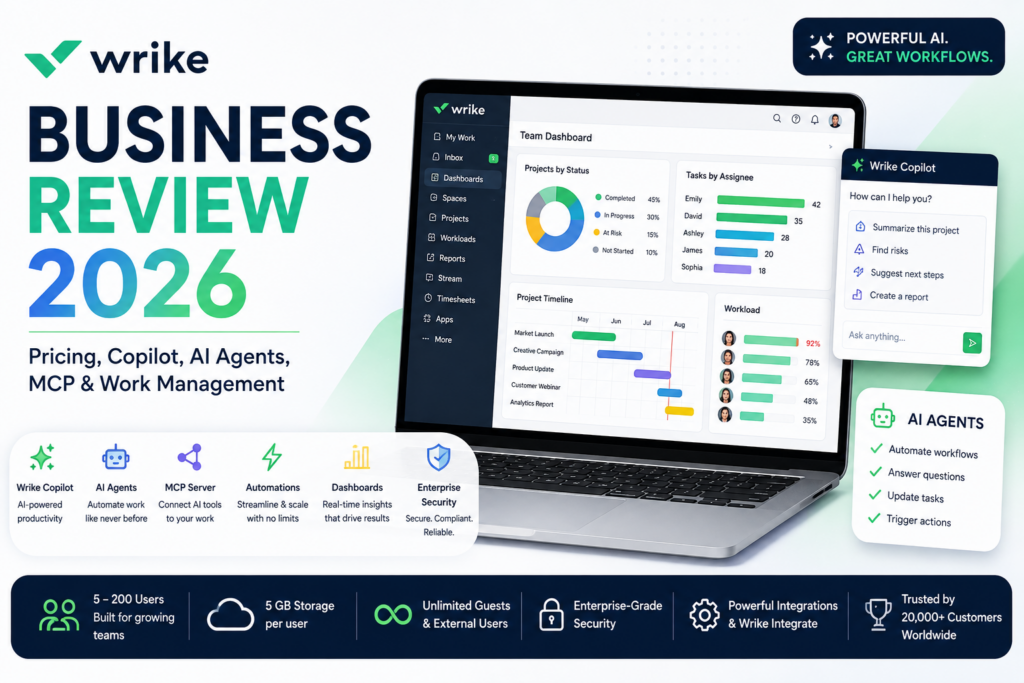
Wrike Business now combines customizable project and workflow management with dashboards, request forms, templates, integrations, whiteboards and a growing AI Elite layer that includes Wrike Copilot, AI agents, natural-language builders and AI-generated widgets.
The current Wrike Business plan costs $25 per user per month when billed annually and is designed for teams of 5 to 200 users. Wrike says this pricing applies to new purchases made on or after January 21, 2026.
In 2026, Wrike also expanded its AI strategy significantly. AI Agents reached general availability, Wrike launched a conversational no-code AI Agent Builder, and the Wrike MCP Server became available through major AI ecosystems including ChatGPT, Claude and Google Gemini.
In this Wrike Business review, we examine pricing, project management, custom workflows, AI Elite, Wrike Copilot, AI agents, MCP, dashboards, forms, integrations, whiteboards, automation, security, use cases and how Wrike compares with Asana, monday.com, ClickUp and Smartsheet.
ToolMetria testing status: This review uses Wrike’s current August 2026 pricing, feature pages and official product announcements. We will add a numerical ToolMetria Score after completing a standardized hands-on business-software benchmark.
Wrike Business Review: Quick Verdict
Wrike Business is one of the strongest choices for teams that need highly configurable work management and want AI agents operating inside governed business workflows.
Its biggest strengths are:
- $25/user/month annual Business pricing;
- support for 5 to 200 users;
- AI Elite features;
- Wrike Copilot;
- custom AI agents;
- conversational AI Agent Builder;
- AI-generated widgets;
- AI-generated forms and automation rules;
- natural-language work creation;
- custom workflow templates;
- Wrike Whiteboard;
- 5 GB storage per user;
- standard integrations and access to a broader 400+ app ecosystem;
- MCP connectivity to ChatGPT, Claude and Gemini;
- enterprise-style permissions and auditability around AI actions.
The main drawback is complexity.
Wrike is not the cheapest option, and the product structure becomes more complex once teams start evaluating Pinnacle, Apex, Wrike Integrate, Wrike Sync and other add-ons.
For simpler project management, monday.com or ClickUp may be easier to adopt. For structured strategic portfolio management, Asana remains a major competitor.
Read our Asana Advanced Review, monday.com Pro Review and ClickUp Business Review.
Wrike Business at a Glance
| Area | ToolMetria view |
|---|---|
| Best for | Complex project management, operations, PMO, marketing and governed AI workflows |
| Free | $0 |
| Team | $10/user/month annually |
| Business | $25/user/month annually |
| Pinnacle | Custom pricing |
| Apex | Custom pricing |
| Business users | 5-200 |
| Storage | 5 GB/user |
| AI tier | AI Elite starter allocation |
| AI assistant | Wrike Copilot |
| AI agents | Included through AI Elite |
| MCP | Wrike MCP Server |
| Integrations | 400+ apps across Wrike ecosystem |
| Main strength | Configurable work delivery with governed AI |
| Main drawback | Pricing and packaging become complex at scale |
What Is Wrike?
Wrike is a collaborative work-management platform designed to organize projects, workflows, requests, approvals and cross-functional execution.
Teams can use Wrike for:
- project planning;
- task management;
- custom workflows;
- request forms;
- dashboards;
- approvals;
- resource visibility;
- reporting;
- whiteboarding;
- automation;
- AI-assisted work.
Wrike is particularly strong when teams need more structure than a lightweight task manager but do not want to build an internal platform from scratch.
Wrike Pricing in 2026
| Plan | Current price | Main fit |
|---|---|---|
| Free | $0 | Basic task management |
| Team | $10/user/month annually | Smaller project teams |
| Business | $25/user/month annually | Custom workflows and AI-enabled work management |
| Pinnacle | Contact sales | Advanced resources, budgets and BI |
| Apex | Contact sales | End-to-end human and AI enterprise workflows |
Wrike states that the current pricing package applies to new purchases from January 21, 2026.
Who Is Wrike Business For?
Business currently supports between 5 and 200 users.
That makes it more suitable for established teams than very small companies.
Typical Business customers include:
- marketing departments;
- operations teams;
- professional services;
- PMO teams;
- creative teams;
- cross-functional business units;
- companies standardizing workflow processes.
5 GB Storage Per User
Wrike Business currently includes 5 GB of storage per user.
That can support attachments such as:
- documents;
- creative files;
- briefs;
- project assets;
- PDFs;
- presentations.
Higher tiers increase storage substantially.
Custom Workflows
Wrike’s strongest traditional capability is customization.
Teams can define workflow stages that match how work actually moves through the organization.
Examples include:
Requested → In Review → Approved → In Production → QA → Complete.
Or:
Lead Received → Qualified → Proposal → Contract → Delivery.
This makes Wrike useful for departments whose processes do not fit generic To Do / Doing / Done structures.
Templates
Business includes the ability to templatize work.
Teams can standardize:
- projects;
- campaigns;
- launches;
- client onboarding;
- operations procedures;
- request workflows.
Templates reduce setup time and help improve process consistency.
Request Forms
Wrike request forms turn incoming work into structured tasks or projects.
Potential use cases include:
- marketing requests;
- creative briefs;
- IT intake;
- project requests;
- HR requests;
- customer-service escalations.
Wrike AI can also help generate forms using natural-language instructions.
AI Form Builder
Wrike’s 2026 AI feature set can convert plain-language requirements into structured request forms.
A user can describe the information a team needs to collect and let AI create the initial form.
This reduces one of the most time-consuming parts of configuring a new workflow.
Dashboards
Wrike dashboards provide configurable views of important work.
Teams can monitor:
- overdue tasks;
- project health;
- team workload;
- approvals;
- high-priority items;
- campaign status;
- custom KPIs.
AI Widget Generator
Business includes AI Elite features such as AI-generated dashboard widgets.
Rather than manually configuring every dashboard component, users can describe what they want to see.
For example:
Show all high-priority tasks that are overdue and group them by project owner.
Wrike can help generate the relevant widget.
Wrike Whiteboard
Business includes Wrike Whiteboard functionality.
Whiteboards can be used for:
- brainstorming;
- process mapping;
- strategy;
- planning;
- visual collaboration.
AI Elite also includes a whiteboard assistant.
AI Essentials vs AI Elite
Wrike separates AI functionality into two broad levels.
AI Essentials
AI Essentials includes capabilities such as:
- AI dashboard highlights;
- AI in automation rules;
- AI in request forms;
- AI content generation and editing;
- comment summaries;
- mobile inbox prioritization;
- Board AI.
AI Elite
AI Elite adds:
- Wrike Copilot;
- AI agents;
- AI widget creation;
- whiteboard assistant.
Business includes a starter allocation of AI Elite actions.
Important AI Usage Detail
Wrike expanded AI usage allowances during 2026.
The company states that new, more generous AI quotas took effect from April 1, 2026, with additional AI action packages available for purchase.
Wrike does not publish one simple universal monthly AI-action number on its main public pricing table, so teams should confirm current account-specific limits before forecasting high-volume agent usage.
Wrike Copilot
Wrike Copilot is the platform’s embedded AI assistant.
It can help users work with live project and portfolio context.
Potential tasks include:
- summarizing work;
- finding information;
- analyzing project status;
- identifying priorities;
- drafting updates;
- helping users understand complex workflows.
The important advantage is context: Copilot works inside the same system where the team’s tasks and projects live.
Wrike AI Agents
Wrike AI Agents reached general availability in February 2026.
Unlike an assistant that only suggests what to do, agents can execute workflow steps alongside employees.
Wrike positions agents for use cases such as:
- triage;
- intake;
- risk management;
- workflow automation;
- project administration;
- routine process execution.
No-Code AI Agent Builder
In July 2026, Wrike launched a conversational AI Agent Builder.
The goal is to let non-technical employees build agents through natural language rather than programming.
A user can describe:
- what the agent should monitor;
- when it should act;
- what conditions matter;
- what workflow changes it should make.
Wrike then turns those instructions into an executable agent workflow.
Why Wrike Agents Are Different from Standalone AI Agents
Wrike agents operate inside the Wrike Work Intelligence Graph.
That means they can inherit business context such as:
- projects;
- tasks;
- workflow states;
- people;
- permissions;
- historical work relationships.
This is more useful than an agent that only sees text copied into a chat window.
Governed AI
Wrike emphasizes governance heavily in its AI strategy.
AI actions can remain tied to:
- user permissions;
- workspace rules;
- audit trails;
- approved workflows.
This matters when AI is allowed to create, update or move real business work.
Wrike MCP Server
The Wrike MCP Server connects external AI assistants to live Wrike data through Model Context Protocol.
In 2026, Wrike expanded that MCP experience across major AI platforms.
Wrike is now available as an app or MCP-connected work source in environments including:
- ChatGPT;
- Claude;
- Google Gemini.
Wrike in ChatGPT
Wrike announced its MCP Server as an app in ChatGPT in April 2026.
The integration uses OAuth and maintains permission-aware access.
A user can potentially ask ChatGPT questions such as:
Which projects are currently at risk?
or:
Create a follow-up task in Wrike for the issues identified in this analysis.
Wrike in Claude and Gemini
Wrike subsequently expanded its MCP-connected experience to Claude and Google Gemini.
This gives companies more flexibility in choosing the AI assistant employees use while keeping Wrike as the structured work system underneath.
Read and Write Access Through MCP
Wrike says its MCP Server can support secure read and write access based on existing permissions.
This means AI outputs can become real, trackable work instead of remaining disconnected in a chat transcript.
AI Automation Rules
Wrike can help generate automation rules from natural language.
For example:
When a high-priority task becomes overdue, notify the project owner and move it into the At Risk status.
AI can help convert this requirement into a rule.
Board AI
Board AI can help teams:
- summarize board content;
- create action plans;
- generate tasks;
- translate;
- group information by topic.
Automation and Integrations
Wrike supports automation for repetitive workflow steps.
Business also includes standard integration capabilities.
Wrike’s broader ecosystem supports more than 400 business applications.
Common systems include:
- Slack;
- Microsoft Teams;
- Google services;
- Adobe;
- Salesforce;
- Zoom;
- Tableau.
Wrike Integrate
Wrike Integrate is a paid add-on for more advanced cross-application automation.
This matters because the Business plan’s standard integration layer should not be confused with unlimited enterprise integration automation.
Companies that need complex bi-directional app orchestration should evaluate Wrike Integrate or a dedicated automation platform.
Wrike Sync
Wrike Sync is designed for two-way synchronization between Wrike and supported external systems.
Higher-tier Wrike packages emphasize Sync more heavily for enterprise workflows.
Approvals
Wrike can support structured approvals inside projects.
Typical use cases include:
- creative work;
- campaign assets;
- documents;
- project gates;
- client deliverables.
Wrike for Marketing
Marketing teams can use Wrike for:
- campaign intake;
- content production;
- creative review;
- launches;
- approvals;
- dashboards;
- cross-channel coordination.
AI can help generate forms, summarize projects and automate repetitive coordination.
Wrike for PMO
PMO teams can use Business for:
- project standardization;
- status tracking;
- dashboards;
- workflow templates;
- risk monitoring;
- cross-project reporting.
Teams needing advanced resource planning, budgeting and BI should also evaluate Pinnacle.
Wrike for Operations
Operations teams can build workflows for:
- requests;
- onboarding;
- process control;
- approvals;
- vendor coordination;
- service delivery;
- internal programs.
Wrike for Professional Services
Professional-services firms can manage:
- client projects;
- deliverables;
- approval flows;
- internal templates;
- status communication;
- workload visibility.
Pinnacle becomes more relevant if advanced budgeting, billable hours and resource planning are required.
Wrike Business vs Asana Advanced
| Area | Wrike Business | Asana Advanced |
|---|---|---|
| Annual price | $25/user | $24.99/user |
| Custom workflows | Winner | Strong |
| Goals | Less central on Business | Winner |
| AI agents | Included starter AI Elite allocation | AI Teammates add-on |
| MCP | Strong native MCP server | Strong agentic connector direction |
| Portfolio strategy | More advanced in higher Wrike tiers | Winner on Advanced |
| Best for | Complex customizable workflows | Strategic cross-functional execution |
Read our Asana Advanced Review 2026.
Wrike Business vs monday.com Pro
| Area | Wrike Business | monday.com Pro |
|---|---|---|
| Annual price | $25/user | ~$19/seat |
| Visual simplicity | More structured | Winner |
| AI governance | Winner | Strong AI work platform |
| Custom workflow depth | Winner | Excellent |
| AI app builder | Agent/workflow oriented | Vibe |
| Best for | Governed complex work delivery | Visual cross-functional work |
Read our monday.com Pro Review 2026.
Wrike Business vs ClickUp Business
ClickUp Business is much cheaper and provides a broader all-in-one workspace with Docs and Chat.
Wrike is stronger for teams that prioritize structured workflow governance, mature enterprise work patterns and tightly controlled AI-agent execution.
Read our ClickUp Business Review 2026.
Wrike Business vs Smartsheet Business
Smartsheet is stronger for spreadsheet-oriented processes and grid-based reporting.
Wrike is stronger for highly customizable collaborative workflow management and AI-agent governance.
Read our Smartsheet Business Review 2026.
Wrike Business vs Airtable Business
Airtable is more database- and internal-app-centric.
Wrike is more project-, workflow- and delivery-centric.
Read our Airtable Business Review 2026.
Wrike and Dedicated Automation Platforms
Wrike’s own automation and agents are strongest when work is centered inside Wrike.
Dedicated automation platforms remain more flexible for complex cross-app systems.
See:
Security and AI Privacy
Wrike states that customer data is not used to train or tune generative AI models.
Wrike also says its AI vendors are not allowed to use customer data for model training.
Generative AI capabilities currently use Microsoft Azure OpenAI Service among their underlying technologies.
Human Verification
Wrike emphasizes human review for AI-generated content.
This is useful because AI may help draft or recommend changes without removing human accountability from business workflows.
Pinnacle
Pinnacle is the next tier above Business.
It uses custom pricing and adds capabilities such as:
- three times more AI Elite actions than Business;
- advanced resource and capacity planning;
- budgeting;
- financial tracking;
- advanced reporting and BI;
- larger storage allocations.
Apex
Apex is Wrike’s highest current enterprise package.
It is designed for large-scale workflows led by humans and AI.
Current capabilities include:
- ten times the Business AI Elite action allocation;
- unlimited whiteboards;
- Wrike Integrate;
- Wrike Sync;
- enterprise workflow automation.
Pros and Cons
Pros
- Highly customizable workflows.
- AI Elite included on Business.
- Wrike Copilot.
- Custom AI agents.
- Natural-language AI Agent Builder.
- AI-generated widgets and request forms.
- MCP integration with ChatGPT, Claude and Gemini.
- Strong permission and governance model.
- Templates and structured intake.
- Dashboards and Whiteboards.
- 400+ app integration ecosystem.
- Good fit for complex operations and PMO workflows.
Cons
- $25/user/month is expensive for smaller teams.
- Business requires at least five users.
- AI action quotas require monitoring.
- Advanced resource planning and budgeting require Pinnacle.
- Wrike Integrate and some enterprise capabilities cost extra.
- More complex to configure than simpler project-management tools.
Who Should Use Wrike Business?
We would shortlist Wrike Business for:
- marketing operations;
- PMO;
- operations teams;
- professional services;
- creative operations;
- companies with complex approval workflows;
- organizations adopting governed AI agents;
- teams that need highly configurable workflow states.
Who Should Probably Skip It?
Wrike may not be the best fit when:
- the company has fewer than five users;
- the team only needs basic tasks;
- the lowest per-seat price matters most;
- the company primarily wants a document/wiki workspace;
- a relational database is the main requirement;
- advanced resource planning is required but the company cannot justify Pinnacle.
Which Wrike Plan Should You Choose?
Free
Choose Free for basic individual or lightweight task management.
Team
Choose Team for smaller teams that need Gantt, dashboards and AI Essentials but do not need AI Elite agents and Business-level workflow customization.
Business
Choose Business when teams need custom workflows, AI Elite, Copilot, agents, whiteboards and stronger integration capabilities.
Pinnacle
Choose Pinnacle when resource planning, budgeting, billable hours and advanced BI are essential.
Apex
Choose Apex when Wrike is becoming an enterprise platform for large-scale human and AI workflow execution.
How We Would Start with Wrike Business
- Define one repeatable business workflow.
- Build a clean status model.
- Create one standardized request form.
- Turn the workflow into a reusable template.
- Create one manager dashboard.
- Use AI to generate one form or automation rule.
- Test Wrike Copilot with real project context.
- Build one low-risk AI agent.
- Track AI action consumption.
- Connect MCP in read-only or low-risk workflows before giving AI broad write access.
What ToolMetria Will Test Hands-On
Our standardized Wrike Business benchmark will measure:
- workspace setup;
- custom workflow creation;
- request forms;
- templates;
- dashboards;
- whiteboards;
- automation rules;
- Wrike Copilot;
- AI form creation;
- AI widget generation;
- AI Agent Builder;
- MCP setup;
- integration setup;
- overall value.
Frequently Asked Questions
How much does Wrike Business cost in 2026?
Wrike Business currently costs $25 per user per month when billed annually. The current Business package is designed for 5 to 200 users.
Does Wrike Business include AI?
Yes. Business includes AI Elite features, including Wrike Copilot, AI agents, AI widget generation and a whiteboard assistant, plus AI Essentials functionality.
Does Wrike have AI agents?
Yes. Wrike AI Agents reached general availability in February 2026, and Wrike launched a conversational no-code AI Agent Builder in July 2026.
What is Wrike Copilot?
Wrike Copilot is an AI assistant that works inside Wrike project and portfolio context to help users understand, summarize and act on business work.
Does Wrike support MCP?
Yes. Wrike provides an MCP Server that can connect live Wrike work with compatible AI assistants. In 2026, Wrike expanded availability across ChatGPT, Claude and Google Gemini.
How many integrations does Wrike support?
Wrike currently promotes an ecosystem of more than 400 app integrations across common business platforms.
Is Wrike better than Asana?
Wrike is particularly strong for deeply customizable workflows and governed AI agents. Asana Advanced is stronger for explicit goals, portfolios and strategic cross-functional planning at the same approximate price level.
Is Wrike better than monday.com?
Wrike is more structured and governance-oriented. monday.com is generally easier visually and currently costs less at the Pro level.
Is Wrike better than ClickUp?
Wrike is stronger for mature workflow governance and enterprise-style work delivery. ClickUp Business is much cheaper and provides a broader all-in-one workspace with Docs and Chat.
Does Wrike use customer data to train AI models?
Wrike states that customer data is not used to train or tune its generative AI models and that its AI vendors are not permitted to use customer data for training.
Final Verdict
Wrike Business is one of the more sophisticated products in the work-management market.
Its strength is not simplicity.
Its strength is control.
Teams can create workflows that reflect real business processes.
Request forms standardize intake.
Templates standardize execution.
Dashboards provide operational visibility.
Wrike Copilot adds contextual assistance.
AI Agents can execute recurring process work.
The conversational Agent Builder lowers the barrier to building those agents.
And MCP lets employees use ChatGPT, Claude or Gemini without disconnecting AI from the structured work system.
For small companies, Wrike may be more platform than they need.
For teams managing complex workflows and preparing for governed AI automation, Wrike Business is one of ToolMetria’s strongest Business Software candidates for 2026.
ToolMetria preliminary verdict: Best candidate for customizable enterprise-style work delivery with governed AI agents and strong MCP connectivity. Final score pending standardized hands-on testing.