Smartsheet has always occupied an unusual position in business software.
It looks familiar to spreadsheet users, but underneath that grid is a structured work-management platform for projects, programs, processes, forms, reports, dashboards, automations and resource planning.
In 2026, Smartsheet is becoming significantly more AI-native.
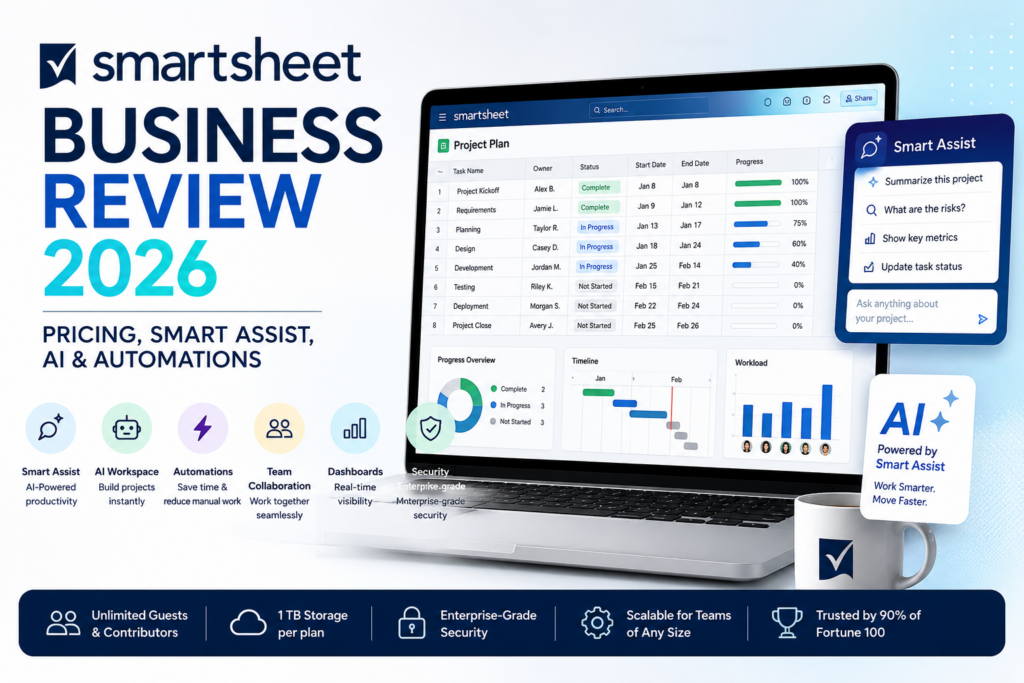
The platform now includes Smart Assist, AI-powered columns and dashboards, AI-generated formulas, workspace creation from natural language and MCP-enabled integrations that let external AI assistants understand and act on live Smartsheet data.
The current Smartsheet Business plan costs $19 per member per month when billed annually or $24 per member per month when billed monthly. Business requires at least three members and includes unlimited Guests and Contributors.
Compared with Pro, Business adds unlimited automations, timeline view, workload tracking, administration capabilities, conditional forms, larger reporting capabilities, 1 TB of attachment storage and MCP-enabled AI integrations.
In this Smartsheet Business review, we examine pricing, sheets, reports, dashboards, forms, automation, Smart Assist, AI workspace creation, MCP, workload tracking, APIs, optional premium apps, security, best use cases and how Smartsheet compares with Asana, monday.com, ClickUp and Airtable in 2026.
ToolMetria testing status: This review uses Smartsheet’s current August 2026 pricing, feature pages and official product documentation. We will add a numerical ToolMetria Score after completing a standardized hands-on business-software benchmark.
Smartsheet Business Review: Quick Verdict
Smartsheet Business is one of the strongest choices for companies that want spreadsheet-style familiarity combined with serious project, process and reporting capabilities.
Its biggest strengths are:
- $19/member/month annual Business pricing;
- unlimited Guests and Contributors;
- unlimited sheets, forms, reports and dashboards;
- unlimited automations on Business;
- timeline, Gantt, board, calendar and table views;
- workload tracking;
- conditional form logic;
- 1 TB attachment storage;
- Smart Assist;
- AI-generated formulas and summaries;
- AI-powered dashboard creation and data analysis;
- build entire workspaces with AI;
- MCP integrations with external AI assistants;
- excellent reporting and process-management flexibility.
The main drawback is that Smartsheet can feel less intuitive than newer visual work-management products.
Its spreadsheet-like structure is powerful for operations and PMO teams, but employees expecting a modern all-in-one workspace like ClickUp may need more onboarding.
Read our Asana Advanced Review, monday.com Pro Review and ClickUp Business Review.
Smartsheet Business at a Glance
| Area | ToolMetria view |
|---|---|
| Best for | PMO, operations, project portfolios, structured processes and spreadsheet-oriented teams |
| Pro | $9/member/month annually |
| Business | $19/member/month annually |
| Business monthly | $24/member/month |
| Minimum Business size | 3 members |
| Guests | Unlimited free Guests |
| Contributors | Unlimited free Contributors |
| Automations | Unlimited on Business |
| Attachment storage | 1 TB on Business |
| AI assistant | Smart Assist |
| AI integrations | MCP-enabled integrations |
| Workload | Included |
| Main strength | Structured work management with spreadsheet familiarity |
| Main drawback | Less immediately intuitive than some newer competitors |
What Is Smartsheet?
Smartsheet is a cloud work-management platform built around sheets.
A sheet can contain:
- tasks;
- owners;
- dates;
- statuses;
- dependencies;
- budgets;
- attachments;
- formulas;
- comments;
- custom fields.
That data can then be displayed through several views, fed into reports, visualized in dashboards and connected to automations.
Smartsheet Pricing in 2026
| Plan | Annual price | Main fit |
|---|---|---|
| Pro | $9/member/month | Individuals and smaller project teams |
| Business | $19/member/month | Teams coordinating projects, programs and processes |
| Enterprise | Custom | Large organizations needing security and portfolio controls |
| Advanced Work Management | Custom | Large-scale portfolio and connected-work solutions |
Business costs $24 per member per month when billed monthly.
Business currently requires at least three members.
Members vs Guests and Contributors
The user model is important for total cost.
Business includes:
- three or more paid Members;
- unlimited Guests;
- unlimited Contributors.
This can make Smartsheet more economical when a smaller core team builds and administers solutions while a large number of stakeholders only contribute or collaborate.
Unlimited Sheets
Business includes unlimited sheets.
Sheets can represent:
- projects;
- campaigns;
- portfolios;
- requests;
- inventories;
- risks;
- budgets;
- operational processes.
The spreadsheet-style interface lowers the conceptual barrier for employees already comfortable with Excel or Google Sheets.
Views
Smartsheet supports several ways to visualize the same work.
Business includes:
- Grid view;
- Table view;
- Board view;
- Calendar view;
- Gantt view;
- Timeline view.
Timeline is one of the Business-level additions compared with Pro.
Gantt and Dependencies
Gantt charts make Smartsheet useful for traditional project planning.
Teams can manage:
- start dates;
- end dates;
- dependencies;
- milestones;
- project duration;
- critical sequences of work.
This makes Smartsheet especially attractive for teams that want more formal project scheduling than a simple Kanban board provides.
Reports
Business includes unlimited reports.
Reports can pull information from multiple sheets and display only the rows relevant to a particular audience.
Examples include:
- all overdue tasks across projects;
- all items assigned to one manager;
- executive project risks;
- campaigns launching this month;
- all requests waiting for approval.
Business allows a report to work across multiple sheets rather than the single-sheet limit on Pro.
Dashboards
Business includes unlimited dashboards and unlimited dashboard widgets.
Dashboards can combine:
- charts;
- metrics;
- reports;
- images;
- links;
- project status;
- portfolio KPIs.
This makes Smartsheet particularly strong for executive and PMO reporting.
Forms
Smartsheet forms allow external or internal users to submit structured information directly into a sheet.
Typical uses include:
- project requests;
- creative briefs;
- IT requests;
- customer submissions;
- employee onboarding;
- incident reports.
Conditional Form Logic
Business includes conditional form logic.
Forms can show or hide questions based on earlier responses.
For example:
If request type = Marketing campaign → ask for target audience and launch date.
If request type = IT issue → ask for device, system and severity.
This makes Smartsheet more useful as an enterprise intake system.
Unlimited Automations
One of the largest differences between Pro and Business is automation capacity.
Pro currently includes 250 automations per month.
Business includes unlimited automations.
Automated workflows can:
- send reminders;
- request approvals;
- alert team members;
- change cells;
- assign work;
- move or copy rows;
- trigger recurring processes.
No-Code Workflow Builder
Smartsheet automations can use conditions and multiple actions.
A workflow might be:
When status changes to Ready for Review → request approval from manager → notify project owner after approval.
This covers many internal processes without requiring a dedicated automation platform.
Approvals
Approval workflows can be embedded directly into operational processes.
Potential uses include:
- budget approvals;
- creative reviews;
- project gates;
- procurement;
- content publishing;
- change requests.
Workload Tracking
Business includes workload tracking.
Managers can see workload based on assignments and capacity.
This helps answer:
- who is overloaded?
- who has available capacity?
- where are projects competing for the same people?
- which work needs to be reassigned?
Resource planning is one of Smartsheet’s most important advantages over simple spreadsheet systems.
Smart Assist
Smart Assist became generally available in June 2026.
It is a conversational AI assistant built directly into Smartsheet.
Smart Assist understands the context of the current work and can help users:
- summarize a project;
- surface risks;
- find rows;
- analyze status;
- draft stakeholder communications;
- clean up data;
- make changes to work.
Smart Assist Can Take Action
Smart Assist is not limited to answering questions.
Smartsheet’s 2026 AI documentation describes actions including:
- adding rows;
- bulk-updating rows;
- creating sheets;
- creating workspaces;
- creating folders;
- managing discussions;
- attaching links;
- reviewing sharing information.
This turns Smartsheet AI into an operational assistant rather than a simple writing tool.
Build a Workspace with AI
In June 2026, Smartsheet made AI-powered workspace creation generally available.
A user can describe a project or process in natural language.
Smartsheet can then generate a structured workspace containing:
- sheets;
- dashboards;
- reports;
- automations.
This is a significant improvement for onboarding because creating a sophisticated Smartsheet solution manually can require substantial configuration.
Generate Formulas with AI
Smartsheet AI can turn plain-language requests into formulas.
This lowers the barrier for users who understand the calculation they want but do not know the exact Smartsheet formula syntax.
Example:
Calculate the number of days between the planned start date and actual completion date.
AI can help generate the relevant formula.
AI Data Analysis
Smartsheet AI can analyze project data and produce summaries, metrics and charts.
Potential uses include:
- risk analysis;
- status summaries;
- trend identification;
- executive reporting;
- project health insights.
AI-Generated Text and Summaries
AI can also work directly with sheet content to:
- summarize tasks;
- generate descriptions;
- refine messaging;
- identify sentiment;
- translate content;
- create stakeholder updates.
Smart Columns
Smartsheet’s current pricing and AI materials also highlight Smart Columns.
These allow AI-powered work to operate directly on structured row data rather than only through a chat interface.
This is useful when the same AI task needs to be repeated across many records.
AI-Powered Dashboards
Smartsheet can use AI to help analyze data and create dashboard metrics and charts.
This is particularly valuable for managers who need reporting but do not want to manually configure every visualization.
MCP-Enabled Integrations
Business currently includes the ability to connect Smartsheet to external AI tools through MCP-enabled integrations.
Smartsheet’s AI platform explicitly references assistants such as:
- Claude;
- Microsoft Copilot;
- ChatGPT;
- Gemini;
- other MCP-compliant tools.
What Can an External AI Assistant Do Through MCP?
Through Smartsheet’s MCP layer, an AI assistant can potentially:
- ask about overdue tasks;
- identify risks;
- review workload;
- update project statuses;
- generate reports;
- create plans;
- reason over live Smartsheet project data.
This is one of the most important 2026 additions because it lets Smartsheet remain the system of record while employees use the AI assistant they prefer.
Smartsheet with Claude
Smartsheet has promoted a direct Claude integration through MCP.
The architecture is straightforward:
Ask Claude a business question → Claude reads permitted Smartsheet context → Claude can return insights or take approved actions.
This reduces the need to manually copy project information into an AI chat.
Smartsheet with ChatGPT
Smartsheet’s MCP approach is designed around an open standard rather than one single AI provider.
That means organizations using compatible ChatGPT environments can connect AI workflows back to Smartsheet instead of maintaining a separate proprietary integration for every assistant.
1 TB Attachment Storage
Business currently includes 1 TB of attachment storage.
That is useful for teams attaching:
- creative files;
- documents;
- project evidence;
- contracts;
- images;
- deliverables.
Administration
Business adds administration capabilities beyond Pro.
This gives organizations stronger control over a multi-team Smartsheet environment.
Enterprise goes further with capabilities such as SAML SSO, Enterprise Plan Manager and directory integrations.
Dynamic View
Dynamic View is an optional premium Smartsheet capability available to eligible Business and Enterprise customers.
Current list pricing starts around $125 per month.
Dynamic View lets organizations expose only selected information from a sheet or report to a particular audience.
This can be useful for:
- external vendors;
- customers;
- approvers;
- executives;
- confidential processes.
Advanced Work Management
Smartsheet also sells an Advanced Work Management package for organizations that need more enterprise portfolio and data-management capabilities.
Current components include:
- Control Center;
- Dynamic View;
- Data Shuttle;
- Connectors;
- DataMesh;
- Calendar App;
- Pivot App;
- Premium Support.
This sits above the normal Business plan and uses custom pricing.
Smartsheet for PMO
PMO is one of the strongest Smartsheet use cases.
Teams can combine:
- project schedules;
- dependencies;
- reports;
- dashboards;
- resource tracking;
- forms;
- automations;
- executive reporting.
Smartsheet for Operations
Operations teams can build structured processes for:
- intake;
- vendor management;
- procurement;
- onboarding;
- quality control;
- incident tracking;
- compliance;
- recurring operational workflows.
Smartsheet for Marketing
Marketing organizations can use Smartsheet for:
- campaign calendars;
- creative intake;
- approval workflows;
- launch planning;
- budget tracking;
- reporting;
- content operations.
Smartsheet for Professional Services
Professional-services teams can use Smartsheet to coordinate:
- client projects;
- timelines;
- deliverables;
- resource assignments;
- status reporting;
- document workflows.
Smartsheet Business vs Asana Advanced
| Area | Smartsheet Business | Asana Advanced |
|---|---|---|
| Annual price | $19/member | $24.99/user |
| Spreadsheet familiarity | Winner | Task/project-first interface |
| Goals | Less central | Winner |
| Reports and structured data | Winner | Strong |
| Automations | Unlimited on Business | Rules + AI Studio |
| Portfolio strategy | Strong; advanced portfolio features in Enterprise | Winner on Advanced |
| Best for | PMO/process teams with spreadsheet orientation | Strategic cross-functional project management |
Read our Asana Advanced Review 2026.
Smartsheet Business vs monday.com Pro
| Area | Smartsheet Business | monday.com Pro |
|---|---|---|
| Annual price | $19/member | ~$19/seat |
| Visual ease | More spreadsheet-like | Winner |
| Reporting | Winner | Strong |
| Automation | Unlimited | 25,000 actions/month |
| AI | Smart Assist + MCP | Sidekick + agents + Vibe |
| Best for | Structured PMO and process work | Visual cross-functional work |
Read our monday.com Pro Review 2026.
Smartsheet Business vs ClickUp Business
ClickUp Business is cheaper and provides a broader all-in-one workspace with Docs, Chat and very deep project features.
Smartsheet is stronger for teams that prefer structured grid-based work, reporting and process control.
Read our ClickUp Business Review 2026.
Smartsheet Business vs Airtable Business
Airtable is more database- and app-builder-centric.
Smartsheet is more project-, process- and reporting-centric.
Airtable is stronger when the company is building a custom relational operational application.
Smartsheet is stronger when the company needs formal schedules, reports, project controls and PMO processes.
Read our Airtable Business Review 2026.
Smartsheet and Dedicated Automation Platforms
Unlimited native Smartsheet automations are excellent for workflows centered on Smartsheet.
Dedicated automation platforms remain more flexible when processes span many unrelated applications.
Read:
Security and AI Governance
Smartsheet emphasizes responsible and transparent AI design.
Its AI materials highlight principles around:
- data privacy and security;
- transparency;
- accountability;
- human oversight;
- reliability.
Companies should still evaluate their exact subscription and deployment requirements before using AI with sensitive project information.
Enterprise
Enterprise uses custom pricing and currently adds capabilities including:
- Scenario Planning;
- Portfolios;
- SAML-based SSO;
- Enterprise Plan Manager;
- unlimited attachment storage;
- directory integrations.
Enterprise currently requires at least ten members.
Pros and Cons
Pros
- $19/member/month annual Business price.
- Unlimited free Guests and Contributors.
- Unlimited sheets, forms, reports and dashboards.
- Unlimited automations.
- Excellent reporting capabilities.
- Timeline, Gantt, board, calendar and table views.
- Conditional forms.
- Workload tracking.
- 1 TB attachment storage.
- Smart Assist can analyze and take action.
- AI can build entire workspaces.
- MCP connects external AI assistants to live work.
Cons
- Minimum three paid members on Business.
- Spreadsheet-style UI can feel less modern than monday or ClickUp.
- Advanced portfolio functionality moves to Enterprise.
- Some powerful capabilities such as Dynamic View cost extra.
- Very complex solutions require deliberate architecture and governance.
- Not an all-in-one chat/document workspace.
Who Should Use Smartsheet Business?
We would shortlist Smartsheet Business for:
- PMO teams;
- operations;
- project managers;
- marketing operations;
- professional services;
- companies migrating complex spreadsheets into governed workflows;
- teams that need executive reporting;
- organizations that want AI to operate on structured project data.
Who Should Probably Skip It?
Smartsheet may not be the best fit when:
- the team wants an extremely simple task manager;
- the company wants chat, docs and project management in one interface;
- custom relational databases are more important than project schedules;
- the team strongly prefers visually playful boards over grid-based work;
- only one or two employees need paid access.
Which Smartsheet Plan Should You Choose?
Pro
Choose Pro when one to ten members need standard project management, unlimited sheets, forms and reports, AI features and up to 250 automations per month.
Business
Choose Business when the organization needs unlimited automations, unlimited Guests, conditional forms, timeline, workload tracking, MCP-enabled AI integrations and larger-scale reporting.
Enterprise
Choose Enterprise when portfolio management, SAML SSO, directory integration and large-organization administration become necessary.
Advanced Work Management
Choose Advanced Work Management when Smartsheet becomes a large-scale portfolio and connected-data platform requiring Control Center, Data Shuttle, DataMesh and related premium tools.
How We Would Start with Smartsheet Business
- Start with one operational process or project type.
- Create one clean sheet template.
- Build a form for structured intake.
- Create one cross-sheet report.
- Add one executive dashboard.
- Automate reminders and approvals.
- Use workload tracking before adding more projects.
- Test Smart Assist against live project data.
- Use AI workspace creation for a new process rather than rebuilding a mature system immediately.
- Test MCP with a read-oriented use case before granting broad write access.
What ToolMetria Will Test Hands-On
Our standardized Smartsheet Business benchmark will measure:
- workspace setup;
- sheet creation;
- Gantt and dependencies;
- forms;
- conditional logic;
- reports;
- dashboards;
- automations;
- workload tracking;
- Smart Assist;
- AI formula generation;
- AI workspace creation;
- MCP connection;
- overall value.
Frequently Asked Questions
How much does Smartsheet Business cost in 2026?
Smartsheet Business currently costs $19 per member per month when billed annually or $24 per member per month when billed monthly.
How many members does Smartsheet Business require?
Business currently requires at least three paid members.
Does Smartsheet Business include free guests?
Yes. Business currently includes unlimited free Guests and unlimited Contributors.
How many automations does Smartsheet Business include?
Business currently includes unlimited automations. Pro is limited to 250 automations per month.
What is Smartsheet Smart Assist?
Smart Assist is a conversational AI assistant inside Smartsheet. It can answer questions about project data, identify risks, summarize work and perform supported actions through natural language.
Can AI build a Smartsheet workspace?
Yes. Smartsheet made AI workspace creation generally available in June 2026. Users can describe a project and generate sheets, dashboards, reports and automations.
Does Smartsheet support MCP?
Yes. Business currently includes MCP-enabled integrations designed to connect Smartsheet with external AI assistants and tools such as Claude, Copilot, ChatGPT, Gemini and other MCP-compliant clients.
Does Smartsheet Business include workload tracking?
Yes. Workload tracking is included on Business.
Is Smartsheet better than Asana?
Smartsheet is particularly strong for spreadsheet-oriented processes, reporting and structured PMO work. Asana Advanced is stronger for explicit portfolio and goal management inside a task-centric work graph.
Is Smartsheet better than monday.com?
Smartsheet is stronger for formal reporting, structured grid-based processes and spreadsheet familiarity. monday.com is generally easier visually and has a more modern board-first experience.
Final Verdict
Smartsheet Business remains one of the most capable bridges between spreadsheets and enterprise work management.
The familiar grid makes adoption easier for operational teams.
Reports and dashboards give management visibility.
Unlimited automations reduce repetitive process work.
Forms turn Smartsheet into a structured intake platform.
Workload tracking adds resource awareness.
And the 2026 AI roadmap significantly modernizes the platform.
Smart Assist can reason over live work and take action.
AI can generate formulas and build entire workspaces.
MCP lets employees bring Smartsheet context into the AI assistant they already use.
For companies that have outgrown spreadsheets but still value spreadsheet-style flexibility, Smartsheet Business is one of ToolMetria’s strongest Business Software candidates for 2026.
ToolMetria preliminary verdict: Best candidate for spreadsheet-oriented project and process management with strong reporting, unlimited automation and increasingly capable AI. Final score pending standardized hands-on testing.