ClickUp has spent the last several years trying to become more than a project-management tool.
In 2026, that strategy is much clearer.
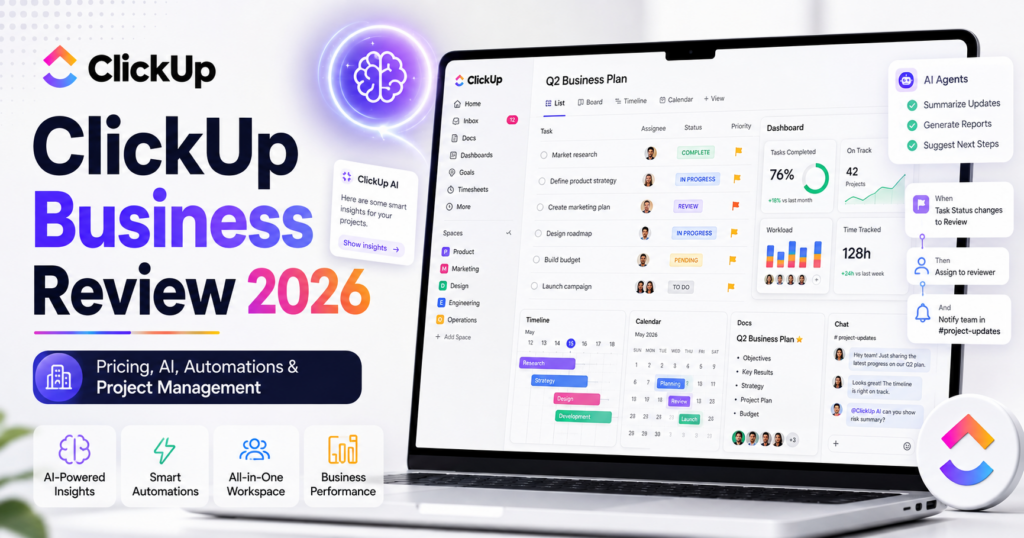
ClickUp 4.0 combines tasks, projects, Docs, Chat, dashboards, meetings, knowledge, automations and AI inside one business workspace. At the same time, ClickUp’s AI layer has expanded through Brain², Brain MAX and Super Agents that can work alongside employees.
The core ClickUp Business plan currently costs $12 per user per month when billed annually or $19 per user per month when billed monthly. That includes advanced project-management features, dashboards, workload management, webhooks, automation integrations and 5,000 automations per month.
AI is priced separately. ClickUp currently lists Brain AI at $9 per user per month on its annual pricing view and Everything AI at $28 per user per month, with additional options such as AI Super Credits and AI Notetaker.
In this ClickUp Business review, we examine pricing, project management, Docs, Chat, dashboards, automations, Brain², Super Agents, AI pricing, integrations, security, best use cases, limitations and whether ClickUp Business is worth it for small and growing companies in 2026.
ToolMetria testing status: This review uses ClickUp’s current 2026 pricing, feature pages and official product announcements. We will add a numerical ToolMetria Score after completing a standardized hands-on business-software benchmark.
ClickUp Business Review: Quick Verdict
ClickUp Business is one of the strongest all-in-one work-management platforms for companies that want projects, documentation, team communication, dashboards and automation in one system.
Its biggest strengths are:
- competitive $12/user/month annual Business pricing;
- unlimited tasks and broad project-management functionality;
- advanced dashboards;
- timeline, workload and portfolio views;
- 5,000 automations per month on Business;
- webhooks and automation integrations;
- Docs and knowledge management;
- ClickUp Chat;
- sprint reporting;
- Brain² and Super Agents as optional AI layers;
- strong potential to replace several separate work apps.
The biggest drawback is complexity.
ClickUp can do so many things that teams can easily overconfigure the workspace. The AI layer also adds another subscription cost on top of the core Business plan.
For a company that wants one highly configurable system of work, ClickUp is extremely compelling.
For a team that wants a simpler document-first workspace, see our Notion Business Review.
ClickUp Business at a Glance
| Area | ToolMetria view |
|---|---|
| Best for | Project management, operations, product teams, agencies and cross-functional work |
| Free Forever | $0 |
| Unlimited | $7/user/month on current annual pricing |
| Business | $12/user/month annual, $19 monthly |
| Enterprise | Custom pricing |
| Business automations | 5,000/month |
| Core collaboration | Tasks, Docs, Chat, dashboards, views and whiteboards |
| AI add-on | Brain AI from $9/user/month on current annual pricing |
| Higher AI tier | Everything AI from $28/user/month on current annual pricing |
| AI agents | Super Agents |
| Main strength | Very broad all-in-one work platform |
| Main drawback | Feature density and AI add-on costs |
What Is ClickUp?
ClickUp is a work-management platform designed to centralize the systems teams use to organize and execute work.
A ClickUp workspace can include:
- tasks;
- projects;
- Docs;
- Chat;
- dashboards;
- goals;
- portfolios;
- forms;
- whiteboards;
- automations;
- time tracking;
- knowledge;
- AI assistants and agents.
This breadth is ClickUp’s defining advantage and its main source of complexity.
ClickUp 4.0
ClickUp 4.0 represents the company’s attempt to turn those separate capabilities into one unified system rather than a collection of features.
ClickUp describes the platform as a converged AI workspace where:
- tasks;
- Docs;
- Chat;
- meetings;
- knowledge;
- AI
operate around the same work context.
This matters because AI becomes more useful when it can understand the tasks, documents, conversations and decisions that already exist inside the workspace.
ClickUp Pricing in 2026
| Plan | Current annual price | Main fit |
|---|---|---|
| Free Forever | $0 | Personal use and small-scale testing |
| Unlimited | $7/user/month | Small teams needing core project management |
| Business | $12/user/month | Growing teams needing advanced management and automation |
| Enterprise | Custom | Large organizations and advanced governance |
Business is currently $19 per user per month when billed monthly.
Why Business Is the Most Interesting Plan
Unlimited already contains a large amount of ClickUp functionality.
Business becomes more interesting when a company needs:
- advanced dashboards;
- portfolio workload management;
- unlimited message history;
- unlimited timeline views;
- unlimited activity views;
- webhooks;
- automation integrations;
- higher automation capacity;
- sprint points and reporting;
- private whiteboards;
- custom exporting;
- Google SSO;
- SMS two-factor authentication.
For a real multi-department business workspace, Business is the plan we would evaluate before Enterprise.
5,000 Automations Per Month
ClickUp Business currently includes 5,000 automations per month.
Automations can reduce repetitive project-management work.
Examples include:
- when status changes, assign a manager;
- when a task becomes overdue, notify the owner;
- when a form creates a task, route it to the correct team;
- when priority changes, update another field;
- when a task closes, trigger a follow-up workflow.
ClickUp Business also includes webhooks and automation integrations, allowing more advanced workflows with external systems.
Tasks and Project Management
Project management remains the core of ClickUp.
Teams can organize work through:
- Spaces;
- Folders;
- Lists;
- tasks;
- subtasks;
- custom fields;
- statuses;
- assignees;
- priorities;
- dependencies;
- recurring work.
The structure is highly configurable.
A product team, marketing team and operations team can all use the same ClickUp workspace while maintaining different task structures.
Views
ClickUp provides multiple ways to visualize the same underlying work.
Common views include:
- List;
- Board;
- Calendar;
- Timeline;
- Team;
- Workload;
- Gantt;
- Table.
Business includes unlimited timeline and activity views and stronger portfolio/workload functionality.
Dashboards
ClickUp Business includes unlimited dashboards with advanced cards.
Dashboards can combine:
- task progress;
- workload;
- sprint metrics;
- time tracking;
- custom reporting;
- portfolio status;
- team performance indicators.
This is one of the main reasons Business is more valuable than Unlimited for managers.
Portfolio Workload Management
Business includes workload management across portfolios.
Managers can use this to understand:
- who is overloaded;
- which projects are falling behind;
- where capacity exists;
- how work is distributed.
This becomes especially important once ClickUp is being used across several teams rather than one small project.
Docs and Knowledge
ClickUp Docs allows documentation to live close to the tasks and projects it supports.
Teams can use Docs for:
- project briefs;
- meeting notes;
- process documentation;
- product requirements;
- knowledge bases;
- onboarding;
- internal policies.
Docs can be linked with tasks, helping reduce the separation between planning and execution.
ClickUp Chat
ClickUp Chat is designed to bring conversations into the same workspace as projects and tasks.
Business currently includes unlimited message history.
The strategic value is straightforward:
less context trapped in one app while the actual work lives in another.
Whether a company should replace Slack or Microsoft Teams entirely depends on workflow and employee preferences, but native Chat can reduce app switching.
Whiteboards and Mind Maps
Business includes private whiteboards and mind mapping.
These are useful for:
- brainstorming;
- process mapping;
- product planning;
- campaign planning;
- visual project design.
Sprints and Agile Teams
ClickUp Business adds sprint points and reporting.
Software and product teams can use ClickUp for:
- sprint planning;
- backlog management;
- story points;
- progress reporting;
- roadmaps;
- bug tracking.
Dedicated developer tools may still be preferable for highly specialized engineering organizations, but ClickUp can work well for mixed product/business teams.
ClickUp Brain²
In June 2026, ClickUp introduced Brain², a major rebuild of its AI layer.
ClickUp says Brain² uses workspace context and frontier AI models to help with work including:
- project management;
- deep research;
- document editing;
- presentations;
- personal administration;
- dashboards;
- working apps.
The strategic advantage is context.
An AI assistant becomes more useful when it already understands the company’s tasks, Docs, decisions and conversations.
Brain AI Pricing
ClickUp currently lists a separate AI subscription structure.
| AI tier | Current annual-billing display | Main idea |
|---|---|---|
| Free Forever AI trial | $0 | Limited trial access |
| Brain AI | $9/user/month | Core AI assistant and expanded AI features |
| Everything AI | $28/user/month | Broader agentic AI suite and maximum usage |
AI pricing is separate from the underlying ClickUp workspace plan.
Brain AI
Current Brain AI capabilities include areas such as:
- Brain Assistant;
- @Brain Agent;
- AI chat using multiple model families;
- AI writing;
- web search and research;
- project summaries;
- project updates;
- workspace enterprise search;
- Super Agents with standard usage;
- AI Fields;
- AI Cards;
- AI Assign;
- AI Prioritize.
Everything AI
Everything AI is the higher-priced ClickUp AI tier.
ClickUp currently positions it for teams wanting the full agentic suite.
It expands usage in areas including:
- Super Agents;
- Ambient Answers;
- AI Notetaker;
- image generation;
- AI Fields;
- AI automations;
- AI dashboards;
- AI Assign;
- AI Prioritize;
- Talk to Text;
- Enterprise Search.
Super Agents
Super Agents are ClickUp’s attempt to make AI behave like a teammate inside the work-management system.
ClickUp says employees can:
- @mention an agent;
- assign tasks to it;
- message it directly;
- give it schedules;
- give it triggers;
- let it work continuously.
Current advertised capabilities include hundreds of skills across:
- email;
- scheduling;
- task management;
- reports;
- content;
- coding;
- customer support;
- sales;
- finance;
- operations.
Why Super Agents Fit ClickUp
The idea is particularly interesting inside a project-management platform because agents already have context about:
- the task;
- the assignee;
- the project;
- the related Docs;
- the relevant conversation;
- deadlines;
- workspace permissions.
That can be more useful than giving a standalone AI chatbot a prompt with no operational context.
AI Super Credits
ClickUp currently sells additional AI Super Credits.
The pricing page lists $10 for 10,000 credits.
Credits can be used for eligible agentic and generative features such as Super Agents, AI Fields and image generation.
This means businesses should evaluate both:
- per-seat AI subscription cost;
- usage-based AI credits.
AI Notetaker
AI Notetaker is also available as a separate option.
ClickUp currently lists pricing starting at $12 for 60 hours per month.
Meeting capabilities include:
- recording;
- summaries;
- searchable transcripts;
- action items.
Integrations
ClickUp integrates with common business applications such as:
- Slack;
- HubSpot;
- Google Drive;
- Microsoft services;
- developer tools;
- automation platforms.
Business also includes webhooks and automation integrations.
Email in ClickUp
ClickUp supports email workflows inside the workspace.
This can be useful when a team wants conversations with customers or partners connected directly to tasks and operational records.
Time Tracking
Native time tracking can help:
- agencies;
- consultants;
- professional-services teams;
- managers estimating workload.
The value is higher when the organization wants project delivery and time data in the same platform.
ClickUp for Agencies
Agencies are a strong ClickUp use case.
A workspace can include:
- client projects;
- content calendars;
- creative approvals;
- time tracking;
- dashboards;
- documents;
- forms;
- automations.
Business is especially attractive when managers need workload and portfolio reporting.
ClickUp for Marketing Teams
Marketing teams can use ClickUp for:
- campaign planning;
- content calendars;
- creative requests;
- approvals;
- Docs;
- dashboards;
- automated status updates;
- AI research and content support.
ClickUp for Product Teams
Product teams can combine:
- roadmaps;
- sprints;
- requirements;
- Docs;
- feedback;
- bugs;
- dashboards;
- cross-functional planning.
ClickUp for Operations
Operations teams may get even more value than traditional project teams.
Examples include:
- onboarding;
- recurring checklists;
- request forms;
- approval workflows;
- service delivery;
- vendor processes;
- internal reporting;
- automated notifications.
ClickUp for Small Businesses
ClickUp can help a small company consolidate several subscriptions.
Depending on workflow, it may reduce the need for separate tools for:
- project management;
- documentation;
- internal chat;
- whiteboarding;
- forms;
- dashboards;
- basic automation.
However, consolidation only creates value if employees actually use the system consistently.
ClickUp Business vs Notion Business
ClickUp is stronger when structured project management is the center of the company workflow.
Notion remains especially strong for flexible documentation, databases and company knowledge.
ClickUp provides deeper native project-management mechanics such as workload, sprint reporting, extensive task views and automation.
Read our Notion Business Review.
ClickUp vs ChatGPT Business
These products solve different problems.
ChatGPT Business is a general AI workspace.
ClickUp is the operational system where tasks, projects, Docs and team workflows live.
Brain² and Super Agents narrow the gap, but ClickUp’s AI is primarily valuable because it operates on ClickUp work context.
Read our ChatGPT Business Review.
ClickUp and Automation Platforms
ClickUp has strong native automation, but dedicated automation platforms remain more flexible when workflows span many external systems.
For deeper automation, see:
Security and Enterprise
ClickUp Enterprise adds controls beyond Business.
Current Enterprise features include:
- enterprise permissions and governance;
- unlimited custom roles;
- SAML SSO;
- SCIM provisioning;
- audit logs;
- session management;
- enterprise API;
- 250,000 automations per month;
- custom branding;
- data residency;
- MSA and HIPAA availability;
- enterprise-scale integrations.
Business already includes Google SSO, SMS 2FA and other team controls, but regulated or large organizations should evaluate Enterprise.
Pros and Cons
Pros
- Business is competitively priced at $12/user/month annually.
- Excellent project-management depth.
- Tasks, Docs, Chat and dashboards in one platform.
- 5,000 automations per month on Business.
- Strong workload and portfolio management.
- Sprint reporting and agile functionality.
- Highly configurable views and custom fields.
- Brain² adds context-aware AI.
- Super Agents can operate directly on workspace work.
- Potential to consolidate several SaaS subscriptions.
Cons
- Feature density creates a real learning curve.
- Workspaces can become overcomplicated if poorly designed.
- AI is an additional per-user cost.
- Heavy Super Agent usage may require extra AI credits.
- Some organizations may still prefer dedicated Slack, Notion or specialist project tools.
- Enterprise-grade identity and governance features require Enterprise.
Who Should Use ClickUp Business?
We would shortlist ClickUp Business for:
- agencies;
- product teams;
- marketing teams;
- operations teams;
- professional-services companies;
- startups;
- cross-functional SMBs;
- companies trying to reduce work-software sprawl.
Who Should Probably Skip It?
ClickUp may not be the best fit when:
- the team wants the simplest possible task manager;
- documentation is far more important than project management;
- employees resist highly configurable software;
- the company already has deeply established specialist tools and does not want consolidation;
- AI is the primary purchase and project management is secondary.
Which ClickUp Plan Should You Choose?
Free Forever
Choose Free to understand ClickUp’s structure and test a small personal or team workspace.
Unlimited
Choose Unlimited when a small team needs serious project management but does not yet need advanced dashboards, portfolio workload and higher automation capacity.
Business
Choose Business when ClickUp becomes an important company operating system and managers need dashboards, workload, timeline, reporting and more automation.
Enterprise
Choose Enterprise for SCIM, SAML, audit logs, data residency, advanced permissions and very high automation/API usage.
Should You Add Brain AI?
Do not automatically buy AI for every ClickUp user.
Start by identifying employees who would benefit from:
- workspace search;
- project summaries;
- writing;
- research;
- AI Fields;
- AI prioritization;
- Super Agents.
If Brain becomes central to company work, then compare Brain AI with Everything AI based on actual usage.
How We Would Start with ClickUp Business
- Create a simple workspace structure.
- Do not add every custom field immediately.
- Build one standard project template.
- Create one management dashboard.
- Add two or three automations.
- Move one recurring process into ClickUp.
- Connect Docs to the tasks they support.
- Test Chat only where it reduces context switching.
- Trial Brain² with a small group of employees.
- Add Super Agents only after the underlying workflow is clean.
What ToolMetria Will Test Hands-On
Our standardized ClickUp Business benchmark will measure:
- workspace setup time;
- project creation;
- task management;
- custom fields;
- views;
- dashboards;
- Docs;
- Chat;
- automations;
- forms;
- time tracking;
- Brain²;
- Super Agent setup;
- AI credit usage;
- overall value.
Frequently Asked Questions
How much does ClickUp Business cost in 2026?
ClickUp Business currently costs $12 per user per month when billed annually or $19 per user per month when billed monthly.
How many automations does ClickUp Business include?
ClickUp currently lists 5,000 automations per month for Business.
Does ClickUp Business include AI?
ClickUp provides trial AI access, but its main AI products are priced separately. Brain AI is currently displayed at $9 per user per month on annual pricing, while Everything AI is displayed at $28 per user per month.
What is ClickUp Brain²?
Brain² is ClickUp’s 2026 AI platform designed to use workspace context across tasks, Docs, conversations and decisions to help with research, project work, documents, presentations and other knowledge work.
What are ClickUp Super Agents?
Super Agents are AI teammates inside ClickUp that can be assigned work, mentioned, messaged and configured to execute recurring or autonomous tasks using workspace context and connected tools.
Does ClickUp have Docs?
Yes. ClickUp Docs can be used for project briefs, knowledge bases, requirements, meeting notes and internal documentation.
Does ClickUp have built-in chat?
Yes. ClickUp Chat is integrated into the workspace, and Business currently includes unlimited message history.
Is ClickUp Business better than Notion Business?
ClickUp Business is generally stronger for structured project management, workload, dashboards, sprints and automation. Notion is often stronger for flexible databases, documentation and wiki-style knowledge management.
Is ClickUp suitable for small businesses?
Yes. ClickUp can be particularly valuable for small businesses trying to centralize project management, documents, dashboards, forms and internal workflows in one product.
Does ClickUp support SSO?
Business currently includes Google SSO. Advanced SAML SSO and SCIM provisioning are Enterprise features.
Final Verdict
ClickUp Business is one of the strongest value propositions in modern business software.
At $12 per user per month annually, the core plan provides much more than simple task management.
It combines projects, dashboards, Docs, Chat, workload, sprint reporting, forms, automation and collaboration.
ClickUp 4.0 makes the product feel increasingly like a company operating system rather than a project-management app.
Brain² and Super Agents make that strategy even more ambitious by placing AI directly inside the context where work is being managed.
The trade-off is complexity.
ClickUp is at its best when a company deliberately designs a clean workspace rather than turning on every feature at once.
For teams that want one configurable platform to manage a large portion of their day-to-day work, ClickUp Business is one of ToolMetria’s strongest Business Software candidates for 2026.
ToolMetria preliminary verdict: Best candidate for highly configurable all-in-one work management. Final score pending standardized hands-on testing.